Use Cases
Batch AI Image Generator for Content Creators & Marketers | Socialaf.ai
Generate dozens of on-brand images at once with Socialaf.ai’s batch AI image generator. Create variations for ads, posts, and campaigns faster, keep style consistent, and streamline approvals with reusable prompts and presets.
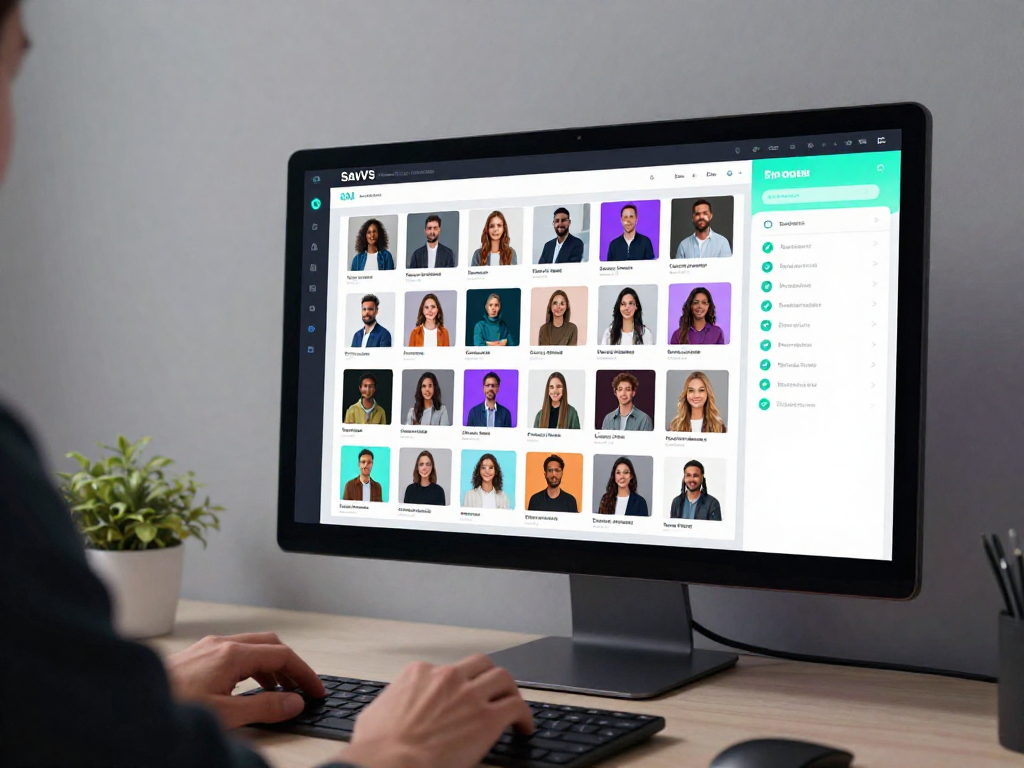
Socialaf.ai helps content creators and marketers produce high-volume visuals without sacrificing brand consistency. Use a batch AI image generator to create multiple image variations from one prompt, speed up campaign production, and keep teams aligned with repeatable styles and workflows.
Why use a batch AI image generator
When you need many creatives for testing, localization, or multi-channel publishing, manual design cycles slow you down. Batch generation lets you create sets of images in one run, keeping composition and style aligned while exploring variations for performance.
- Produce multiple variations from a single brief
- Keep brand look consistent across outputs
- Reduce back-and-forth with faster iterations
- Support A/B testing with more creative options
Use cases for creators and marketing teams
Batch image creation works best when volume and consistency matter. Generate libraries of assets for daily posting, ad testing, product launches, and seasonal campaigns—then refine the top performers into final creatives.
- Paid social: rapid ad creative testing sets
- Organic content: weekly post batches and thumbnails
- Ecommerce: product lifestyle variants and backgrounds
- Campaigns: seasonal themes and localized versions
- Brand kits: reusable styles for ongoing production
How Socialaf.ai supports batch workflows
Build repeatable creative production with prompts, presets, and consistent styling. Generate batches, review results, and iterate quickly so you can ship more creatives per week without increasing workload.
- Reusable prompts and style presets
- Fast iteration for multiple creative directions
- Consistent outputs for brand-safe publishing
- Streamlined review by generating sets together
Best practices to get better batch results
Strong batches start with clear inputs and a consistent structure. Define what must stay fixed (brand style, subject, framing) and what should vary (colors, backgrounds, copy space). Run smaller batches first, then scale the winning direction.
- Write a structured prompt with fixed and variable elements
- Specify aspect ratios and intended placements (feed, story, banner)
- Create 2–3 style directions before scaling volume
- Name and organize batches by campaign and objective
- Review for consistency: logo space, colors, and tone
How to generate a batch of on-brand images
Step 1
Define the goal and placements
Choose the campaign objective and where assets will be used (ads, posts, landing pages), then set the needed aspect ratios.
Step 2
Lock brand constraints
Specify the style direction, color palette, tone, and any must-have elements like copy space or product focus.
Step 3
Write a structured prompt
Create a prompt with fixed elements (subject, style, framing) and variable elements (backgrounds, props, color accents) for controlled variation.
Step 4
Generate a small test batch first
Run a smaller set to validate the direction, then adjust the prompt based on what you want more or less of.
Step 5
Scale the batch and review
Generate the full set, compare variations side by side, and select winners for publishing or further refinement.
FAQ
What is a batch AI image generator?
A batch AI image generator creates multiple images in one run from a single prompt or template, producing variations that can be used for campaigns, testing, or multi-channel publishing.
How does batch generation help marketers?
It speeds up creative production and supports A/B testing by generating more variations quickly, helping teams find high-performing visuals faster while maintaining consistent branding.
Can I keep images consistent across a batch?
Yes. Use a fixed style direction, consistent prompt structure, and defined constraints (framing, colors, composition) so variations stay on-brand while still exploring options.
What should I include in a batch prompt?
Include the subject, style, lighting, composition, background, brand constraints, required aspect ratio, and what should vary between images (colors, props, scenes, copy space).
Create more campaign-ready visuals in less time
Use Socialaf.ai’s batch AI image generator to produce on-brand variations for ads, posts, and launches—fast.