Use case · image to image ai

image to image ai with socialAF.

Your best content ideas should not fall apart because every AI image looks like a different person. socialAF’s image to image ai workflow helps you turn reference images into consistent AI characters you can use across campaign visuals, creator content, short-form videos, talking avatars, and branded persona libraries. Instead of starting from a blank prompt every time, you give socialAF a visual direction: a face, outfit, pose, style, scene, mood, or product setup. Modern image-to-image workflows use source visuals to guide style, composition, pose, layout, and identity, making them especially useful when text alone is not precise enough. ([postcrest.com](https://postcrest.com/ai-image-tools/image-to-image?utm_source=openai)) With socialAF, you can move from one strong reference to a reusable character system: build a persona, generate multi-angle reference packs, organize outputs in per-character galleries, create campaign variations in bulk, and extend the same character into video, talking avatars, and text-to-speech. The outcome is simple: you publish more content with less reshooting, less editing, and far fewer off-brand results.

Get started today·Results in seconds·Loved by creators

Our library·13 characters·12 models

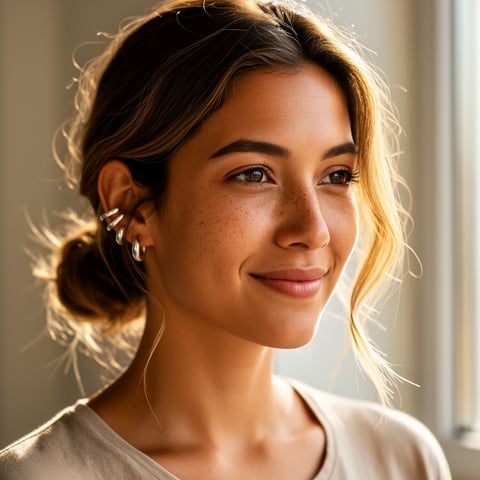
Mia, Beauty + soft glam
Nova, Fitness + wellness
Jordan, Strength coach
Aria, Style + fashion
Kai, Travel + adventure
Eli, Food + slow living
Sage, Yoga + breathwork
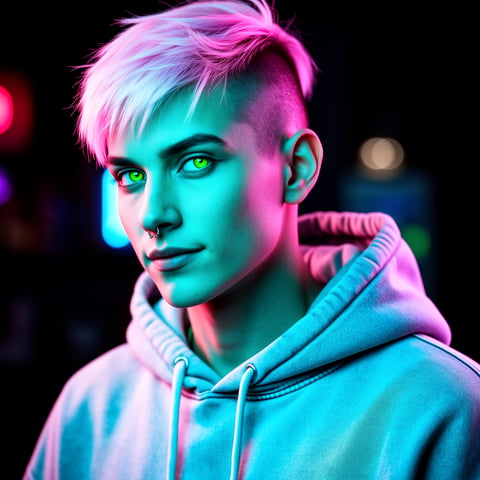
Reese, Gaming + tech

Proof·Built for creator teams, social media managers, AI influencer studios, and agencies that need repeatable content systems, not one-off experiments. socialAF combines image generation, video generation, talking avatars, text-to-speech, voice cloning, per-character galleries, bulk generation, and agency multi-org workspaces in one production workflow, so your team can create consistent AI characters across image, video, and voice. Cancel anytime.

Why image to image ai

Built for the way creators actually work.

01

Keep Your Character Recognizable Everywhere

Use image to image ai to preserve the visual cues your audience remembers: face shape, hairstyle, wardrobe direction, color palette, pose language, and brand mood. Reference-driven workflows are commonly used to reduce identity drift and maintain characters across different prompts, scenes, and formats. ([getimg.ai](https://getimg.ai/consistent-ai-characters?utm_source=openai)) That means your AI persona can appear in a launch post, reaction meme, product demo, story sequence, and talking avatar without feeling like a new character every time.

02

Produce Campaign Variations Faster

Turn one approved concept into dozens of usable outputs: lifestyle posts, thumbnail concepts, ad angles, seasonal variants, creator poses, and product-adjacent scenes. socialAF’s bulk generation helps you explore many creative directions while keeping each result connected to the same character gallery, reducing manual prompt rebuilding and review time.

03

Move From Still Images to Full Persona Content

Your image to image ai output does not have to stop at a static picture. socialAF lets you build from reference images into image generation, video generation, talking avatars, text-to-speech, and voice cloning, so the same character can appear in visual posts, short videos, narrated clips, and persona-led campaigns.

How it works

How image to image ai works.

socialAF turns your reference image into a practical content engine. You start with a visual seed, refine the persona, then generate consistent assets for social, ads, client campaigns, and creator channels.

Eli, Food + slow living

01

Step 1: Upload a Reference That Defines the Look

Start with a clear image that captures the character, product, pose, outfit, art direction, or mood you want to keep. Image-to-image AI is useful because the uploaded visual can anchor the output to real composition, structure, and style cues rather than relying only on words. ([pict.ai](https://pict.ai/image-to-image?utm_source=openai)) For best results, choose images with readable lighting, visible facial details, and a clear subject. If you are building a creator persona, upload a hero portrait. If you are building a brand mascot, upload the most polished illustration. If you are creating a campaign variation, upload the winning creative and describe what should change.

Sage, Yoga + breathwork

02

Step 2: Build a Reusable Character System

Use socialAF’s reference-driven character builder to turn the uploaded image into a persona you can reuse. Generate multi-angle reference packs so your character is not limited to one pose or camera angle. Add voice cloning if the persona needs spoken content, then keep all approved outputs organized in per-character galleries. This gives your team a reliable source of truth for future generations, approvals, and client campaigns.

Reese, Gaming + tech

03

Step 3: Generate Images, Videos, Avatars, and Bulk Variations

Create image-to-image variations, text-to-image concepts, image-to-video clips, reference-to-video scenes, talking avatars, and text-to-speech narrations from the same character workspace. Use bulk generation to test hooks, poses, backgrounds, product moments, and platform-specific formats. The result is a faster content pipeline where your character stays consistent while your ideas keep evolving.

Turn One Reference Image Into a Content Engine

Build consistent AI characters across image, video, and voice. Cancel anytime.

Try it Today

The difference

Why it wins for image to image ai.

Most image workflows break when you need consistency, scale, or team approval. socialAF is built for creators and agencies that need repeatable character production, not disconnected image experiments.

Without image to image ai

Traditional approach

With socialAF

Avoid repeated shoots, manual editing cycles, and expensive rescheduling. Build a reference-driven AI persona once, then generate new campaign visuals whenever your content calendar changes.

Without image to image ai

Generic tools

With socialAF

Keep images, videos, avatars, voice assets, and galleries connected to the same character instead of spreading prompts and files across disconnected workspaces.

Without image to image ai

Manual methods

With socialAF

Use bulk generation and agency multi-org workspaces to produce more variations, serve more brands, and keep each client’s characters, references, and outputs organized.

What creators say

Creators using socialAF for image to image ai.

socialAF changed our AI persona workflow from random one-off images into a repeatable production system. We can create reference packs, test campaign angles, and keep the character recognizable across every post.

Maya Collins

Creative Strategist

The biggest win is consistency. Our team can generate stills, short videos, and talking avatar content from the same character workspace instead of rebuilding the look from scratch every time.

Jordan Ellis

Agency Founder

FAQ

Common questions about image to image ai.

What is image to image ai and how does it help creators?

Image to image ai uses an existing visual as guidance for a new output. Instead of describing everything from scratch, you upload a reference image and tell the system what to preserve or change. Common uses include style transfer, pose guidance, composition matching, character carry-over, sketch-to-image workflows, and product-style transformations. ([postcrest.com](https://postcrest.com/ai-image-tools/image-to-image?utm_source=openai)) For creators, the benefit is control. You can start with a look your audience already likes, then generate fresh variations for posts, thumbnails, ads, short videos, or persona content without losing the original direction.

Can socialAF keep an AI character consistent across multiple images?

Yes. socialAF is designed around consistent AI character creation. You can use the reference-driven character builder, create multi-angle reference packs, and save outputs in per-character galleries. This helps your team reuse the same persona across different poses, outfits, scenes, and campaign concepts. Consistency is especially important for AI influencers, brand mascots, story-based content, and agencies managing multiple client personas.

How is image to image ai different from text to image generation?

Text to image starts with a written prompt. Image to image starts with a visual reference plus instructions. That reference can anchor the output to specific details such as face structure, framing, layout, pose, lighting, or style. Current image-to-image examples often show reference-based restyling, composition control, character carry-over, and rough-sketch enhancement. ([postcrest.com](https://postcrest.com/ai-image-tools/image-to-image?utm_source=openai)) In socialAF, you can use both approaches: upload references when consistency matters, and use text prompts when you want to explore new ideas.

Can I use image to image ai for video and talking avatars?

Yes. socialAF connects character image creation with video generation, including text-to-video, image-to-video, and reference-to-video workflows. You can also create talking avatars and add text-to-speech or voice cloning. This is valuable when you want a persona to move beyond static images into social clips, product explainers, creator-style videos, or character-led campaign content.

What types of reference images work best for an AI image to image generator?

Use a clear, well-lit image with a visible subject and minimal confusion in the background. For people or personas, choose references where the face, hairstyle, outfit direction, and expression are easy to read. For brand or product content, choose an image with the composition, lighting, and mood you want to repeat. If you need more flexibility, create a multi-angle reference pack in socialAF so your character can appear from different views without losing the core identity.

Is socialAF suitable for agencies managing multiple AI characters or brands?

Yes. socialAF includes agency multi-org workspaces, per-character galleries, and bulk generation, making it practical for teams that manage multiple brands, creators, or client personas. You can separate workspaces, organize approved character assets, create batches of campaign variations, and keep each persona’s images, videos, and voice assets easier to manage. That means less file chaos, faster approvals, and more consistent delivery.

Ready to create consistent image to image AI content?

Start free →

Ready

Build your first character today.

Join creators using socialAF to bring their characters to life. One subscription, every model, no shoot required.

Start today