Use Cases
Multiple Styles AI Image Generator for Content Creators & Marketers | Socialaf.ai
Create multiple styles AI image variations for ads, socials, and campaigns in minutes. Generate consistent, on-brand visuals across formats, test creative faster, and streamline production with Socialaf.ai.
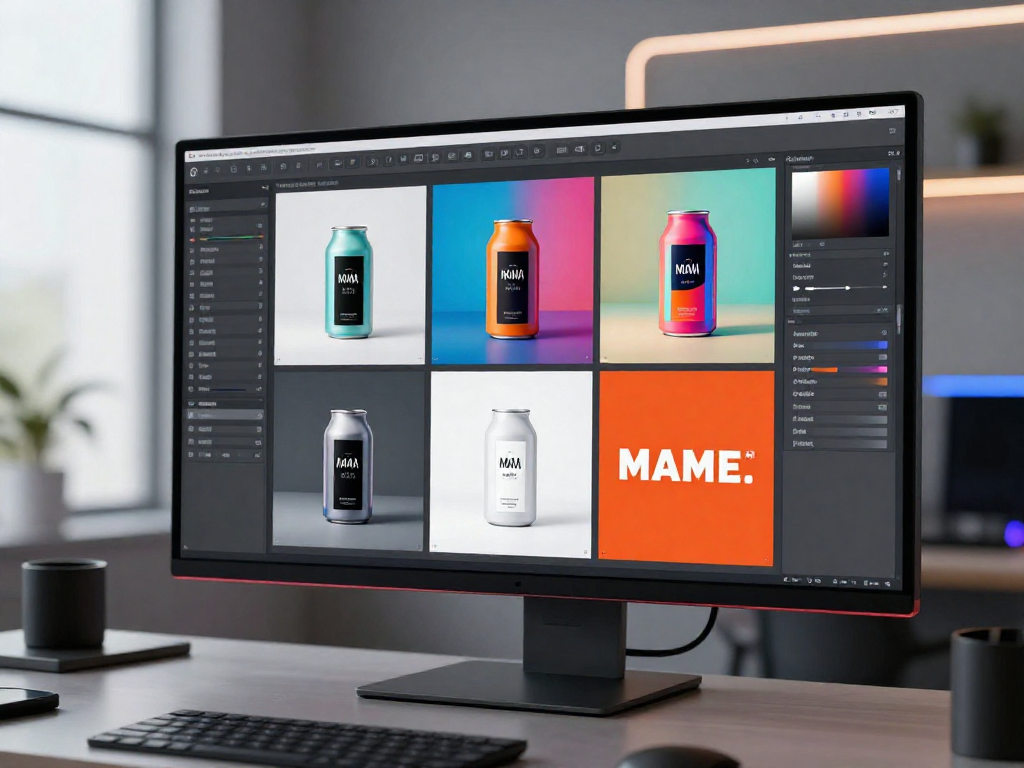
Need the same concept in different looks for every channel? Socialaf.ai helps content creators and marketers generate a multiple styles AI image set from one idea, so you can match platform trends, keep brand consistency, and ship campaigns faster.
What “multiple styles AI image” means for marketing
A multiple styles AI image workflow creates several visual directions from one prompt or asset—so you can quickly explore options for ads, organic posts, landing pages, and email. Instead of redesigning from scratch, you generate style variations that keep the message consistent while changing the look and feel.
- Turn one concept into multiple creative directions
- Keep product and messaging consistent across styles
- Reduce time spent on manual redesigns
Use cases for content creators and marketers
Style variation is ideal when you need high output without sacrificing quality. Create sets for A/B testing, seasonal refreshes, and multi-platform publishing while maintaining recognizable brand cues.
- A/B test ad creatives with different visual styles
- Create platform-specific looks (Reels, Stories, feed, banners)
- Refresh evergreen campaigns without changing the offer
- Build themed collections for launches and promotions
- Generate consistent visuals for content series
How Socialaf.ai helps you generate style variations fast
Socialaf.ai is designed for repeatable production. Generate multiple styles from a single brief, keep outputs aligned to your brand, and iterate quickly based on performance data and feedback.
- Generate multiple style options from one prompt
- Support consistent brand direction across campaigns
- Speed up creative iteration for faster approvals
Best practices to get better style results
Clear inputs produce more usable variations. Start with a strong concept, specify the subject and goal, then define style directions you want to test. Save what works and reuse it for future campaigns.
- State the objective (clicks, awareness, product focus)
- Describe the subject clearly and keep it consistent
- List 3–6 style directions to explore
- Include brand constraints (colors, vibe, audience)
- Review results and refine with one change at a time
How to create a multiple styles AI image set
Step 1
Define the campaign goal
Decide what the image needs to do (sell, explain, announce, drive clicks) and where it will be used.
Step 2
Write one core concept
Describe the subject, key message, and any must-have elements you want consistent across all variations.
Step 3
Choose style directions
Pick 3–6 distinct looks to explore (e.g., minimal, cinematic, editorial, playful, retro, 3D).
Step 4
Generate variations
Create the set and review for clarity, brand fit, and platform suitability.
Step 5
Refine and export
Adjust one variable at a time, keep the best-performing styles, and export for your channels.
FAQ
What is a multiple styles AI image generator used for?
It’s used to create several visual styles from one concept so you can test creative directions, match different platforms, and refresh campaigns without rebuilding designs from scratch.
Can I keep images consistent across styles for a campaign?
Yes. Start from the same subject and message, then vary only the style direction. This keeps the campaign recognizable while giving you multiple looks to choose from.
How many style variations should I generate for testing?
A practical starting point is 3–6 styles per concept. That’s usually enough to compare performance without overproducing options.
What should I include in prompts to get better style variety?
Include the subject, goal, audience, and 3–6 style directions (for example: minimal, editorial, bold, retro, 3D). Add brand constraints like color palette and tone to keep outputs on-brand.
Generate multiple styles AI image variations in minutes
Create on-brand options for ads and social content, iterate faster, and keep your campaigns consistent.