01
Launch More Video Ideas Without More Production Days
Turn scripts, hooks, product angles, and campaign briefs into AI-generated video concepts in minutes, so you can test more creative directions before committing budget or time to a final edit.
Use case · text to video
Create scroll-stopping videos from a simple prompt without rebuilding your character, rewriting your workflow, or stitching together disconnected tools. socialAF’s text to video workflow helps you turn campaign ideas, creator concepts, product stories, faceless content, talking avatar clips, and character-driven scenes into polished video assets faster. Instead of starting from a blank timeline, you describe the scene you want, choose or build a consistent AI character, add voice when needed, and generate video variations ready for social, ads, client drafts, or content testing. Whether you are a solo creator launching a persona, an agency producing content for multiple brands, or a team testing more creative angles, socialAF gives you a repeatable way to move from idea to usable video. Build consistent AI characters across image, video, and voice. Cancel anytime.
Get started today·Results in seconds·Loved by creators
Our library·13 characters·12 models








Proof·Built for high-volume creative teams: create characters once, generate image and video assets from the same persona, organize outputs in per-character galleries, and scale production across agency multi-org workspaces with bulk generation.
Why text to video
01
Turn scripts, hooks, product angles, and campaign briefs into AI-generated video concepts in minutes, so you can test more creative directions before committing budget or time to a final edit.
02
Use socialAF’s reference-driven character builder and multi-angle reference packs to keep the same persona recognizable across text to video, image generation, talking avatars, and voice-led content.
03
Organize every character, reference, prompt, generated image, video clip, and voice asset in per-character galleries, then use bulk generation and agency multi-org workspaces to produce at client-ready volume.
How it works
socialAF makes text to video production feel like briefing a creative team. You define the character, describe the scene, generate variations, and keep everything organized for future content.

01
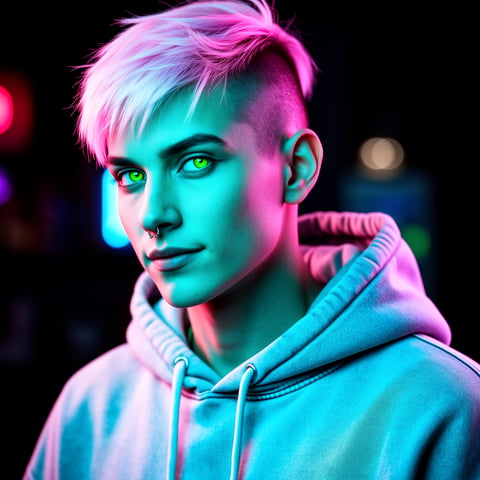
Start with a new persona or choose an existing character from your gallery. Use the reference-driven character builder to define appearance, style, personality, and brand fit. Add multi-angle reference packs so your character has stronger visual continuity across video scenes, thumbnails, talking avatars, and supporting image assets.
02
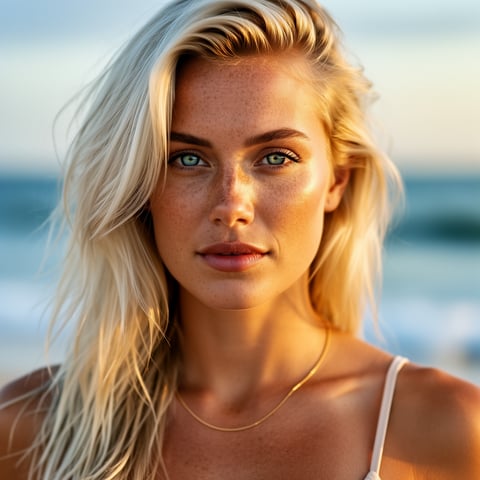
Describe what you want the viewer to see: the setting, action, mood, camera movement, pacing, product moment, and platform format. For example, you can prompt a confident fitness coach introducing a morning routine, a fashion persona walking through a city street, or a product educator explaining a feature in a studio setup.
03
Create video variations using text to video, image to video, or reference to video workflows. Add text-to-speech, voice cloning, or a talking avatar when your concept needs narration or dialogue. Save the best outputs in your per-character gallery, then use bulk generation to create more hooks, intros, ad angles, or client options.
Build consistent AI characters across image, video, and voice. Cancel anytime.
Try it TodayThe difference
Most text to video workflows break when you need the same character, voice, and content system to work across more than one clip. socialAF is built for creators and agencies who need repeatable output, not one-off experiments.
Without text to video
Traditional approach
With socialAF
Avoid coordinating shoots, talent, locations, reshoots, and long edit cycles for every new concept. Generate video drafts and variations from prompts before investing in final production.
Without text to video
Generic tools
With socialAF
Instead of disconnected outputs, socialAF connects character creation, multi-angle references, image generation, video generation, talking avatars, text-to-speech, and voice cloning in one workflow.
Without text to video
Manual methods
With socialAF
Stop rebuilding folders, prompts, references, and brand notes for every asset. Per-character galleries, agency multi-org workspaces, and bulk generation help you scale content without losing control.
What creators say
“socialAF changed how we pitch creative. We can show clients multiple character-led video directions before a shoot would even be scheduled.”
Maya Reed
Creative Strategist
“The biggest win is consistency. Our AI persona looks, sounds, and feels like the same character across images, short videos, and talking avatar clips.”
Jordan Ellis
Creator Operations Lead
FAQ
A text to video AI generator turns written prompts into video scenes. With socialAF, you can go beyond a single clip by connecting the prompt to a consistent AI character, reference images, voice assets, and organized galleries. That means you can create a persona once, then use text to video for social clips, product explainers, ad concepts, talking avatar content, and campaign variations without starting over each time.
Strong text to video prompts describe the outcome clearly. Include the character, setting, action, camera movement, mood, lighting, and intended platform. For example, instead of saying 'make a fitness video,' describe a specific character demonstrating a 10-second warmup in a bright apartment with upbeat energy and a vertical social format. socialAF helps because you can pair prompts with reference-driven characters, multi-angle reference packs, image generation, and video generation options for more controlled results.
Yes. Character consistency is one of socialAF’s core advantages. You can use the reference-driven character builder to define your persona and create multi-angle reference packs that support repeatable visual identity. Then you can store outputs in per-character galleries, generate supporting images with i2i or t2i, turn references into motion with i2v or r2v, and create additional clips while keeping the same character system organized.
Yes. socialAF supports talking avatars, text-to-speech, and voice cloning so you can turn scripts into presenter-style content. This is useful for educational clips, creator updates, product explainers, client announcements, onboarding videos, and short-form social content. You can combine a talking avatar with your character gallery so your persona has a consistent look and voice across video formats.
Yes. Agencies can use socialAF to create repeatable video systems for different brands, campaigns, and personas. Agency multi-org workspaces help separate client work, while per-character galleries keep references and outputs easy to manage. Bulk generation makes it easier to produce multiple hooks, variations, thumbnails, character scenes, and ad concepts without manually rebuilding each asset from scratch.
You can create short-form social videos, ad concepts, character intros, product demos, influencer-style clips, educational explainers, brand persona videos, cinematic scene tests, talking avatar clips, and campaign variations. socialAF supports text to video, image to video, reference to video, text-to-image, image-to-image, voice cloning, and text-to-speech, giving you a flexible workflow for building content around a consistent AI character.
Ready
Join creators using socialAF to bring their characters to life. One subscription, every model, no shoot required.
Start todayCreate consistent AI characters for OnlyFans promos, images, videos, avatars, and voice workflows with socialAF. Try it today.
Upscale, sharpen, and enhance creator visuals with socialAF. Build consistent AI characters across images, video, and voice.
Synthesia targets corporate training avatars. We tested an alternative built for creator and brand video, where one saved character carries every format.