Use case · text to video ai

text to video ai with socialAF.

Create scroll-stopping videos from a simple prompt, script, or campaign idea with socialAF text to video AI. Instead of starting every post from scratch, you can build a consistent AI character, give them a voice, and turn your ideas into videos for ads, social posts, product explainers, UGC-style content, talking avatar clips, and campaign variations. socialAF is built for creators and agencies that need more than one-off AI clips. You can design a character with the reference-driven character builder, generate multi-angle reference packs, clone a voice for repeatable narration, and keep every asset organized in per-character galleries. From there, create text-to-video, image-to-video, reference-to-video, talking avatar, image, and text-to-speech content in one workflow. The outcome is simple: your team can publish more videos, test more creative angles, and keep every persona visually and vocally consistent across channels. Build consistent AI characters across image, video, and voice. Cancel anytime.

Get started today·Results in seconds·Loved by creators

Our library·13 characters·12 models

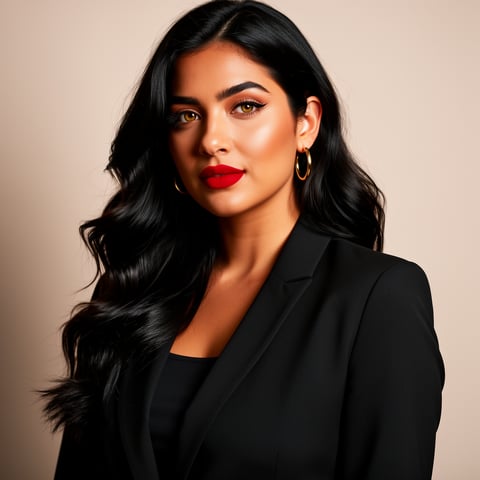
Mia, Beauty + soft glam
Nova, Fitness + wellness
Jordan, Strength coach
Aria, Style + fashion
Kai, Travel + adventure
Eli, Food + slow living
Sage, Yoga + breathwork
Reese, Gaming + tech

Proof·Built for modern creator and agency workflows: create characters once, reuse them across unlimited campaign ideas, organize assets by persona, generate in bulk, and manage multiple brands with agency multi-org workspaces. socialAF gives you a repeatable production system for short-form videos, avatar clips, ad concepts, creator-style posts, voiceovers, and visual storytelling without juggling disconnected tools.

Why text to video ai

Built for the way creators actually work.

01

Turn Ideas Into Publish-Ready Video Faster

Move from blank page to finished concept in minutes. Write a prompt, choose your character, select the output style, and generate text to video AI content for hooks, ads, tutorials, product demos, and social clips without coordinating shoots, editors, voice talent, or multiple production handoffs.

02

Keep Every AI Character Consistent

Build recognizable personas that look, sound, and feel consistent across campaigns. With reference-driven character creation, multi-angle reference packs, per-character galleries, and voice cloning, your audience sees the same identity across images, videos, talking avatars, and voiceovers.

03

Scale Creative Testing Without Scaling Costs

Generate more hooks, scenes, scripts, avatar reads, product angles, and audience-specific versions without rebuilding every asset manually. Bulk generation helps agencies and creators test more ideas, personalize more content, and deliver faster while keeping production organized.

How it works

How text to video ai works.

socialAF turns text to video AI creation into a repeatable workflow: build your character, describe the scene, generate variations, then refine the winning clips for your channels.

Aria, Style + fashion

01

Step 1: Build Your Reusable AI Character

Start with socialAF’s reference-driven character builder. Upload or create visual references, generate a multi-angle reference pack, and define your character’s personality, style, and brand role. Add voice cloning or text-to-speech if you want the character to speak in videos, narrate product demos, or deliver avatar-led content. Every result is saved in a per-character gallery, so you can reuse the same persona across future campaigns.

Kai, Travel + adventure

02

Step 2: Write a Prompt or Script for Your Video

Describe the outcome you want: a 15-second product ad, a talking avatar explainer, a founder-style announcement, a lifestyle scene, a testimonial-style clip, or a social hook. Choose text-to-video for prompt-based scenes, image-to-video when you want to animate a product or character image, or reference-to-video when you want the video to follow a specific look. You can also use text-to-speech to generate narration and talking avatars for direct-to-camera delivery.

Eli, Food + slow living

03

Step 3: Generate, Organize, and Scale Variations

Create multiple versions for different hooks, offers, audiences, and platforms. Save your best outputs inside per-character galleries, then use bulk generation to produce campaign variations at scale. Agencies can separate clients and brands with multi-org workspaces, making it easier to manage approvals, deliverables, and repeatable character-led content systems.

Create Your First Text to Video AI Character

Build consistent AI characters across image, video, and voice. Cancel anytime.

Try it Today

The difference

Why it wins for text to video ai.

Most video workflows force you to choose between speed, consistency, and control. socialAF is designed to give you all three by combining character creation, video generation, talking avatars, voice, galleries, and agency workspaces in one production system.

Without text to video ai

Traditional approach

With socialAF

Avoid booking talent, locations, reshoots, editors, and voiceover sessions for every new concept. With socialAF, you can turn a campaign idea into multiple character-led video directions before spending days on production.

Without text to video ai

Generic tools

With socialAF

Create more than isolated clips. socialAF helps you build repeatable personas with reference packs, voice cloning, per-character galleries, image generation, video generation, talking avatars, and text-to-speech in one workflow.

Without text to video ai

Manual methods

With socialAF

Stop recreating prompts, folders, character notes, and asset libraries from scratch. Bulk generation and agency multi-org workspaces help you scale output while keeping each brand, client, and character organized.

What creators say

Creators using socialAF for text to video ai.

socialAF changed how we pitch creative. We can show clients three character-led video concepts before the first production meeting, then scale the winning direction into ads, avatar clips, and social posts.

Maya Chen

Creative Director

The biggest win is consistency. Our AI persona looks the same across images and videos, and the cloned voice makes every explainer feel like it comes from the same brand character.

Jordan Ellis

Creator & Brand Strategist

FAQ

Common questions about text to video ai.

What is text to video AI and how can creators use it?

Text to video AI lets you describe a scene, script, or campaign idea and generate video content from that written input. For creators, the biggest advantage is speed: you can test hooks, explain products, create social posts, develop character-led stories, and produce avatar-style clips without starting with a camera shoot. socialAF goes further by connecting text-to-video generation with consistent AI characters, image generation, talking avatars, text-to-speech, and voice cloning. That means your content does not have to feel random from one post to the next. You can build a recognizable persona once, then reuse that character across video formats, visual posts, narrated clips, and campaign variations.

How does socialAF keep AI characters consistent in text to video AI content?

socialAF is built around character continuity. You can use the reference-driven character builder to define the look of your persona, then create multi-angle reference packs so the character has consistent visual guidance from different perspectives. Your outputs are stored in per-character galleries, making it easier to reuse the same identity across image generation, text-to-video, image-to-video, reference-to-video, and talking avatar content. If your character speaks, voice cloning and text-to-speech help maintain a consistent sound. This is especially useful for creators, brands, and agencies that want a recurring AI spokesperson, virtual influencer, product educator, or campaign character.

Can I use text to video AI for social media ads and short-form content?

Yes. socialAF is ideal for creating short-form videos, ad concepts, product hooks, creator-style clips, explainer videos, and audience-specific campaign variations. You can write a prompt for a 10-second product reveal, a direct-response ad, a talking avatar pitch, a lifestyle scene, or a character-led story. Then you can generate variations for different openings, calls to action, offers, or formats. Because socialAF also supports bulk generation, you can create more testable assets without manually producing every version. This helps you move faster, learn what resonates, and keep your creative pipeline full.

What types of videos can I make with socialAF text to video AI?

You can create a wide range of character-led and campaign-ready videos. Common examples include product demos, UGC-style ads, talking avatar explainers, educational clips, virtual influencer posts, brand announcements, teaser videos, story scenes, testimonial-style content, onboarding videos, and voiceover-led social posts. socialAF supports text-to-video for prompt-based creation, image-to-video for animating existing visuals, reference-to-video for guided outputs, talking avatars for direct-to-camera delivery, and text-to-speech for narration. You can also generate supporting images with text-to-image and image-to-image tools, keeping your visual system aligned across every asset.

Is socialAF text to video AI useful for agencies managing multiple clients?

Yes. socialAF includes agency multi-org workspaces so teams can separate brands, clients, characters, and campaigns. This makes it easier to manage approvals, organize deliverables, and scale production without mixing assets between accounts. Agencies can build character systems for different clients, store outputs in per-character galleries, generate bulk variations, and produce videos across multiple formats from a single workflow. Instead of treating AI video as a one-off experiment, agencies can use socialAF as a repeatable creative engine for pitch concepts, ad testing, content calendars, and ongoing social production.

Do I need video editing experience to use a text to video AI generator?

No. socialAF is designed for creators, marketers, founders, and agency teams that want faster output without a complex production stack. You start by choosing or creating a character, writing a prompt or script, selecting the generation path, and creating your video. You can refine the direction by adjusting the script, visual style, character, voice, or reference input. Advanced teams can still use socialAF strategically for bulk generation, campaign testing, and character systems, but you do not need traditional editing experience to begin. The workflow is built to reduce friction while giving you enough control to create content that feels intentional.

Ready to turn your next idea into video?

Start free →

Ready

Build your first character today.

Join creators using socialAF to bring their characters to life. One subscription, every model, no shoot required.

Start today