Generate AI Flat Lay Photography for Instagram and Pinterest
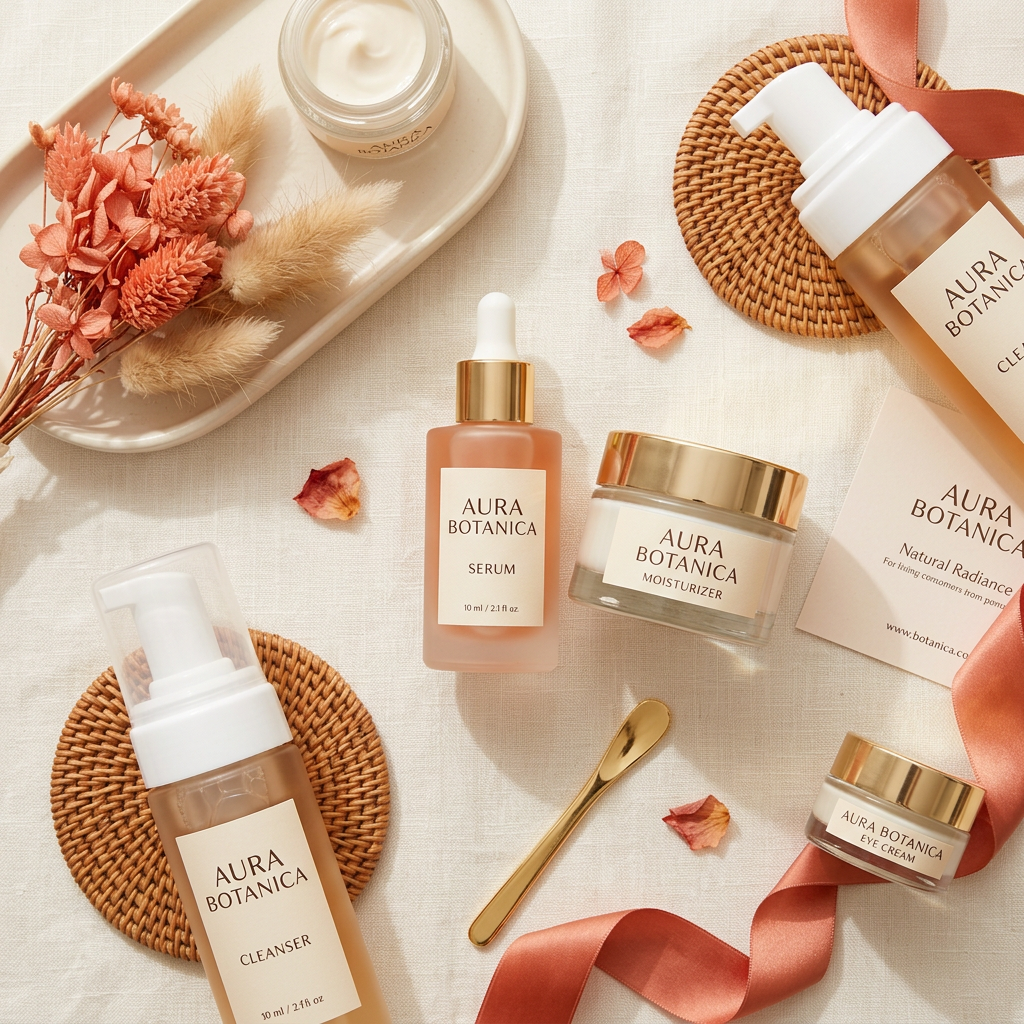
The flat lay is the most-shared format on Pinterest and Instagram product feeds. socialAF generates balanced overhead compositions with your product and complementary props — styled to your brand palette in seconds, not hours.
At a glance
What this workflow does
AI Model
Google Nano Banana 2
Image generation — 3 credits per image
Output
Image
1:1 aspect ratio
Scale
Batch ready
Run multiple inputs in one go — credits scale per output
Example output
Here's what you can generate
Real outputs from this workflow. Supply your brand colors, product description, and optional reference image.
How it works
Three steps. That's it.
Pick this workflow
Select Flat Lay from the workflow catalog. It's pre-tuned for product photography content.
Add brand reference
Add your brand name, accent color, and an optional reference image. socialAF auto-injects your context into the prompt.
One-click generate
Hit generate. Google Nano Banana 2 runs the workflow and delivers your image — ready to publish.
Under the hood
Models powering this workflow
Google Nano Banana 2
PrimaryImage generation model — 3 credits per image. Handles photorealistic detail, brand color integration, and composition.
Flux 2 Pro
Automatic fallbackActivates automatically if the primary model is unavailable or rate-limited — ensuring your generation always completes without manual intervention.
Best for
When to use Flat Lay
E-commerce brands building Instagram product grids with a consistent aesthetic
Beauty brands showcasing skincare product lines alongside application tools
Food brands arranging ingredients and packaging for recipe posts
Stationery and office brands creating aspirational desk setup content
Jewelry and accessories brands displaying collections in styled arrangements
FAQ
Frequently asked questions
What is a flat lay and why does it perform well on social media?
A flat lay is a top-down photograph of objects arranged on a flat surface. The format is popular because it creates clean, scannable compositions that perform well in grid-view social feeds — especially on Instagram and Pinterest where visual hierarchy matters.
What AI model does the flat lay workflow use?
Nano Banana 2 is the primary model — it handles complex multi-object arrangements and reference image inputs (up to 14 reference images) exceptionally well. Flux 2 Pro serves as fallback.
What platforms are flat lays optimized for?
Flat lays are generated at 1:1 square format, which is the best-performing ratio for Instagram feed posts and Pinterest pins. Both platforms heavily favor clean, square compositions in their algorithms.
Can I include my actual product in a flat lay?
Yes — upload a reference image of your product and Nano Banana 2 will incorporate it into the flat lay composition, surrounded by AI-generated complementary props that match your brand style.
What props and textures can the AI add?
The prompt template includes brand-matched complementary props and textures automatically. You can customize further by describing specific props (flowers, coffee cups, fabrics, tools) in the custom prompt field.
More from Product Photography
Related workflows
Product Hero Shot
Generate a stunning hero product image with dramatic lighting and a clean background.
Product Lifestyle
Place your product in a realistic lifestyle setting that resonates with your audience.
Product on Texture
Showcase your product on a rich textured surface like marble, wood, or fabric.
Start creating with Flat Lay
52 pre-built workflows, AI content generation, brand voice training, and autopilot publishing. $20/mo — cancel anytime.