Generate Product on Texture with AI in One Click
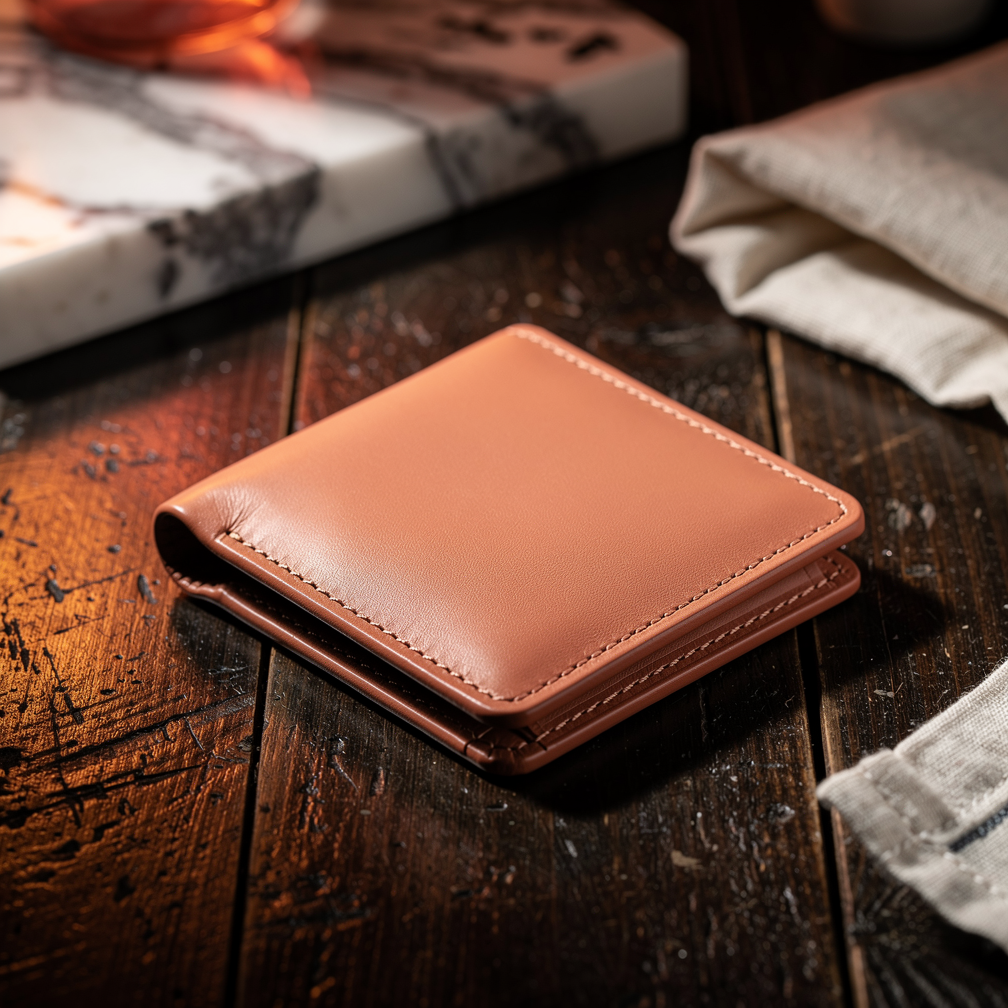
Showcase your product on a rich textured surface like marble, wood, or fabric. Built on the Flux 2 Max model with automatic fallback, and published directly to your connected social accounts.
At a glance
What this workflow does
AI Model
Flux 2 Max
Image generation — 5 credits per image
Output
Image
1:1 aspect ratio
Scale
Batch ready
Run multiple inputs in one go — credits scale per output
Example output
Here's what you can generate
Real outputs from this workflow. Supply your brand colors, product description, and optional reference image.
How it works
Three steps. That's it.
Pick this workflow
Select Product on Texture from the workflow catalog. It's pre-tuned for product photography content.
Add brand reference
Add your brand name, accent color, and an optional reference image. socialAF auto-injects your context into the prompt.
One-click generate
Hit generate. Flux 2 Max runs the workflow and delivers your image — ready to publish.
Under the hood
Models powering this workflow
Flux 2 Max
PrimaryImage generation model — 5 credits per image. Handles photorealistic detail, brand color integration, and composition.
Flux 2 Pro
Automatic fallbackActivates automatically if the primary model is unavailable or rate-limited — ensuring your generation always completes without manual intervention.
Best for
When to use Product on Texture
Product Photography brands using AI to create product photography content
Product Photography brands using AI to create flux 2 max content
Product Photography brands using AI to create texture content
FAQ
Frequently asked questions
How does the Product on Texture workflow work?
Showcase your product on a rich textured surface like marble, wood, or fabric. The workflow uses Flux 2 Max as its primary AI model. You provide a prompt and optional reference images, and socialAF generates a image in 5 credits. The output can be published directly to your connected social accounts.
How much does the Product on Texture workflow cost?
A single Product on Texture generation costs 5 credits. socialAF Pro includes 500 credits per month at $20/month. Additional credit packs are available from your billing dashboard if you need more.
What AI models power Product on Texture?
Product on Texture uses Flux 2 Max as the primary model, with Flux 2 Pro as an automatic fallback. The fallback activates automatically if the primary model is unavailable — ensuring your generation always completes.
More from Product Photography
Related workflows
Product Hero Shot
Generate a stunning hero product image with dramatic lighting and a clean background.
Product Lifestyle
Place your product in a realistic lifestyle setting that resonates with your audience.
Flat Lay
Create a stylish overhead flat lay arrangement with your product and complementary props.
Start creating with Product on Texture
52 pre-built workflows, AI content generation, brand voice training, and autopilot publishing. $20/mo — cancel anytime.