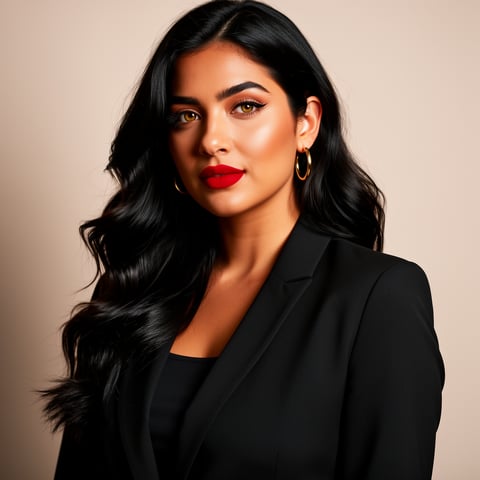
Use case · ai upscale

ai upscale with socialAF.

Your best AI character should not look blurry, stretched, or inconsistent when it becomes a post, ad, thumbnail, pitch deck, or video. socialAF helps you use ai upscale workflows to turn rough character concepts, low-resolution references, and generated images into polished, brand-ready assets that can carry a campaign across image, video, and voice. Instead of fixing one file at a time in disconnected tools, you can build a character once, organize every version in a per-character gallery, and generate sharper visual content from the same creative identity. Use reference-driven character creation to lock in the look. Create multi-angle reference packs so your character stays recognizable from close-ups, profile shots, lifestyle scenes, product placements, and talking avatar videos. Then move from image generation to video generation, text-to-speech, and voice cloning without rebuilding your persona every time. AI upscaling, also known in research as super-resolution, is now a core part of modern visual workflows because creators need sharper assets for higher-resolution screens, short-form video, social ads, ecommerce visuals, and multi-platform publishing. Recent video super-resolution research highlights the importance of generating believable detail while preserving motion consistency, and major platforms are also moving toward AI-assisted sharpening for lower-resolution video experiences. ([arxiv.org](https://arxiv.org/abs/2506.23618?utm_source=openai)) With socialAF, the outcome is simple: you can make your AI characters look more premium, more consistent, and more usable everywhere your audience sees them. Whether you are refreshing a low-res avatar, preparing an influencer-style campaign, improving a product scene, or scaling content for multiple clients, socialAF gives you a faster path from imperfect source material to polished creative output.

Get started today·Results in seconds·Loved by creators

Our library·13 characters·12 models

Mia, Beauty + soft glam
Nova, Fitness + wellness
Jordan, Strength coach
Aria, Style + fashion
Kai, Travel + adventure
Eli, Food + slow living
Sage, Yoga + breathwork
Reese, Gaming + tech

Proof·Built for creator and agency workflows: create once, reuse across image, video, and voice. socialAF brings reference-driven character building, multi-angle reference packs, per-character galleries, talking avatars, text-to-speech, voice cloning, and bulk generation into one streamlined workspace so teams can move from idea to publish-ready content without scattered files or repeated setup.

Why ai upscale

Built for the way creators actually work.

01

Turn Small Images Into Premium Campaign Assets

Use ai upscale workflows to improve low-resolution character shots, concept images, thumbnails, and social visuals so your content looks sharper in feeds, ads, landing pages, and client presentations. You can start with imperfect references and still create output that feels intentional, polished, and ready for modern screens.

02

Keep Your Character Consistent Everywhere

Upscaling alone is not enough if every image looks like a different person. socialAF helps you preserve the identity of your AI character with reference-driven creation, multi-angle reference packs, and per-character galleries, so your posts, videos, avatars, and voice-led content all support the same recognizable persona.

03

Scale Faster Without Rebuilding From Scratch

Agencies and creators can use bulk generation, agency multi-org workspaces, and organized character libraries to produce more variations in less time. Create cleaner hero images, sharper profile assets, video-ready scenes, and talking avatar content while keeping client work separated and repeatable.

How it works

How ai upscale works.

socialAF makes ai upscale workflows practical for everyday content production. You do not need to manage a maze of separate tools or recreate your character for every format. Start with your reference, build a consistent persona, generate enhanced visuals, and expand into video and voice when you are ready.

Aria, Style + fashion

01

Step 1: Upload or Generate Your Character Reference

Start with a low-resolution image, an existing AI character, a concept sketch, or a text prompt. Use socialAF’s reference-driven character builder to define the face, style, wardrobe, mood, and visual identity you want to preserve. This gives the ai upscale process a stronger creative foundation because your character has a clear identity before you create polished outputs.

Kai, Travel + adventure

02

Step 2: Build Multi-Angle Assets for Sharper Output

Create a multi-angle reference pack so your character can appear naturally in close-ups, full-body shots, side profiles, product scenes, lifestyle images, and video frames. Generate improved image variations with text-to-image and image-to-image tools, then organize them inside a per-character gallery. This helps you maintain consistency while choosing the sharpest assets for each platform.

Eli, Food + slow living

03

Step 3: Repurpose Into Video, Voice, and Campaign Content

Once your upscaled AI character assets look polished, turn them into short-form videos, image-to-video clips, reference-to-video scenes, talking avatars, and text-to-speech content. Add voice cloning when you need a consistent persona voice. Use bulk generation for variations and agency workspaces to manage campaigns across clients, brands, or creator channels.

Upscale Your AI Character Workflow Today

Build consistent AI characters across image, video, and voice. Cancel anytime.

Try it Today

The difference

Why it wins for ai upscale.

Most ai upscale workflows focus on making one image bigger. socialAF helps you create a complete character content system, so sharper visuals become reusable assets for posts, videos, avatars, ads, and client campaigns.

Without ai upscale

Traditional approach

With socialAF

Traditional editing can improve a file, but it often requires manual cleanup, separate folders, and repeated revisions. socialAF keeps your character, references, galleries, image generations, video generations, and voice assets connected so your output is easier to reuse.

Without ai upscale

Generic tools

With socialAF

Generic upscalers may sharpen pixels without understanding your character strategy. socialAF is built around personas, so you can preserve a recognizable identity while producing images, talking avatars, text-to-speech clips, and campaign variations.

Without ai upscale

Manual methods

With socialAF

Manual resizing and retouching can slow down creators and agencies. socialAF helps you generate, organize, and scale creative assets with bulk generation, multi-org workspaces, and per-character galleries that reduce repetitive setup.

What creators say

Creators using socialAF for ai upscale.

socialAF helped us turn rough AI character concepts into assets we could actually use in paid social. The biggest win was consistency: the same persona could show up in images, short videos, and talking avatar content without our team rebuilding everything.

Maya Ellison

Creative Director

Our agency needed a faster way to polish character visuals for multiple client campaigns. With per-character galleries and bulk generation, we can create sharper options, organize approvals, and move from static images into video much faster.

Jordan Price

Growth Agency Founder

FAQ

Common questions about ai upscale.

What is ai upscale for AI characters?

AI upscale is the process of improving a low-resolution or imperfect visual so it becomes sharper, cleaner, and more useful for publishing. For AI characters, the goal is not only to increase size. You also want the character to remain recognizable across different images, angles, scenes, and formats. socialAF supports that outcome by combining reference-driven character creation, multi-angle reference packs, image generation, video generation, and per-character galleries. That means you can create higher-quality character assets while keeping the same face, style, and persona identity across your campaign.

Can I use socialAF as an AI image upscaler for social media content?

Yes. socialAF is ideal for creators who need sharper character visuals for profile images, thumbnails, carousel posts, vertical content, ads, creator media kits, and landing page graphics. Instead of only enlarging one image, you can create a consistent set of improved assets around the same character. Use text-to-image for new scenes, image-to-image for variations based on an existing image, and per-character galleries to organize the strongest outputs. This is especially helpful when you want your AI character to look premium across multiple channels instead of appearing inconsistent from post to post.

How does socialAF help preserve character consistency during ai upscale workflows?

Character consistency starts before the final export. socialAF lets you define your character with references, then create multi-angle reference packs that show the persona from different views and in different use cases. When you generate improved images, lifestyle scenes, video clips, or talking avatars, you are working from a more stable character foundation. Per-character galleries also make it easier to compare results, save approved versions, and avoid losing track of which image best represents your persona.

Can I upscale AI images and then turn them into video?

Yes. socialAF is designed for creators who want to move from static visuals into richer content. After you create sharper character images, you can use video generation tools such as text-to-video, image-to-video, and reference-to-video to create motion content. You can also produce talking avatars and add text-to-speech or voice cloning for a more complete persona experience. This helps you turn one polished character asset into a broader content pipeline for social posts, ads, explainers, community updates, and creator storytelling.

Is ai upscale useful for agencies managing multiple brands or clients?

Absolutely. Agencies often need to create high-quality visuals quickly while keeping each client’s characters, campaigns, and approvals separate. socialAF supports agency multi-org workspaces, per-character galleries, and bulk generation so you can manage more content without creating a messy production process. You can build a character for each brand, generate sharper visual options, create video and voice variations, and organize assets in a way that makes review and reuse easier.

Do I need design experience to use an AI upscale generator like socialAF?

No. socialAF is built to help creators, marketers, and agencies get polished results without needing advanced design or video editing skills. You can start with a prompt, a reference image, or an existing character concept. The platform guides you through creating a consistent persona, generating improved visuals, organizing outputs, and expanding into video or voice. If you already have design experience, socialAF can speed up production. If you do not, it gives you a practical workflow for creating professional-looking AI character content faster.

Ready to get started?

Start free →

Ready

Build your first character today.

Join creators using socialAF to bring their characters to life. One subscription, every model, no shoot required.

Start today