Use case · change face in video

change face in video with socialAF.

Change face in video without hiring talent, booking a studio, or rebuilding every scene from scratch. socialAF helps you create a consistent AI character, place that character into video concepts, generate supporting visuals, and add voice so your content feels like one recognizable persona across every channel. Whether you are producing creator-style ads, brand explainers, short-form skits, product demos, training clips, or talking avatar posts, you can move from idea to publish-ready asset faster. Instead of treating every video as a one-off edit, socialAF gives you a character-first workflow. Build your persona once with reference-driven character creation, generate multi-angle reference packs, organize outputs in per-character galleries, and create new image and video variations whenever your campaign needs fresh content. You can change face in video concepts, create AI character scenes from text, animate an image into video, remix references into new shots, and add cloned or generated voice for a more complete storytelling experience. For creators, that means more consistent content without filming every day. For agencies, it means scalable campaign production across clients, offers, niches, and audiences. For brands, it means you can test more hooks, more personas, and more formats while keeping control of your visual identity. Use socialAF to turn your character into a repeatable content engine across image, video, and voice.

Get started today·Results in seconds·Loved by creators

Our library·13 characters·12 models

Mia, Beauty + soft glam
Nova, Fitness + wellness
Jordan, Strength coach
Aria, Style + fashion
Kai, Travel + adventure
Eli, Food + slow living
Sage, Yoga + breathwork
Reese, Gaming + tech

Proof·Built for high-output creator and agency workflows: create reusable character galleries, generate multi-angle reference packs, organize client work in agency multi-org workspaces, and scale campaigns with bulk generation. One character can become social videos, talking avatars, ad variations, product explainers, voiceovers, and image concepts from a single workflow. Build consistent AI characters across image, video, and voice. Cancel anytime.

Why change face in video

Built for the way creators actually work.

01

Turn One Persona Into Endless Video Ideas

Create a recognizable AI character once, then reuse that persona across face change video concepts, talking avatars, product demos, social clips, and campaign variations. You get more content mileage from every character instead of starting from zero for each post.

02

Produce Faster Without Reshoots or Talent Scheduling

Move quickly from campaign idea to usable content by generating video from text, animating images, remixing references, and adding text-to-speech or voice cloning. You can test hooks, intros, and creative angles without waiting on filming days.

03

Keep Your Character Consistent Across Every Asset

Use reference-driven character building, multi-angle reference packs, and per-character galleries to keep the same face, style, and identity across images, videos, and voice-led content. Your audience sees one coherent persona, not a random collection of outputs.

How it works

How change face in video works.

socialAF makes it simple to change face in video-style projects by starting with the most important asset: a consistent character. From there, you can generate images, videos, talking avatars, and voice content that match your campaign goals.

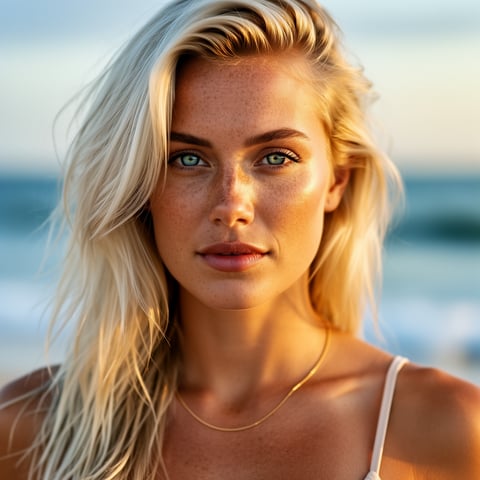
Liv, Beach + lifestyle

01

Step 1: Build Your AI Character

Start with socialAF's reference-driven character builder. Upload approved references, define the look, style, niche, and personality, then create a multi-angle reference pack so your character has the visual consistency needed for video, image, and avatar workflows.

Dre, Music + dance

02

Step 2: Generate or Remix Video Scenes

Choose the workflow that fits your idea: text-to-video for a fresh scene, image-to-video for animating a character image, reference-to-video for guided motion, or talking avatar generation for direct-to-camera content. Use your character gallery to keep every output organized.

Yuna, Anime + Y2K aesthetic

03

Step 3: Add Voice, Create Variations, and Publish

Bring the video to life with text-to-speech or voice cloning, then create multiple hook, caption, scene, and format variations with bulk generation. Export assets for social posts, ads, landing pages, client approvals, or campaign testing.

Change Face in Video and Scale Your Content Engine

Build consistent AI characters across image, video, and voice. Cancel anytime.

Try it Today

The difference

Why it wins for change face in video.

Most ways to change face in video solve only one piece of the creative process. socialAF is built for creators and agencies that need repeatable characters, organized campaign assets, and fast production across multiple formats.

Without change face in video

Traditional approach

With socialAF

Avoid casting, reshoots, location coordination, and repeated production costs by creating reusable AI characters that can appear in new scenes whenever your campaign changes.

Without change face in video

Generic tools

With socialAF

Go beyond a single face change result with character galleries, multi-angle reference packs, image generation, video generation, talking avatars, text-to-speech, and voice cloning in one workflow.

Without change face in video

Manual methods

With socialAF

Skip frame-by-frame editing and disconnected asset folders. socialAF keeps each character's images, videos, references, and voice-led content organized for faster approvals and easier scaling.

What creators say

Creators using socialAF for change face in video.

We needed a repeatable way to create creator-style ad variations without booking new shoots every week. socialAF let us build a character, generate video concepts, add voice, and keep every asset organized by campaign.

Maya Chen

Creative Strategist

The biggest win is consistency. Our AI persona looks like the same character across images, talking avatar clips, and short-form videos, which makes testing new hooks much easier for client accounts.

Jordan Blake

Agency Founder

FAQ

Common questions about change face in video.

How can I change face in video with a consistent AI character?

With socialAF, you begin by creating a reusable AI character instead of editing each clip as a disconnected project. Use the reference-driven character builder to define the face, visual style, personality, and brand fit. Then generate a multi-angle reference pack so the character can stay consistent across different scenes and formats. From there, you can create video assets with text-to-video, image-to-video, reference-to-video, or talking avatar workflows. This approach helps you produce a recognizable character across multiple videos rather than getting a one-time result that is difficult to repeat.

What types of videos can I create with an AI video face changer workflow?

You can create short-form social videos, creator-style ads, product demos, reaction-style clips, explainer videos, brand spokesperson content, educational clips, onboarding videos, and talking avatar posts. socialAF is especially useful when you want one AI character to appear across many pieces of content. For example, you can generate a character image, animate it into a video, create a direct-to-camera avatar clip, add text-to-speech, then use bulk generation to test several hooks or captions. This makes it easier to build a content pipeline around a persona your audience recognizes.

Do I need editing experience to replace a face in video-style content?

No advanced editing background is required. socialAF is designed around guided creative workflows rather than complex editing timelines. You define the character, select the generation path, describe the scene or upload approved references, and generate outputs that fit your campaign. Per-character galleries help you keep the best versions, references, and video clips in one place. If you are an agency or creator producing at scale, bulk generation helps you create multiple variations without manually rebuilding every asset.

How does socialAF help agencies create face change video campaigns for clients?

Agencies can use socialAF to build separate character systems for different clients, brands, niches, or campaign goals. Agency multi-org workspaces make it easier to keep work separated and organized, while per-character galleries store each persona's references, generated images, videos, and avatar outputs. This is useful for testing multiple spokesperson concepts, creating localized campaign variations, producing social ad angles, or refreshing creative without coordinating new shoots. The result is a faster path from creative brief to client-ready content.

Can I add voice to an AI character after I change face in video?

Yes. socialAF includes text-to-speech and voice cloning capabilities so your character can sound as consistent as they look. You can create direct-to-camera talking avatar content, product scripts, ad voiceovers, educational narration, or character-led social clips. When paired with a consistent visual persona, voice adds another layer of recognition and polish. This is helpful for creators building a signature character and for brands that want a repeatable spokesperson across campaigns.

What should I consider before using AI to change face in video?

Use content responsibly. Work with faces, footage, voices, and references you have permission or rights to use, and avoid misleading viewers or impersonating real people in harmful ways. For brand and agency work, keep approvals documented, use clear creative guidelines, and disclose AI-generated or synthetic content when appropriate for the channel, campaign, or audience. socialAF is strongest when used to create original AI personas, approved brand characters, fictional spokespeople, and consent-based creator workflows that help you scale content without creating trust issues.

Ready to create consistent AI video characters?

Start free →

Ready

Build your first character today.

Join creators using socialAF to bring their characters to life. One subscription, every model, no shoot required.

Start today