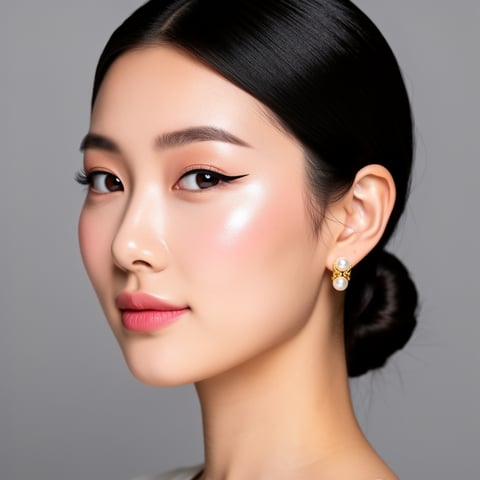
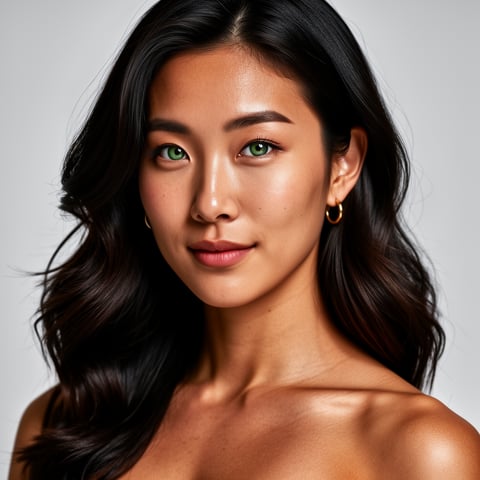
Use case · face swap gif

face swap gif with socialAF.

Create face swap GIF content that feels instantly recognizable, shareable, and on-brand. With socialAF, you can turn a person, mascot, influencer persona, client avatar, or fictional character into expressive animated reaction content without rebuilding the look every time. Instead of making one-off edits that break consistency, you build a reusable AI character once, then generate GIF-style loops, short videos, talking avatars, image variations, and voice content from the same persona. A face swap GIF is useful because it gives your audience something familiar with a personal twist: a reaction, meme moment, product reveal, character expression, or branded punchline that moves. Current AI face swap GIF workflows commonly rely on uploading an animated GIF or clip, selecting a source face, detecting the face through the animation, and blending the replacement across frames; creators use these workflows for memes, reaction content, social posts, and lightweight campaign assets. ([ezswap.ai](https://ezswap.ai/gif-face-swap/?utm_source=openai)) socialAF takes that idea further for creators and agencies. You are not limited to a single swap. You can use a reference-driven character builder, create multi-angle reference packs, organize outputs in per-character galleries, and produce image-to-image, text-to-image, text-to-video, image-to-video, and reference-to-video content around the same character. Add voice cloning, text-to-speech, and talking avatars, and your face swap GIF strategy becomes a complete character content engine.

Get started today·Results in seconds·Loved by creators

Our library·13 characters·12 models

Mia, Beauty + soft glam
Nova, Fitness + wellness
Jordan, Strength coach
Aria, Style + fashion
Kai, Travel + adventure
Eli, Food + slow living
Sage, Yoga + breathwork
Reese, Gaming + tech

Proof·Built for creator teams, solo influencers, agencies, and brand studios that need repeatable character content—not random one-off edits. socialAF supports a 3-step production flow, reusable per-character galleries, agency multi-org workspaces, and bulk generation so you can create more variations from fewer inputs. The result: faster meme testing, cleaner campaign handoffs, and consistent AI characters across image, video, and voice. Cancel anytime.

Why face swap gif

Built for the way creators actually work.

01

Turn Reactions Into Branded Moments

Create face swap GIF reactions that feature your AI character, founder persona, client avatar, or campaign mascot. Use them for launch posts, comments, community replies, email headers, short-form ads, and social memes that feel personal instead of generic.

02

Produce More Variations Without Starting Over

Build your character once with reference-driven creation and multi-angle reference packs, then generate new GIF-style loops, short videos, talking avatars, and image variations from the same visual identity. This helps your content stay recognizable even when the expression, pose, scene, or format changes.

03

Keep Campaigns Consistent Across Teams

Use per-character galleries, agency multi-org workspaces, and bulk generation to keep every asset organized by persona, client, or campaign. Your team can test multiple animated concepts while maintaining the same face, style, tone, and voice.

How it works

How face swap gif works.

You can create face swap GIF-style content in socialAF by starting with a consistent character, generating animated variations, and organizing the best outputs for publishing. The process is designed for speed, repeatability, and brand control.

Mia, Beauty + soft glam

01

Step 1: Build Your Reusable AI Character

Upload reference images or start from a prompt to define the face, style, personality, and visual direction of your character. Use the reference-driven character builder to create a consistent identity, then expand it with multi-angle reference packs so your character holds up across expressions, poses, and animated scenes. If your face swap GIF campaign needs a speaking persona, add voice cloning or text-to-speech so the same character can appear in talking avatars and short video content.

Nova, Fitness + wellness

02

Step 2: Generate Animated Face Swap GIF Concepts

Create the content moment you want: a funny reaction, celebration loop, shocked expression, product reveal, meme response, character wink, or campaign CTA. Use image-to-image for visual refinements, text-to-image for new scenes, text-to-video for fresh motion, image-to-video for animated character loops, and reference-to-video to preserve your persona in motion. For more direct communication, turn the character into a talking avatar with cloned voice or text-to-speech.

Jordan, Strength coach

03

Step 3: Organize, Scale, and Publish the Best Variations

Save outputs into per-character galleries so every GIF-style loop, image, video, and voice asset stays connected to the right persona. Agencies can separate client work with multi-org workspaces, while growth teams can use bulk generation to test multiple hooks, emotions, captions, backgrounds, and formats. Export the strongest concepts for social posts, paid ads, landing pages, email campaigns, community replies, and brand libraries.

Create Your First Face Swap GIF Character

Build consistent AI characters across image, video, and voice. Cancel anytime.

Try it Today

The difference

Why it wins for face swap gif.

A basic face swap GIF tool can help you make one animated edit. socialAF helps you build a repeatable character system for social content, client campaigns, creator brands, and high-volume production.

Without face swap gif

Traditional approach

With socialAF

Instead of manually editing frames, matching lighting, and rebuilding every variation by hand, you can create a reusable character and generate new GIF-style reactions, videos, images, and talking avatars from the same identity.

Without face swap gif

Generic tools

With socialAF

Instead of getting a single disconnected output, socialAF keeps your persona consistent with reference-driven character creation, multi-angle packs, per-character galleries, and generation tools for image, video, and voice.

Without face swap gif

Manual methods

With socialAF

Instead of waiting on long production cycles for every meme, campaign variation, or client revision, your team can use bulk generation and agency workspaces to explore more creative directions in less time.

What creators say

Creators using socialAF for face swap gif.

We stopped treating animated reactions as one-off meme edits. socialAF gave us a repeatable character workflow, so every face swap GIF-style asset matched the same persona across social posts, videos, and client approvals.

Maya Collins

Creative Director

The biggest win is consistency. I can build a character, generate short loops, create talking avatar clips, and keep everything organized in one gallery instead of losing assets across different tools.

Jordan Lee

Creator Strategist

FAQ

Common questions about face swap gif.

What is a face swap GIF and how can creators use it?

A face swap GIF is an animated reaction, meme, or short looping visual where one face or character identity is placed into a moving scene. Creators use face swap GIF content for relatable reactions, community replies, launch announcements, humorous brand posts, influencer-style content, and campaign variations. In socialAF, the bigger advantage is that you can build a consistent AI character first, then create many animated or GIF-style outputs that preserve the same face, style, and personality across image, video, and voice.

Can I create a consistent AI character for multiple face swap GIFs?

Yes. socialAF is built for consistent AI character creation rather than isolated one-time outputs. You can use the reference-driven character builder to define your persona, expand it with multi-angle reference packs, and save generated content into per-character galleries. That means your face swap GIF concepts, short videos, images, talking avatars, and voice assets can all stay connected to the same recognizable identity.

How do I make a face swap GIF for social media campaigns?

Start by deciding the outcome: a funny reaction, a product reveal, a founder-style reply, a mascot moment, or a branded meme. Then build or select your AI character in socialAF. Use image generation for still concepts, image-to-video or text-to-video for motion, and reference-to-video when you want the character identity to stay consistent. Add text-to-speech or voice cloning if the campaign needs a talking avatar version. Finally, organize your best outputs in a character gallery and publish the strongest variations to your social channels.

Is socialAF only for face swap GIFs, or can I create videos and avatars too?

socialAF goes beyond face swap GIF creation. You can generate images with text-to-image and image-to-image, create videos with text-to-video, image-to-video, and reference-to-video, produce talking avatars, generate voice with text-to-speech, and clone voices for character-led content. This is useful when you want one persona to appear as a GIF-style reaction, a short-form video, a campaign image, and a speaking avatar without changing the character’s identity.

What makes a good AI face swap GIF for brands and agencies?

A strong AI face swap GIF should be instantly readable, emotionally clear, and consistent with the brand or character. The best concepts usually focus on one reaction or message: surprise, celebration, agreement, confusion, excitement, or a clear call to action. For agencies, consistency matters even more. socialAF helps by giving each character a dedicated gallery, supporting bulk generation for multiple creative directions, and offering multi-org workspaces so client campaigns stay separated and easy to manage.

Can agencies use socialAF for bulk face swap GIF production?

Yes. socialAF includes agency multi-org workspaces and bulk generation so teams can produce multiple character variations, client concepts, campaign angles, and social assets without mixing everything together. You can keep each client, persona, or brand system organized, then generate batches of GIF-style loops, images, videos, voiceovers, and talking avatars. This helps agencies move faster while keeping creative review, asset selection, and publishing workflows cleaner.

Ready to build face swap GIF content that stays on-brand?

Start free →

Ready

Build your first character today.

Join creators using socialAF to bring their characters to life. One subscription, every model, no shoot required.

Start today