Use case · faceswap ai

faceswap ai with socialAF.

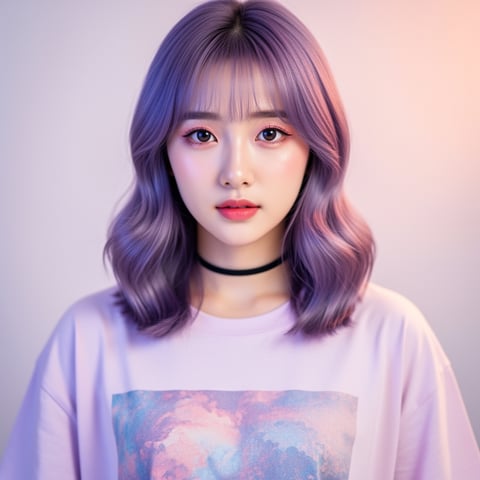
Create polished faceswap ai content without losing the identity, style, or personality your audience recognizes. socialAF helps creators, agencies, founders, and social teams build consistent AI characters that can appear across images, short-form videos, talking avatars, product explainers, ad concepts, memes, thumbnails, and campaign variations. Instead of creating one-off swaps that look different every time, you can build a reusable character system: upload references, generate multi-angle reference packs, organize results in per-character galleries, then create image, video, and voice content from the same persona. Modern face swap workflows are moving beyond simple image edits toward identity preservation, temporal consistency in video, expression matching, and responsible use with clear permission and transparency. Recent research and industry guides highlight the importance of preserving identity while maintaining facial expressions, head pose, lighting, lip movement, and frame-to-frame stability in video face swaps. ([arxiv.org](https://arxiv.org/abs/2507.02691?utm_source=openai)) With socialAF, you can focus on the outcome: more content options, faster campaign testing, stronger visual continuity, and a character library your team can use again and again. Build consistent AI characters across image, video, and voice. Cancel anytime.

Get started today·Results in seconds·Loved by creators

Our library·13 characters·12 models

Mia, Beauty + soft glam
Nova, Fitness + wellness
Jordan, Strength coach
Aria, Style + fashion
Kai, Travel + adventure
Eli, Food + slow living
Sage, Yoga + breathwork
Reese, Gaming + tech

Proof·Built for high-output creators and agencies that need repeatable character content, not random one-off generations. Use one workflow to create reference-driven characters, generate image and video variations, produce talking avatars, clone approved voices, manage per-character galleries, and scale production with bulk generation inside agency multi-org workspaces. Teams choose socialAF when they want fewer reshoots, faster concept testing, cleaner handoffs, and a dependable way to keep AI personas recognizable across every asset.

Why faceswap ai

Built for the way creators actually work.

01

Turn One Character Into a Full Content Engine

Create a recognizable AI persona once, then reuse it across thumbnails, product shots, social posts, talking avatar clips, short videos, UGC-style concepts, and campaign variants. Your faceswap ai workflow becomes a repeatable brand asset instead of a single disposable edit.

02

Move From Idea to Publish-Ready Variations Faster

Use text-to-image, image-to-image, text-to-video, image-to-video, reference-to-video, talking avatars, and text-to-speech to create more options in less time. Test hooks, angles, outfits, scenes, emotions, and scripts without booking another shoot for every variation.

03

Keep Every Output Consistent and Organized

Per-character galleries, multi-angle reference packs, and bulk generation help you keep identity, styling, and campaign assets organized. Agencies can manage separate client workspaces while creators can maintain multiple personas without mixing references or losing past winners.

How it works

How faceswap ai works.

socialAF gives you a guided faceswap ai workflow designed for practical content production. Start with permission-based references, build a reusable character, then generate images, videos, avatars, and voice-led assets from one organized workspace.

Yuna, Anime + Y2K aesthetic

01

Step 1: Build Your Reference-Driven Character

Upload approved reference images and define the look, personality, use case, and style direction for your AI character. socialAF helps you create a consistent character base, then generate multi-angle reference packs so your persona can appear from different poses, expressions, lighting setups, and camera perspectives. For best results, use clear, high-quality references with varied angles and consistent identity details.

Marco, Chef + restaurant

02

Step 2: Generate Images, Videos, and Talking Avatars

Create campaign-ready content with image generation, image-to-image edits, text-to-image prompts, text-to-video, image-to-video, and reference-to-video workflows. Turn your character into product shots, social hooks, storyboards, ad concepts, explainer scenes, meme formats, or talking avatar clips. Add text-to-speech or approved voice cloning when your character needs to speak consistently across videos.

Alemap, Travel + slow living

03

Step 3: Organize, Scale, and Publish More Variations

Save every output inside per-character galleries so your best looks, angles, and scenes are easy to reuse. Use bulk generation to create multiple versions for hooks, audiences, scripts, and formats. Agencies can keep clients separated with multi-org workspaces, making it easier to collaborate, review, and deliver faceswap ai assets without messy folders or duplicated setup work.

Create Your First Consistent Face Swap Character

Build consistent AI characters across image, video, and voice. Cancel anytime.

Try it Today

The difference

Why it wins for faceswap ai.

Most faceswap ai workflows break down when you need repeatability. A single face swap may be useful for a quick post, but creators and agencies need characters that stay recognizable across angles, scenes, formats, and campaigns. socialAF is built around character continuity, organized production, and scalable creative output.

Without faceswap ai

Traditional approach

With socialAF

Avoid repeated shoots, complicated edits, and slow revisions by generating approved character variations on demand from one reusable reference system.

Without faceswap ai

Generic tools

With socialAF

Move beyond isolated face swaps with per-character galleries, multi-angle reference packs, talking avatars, text-to-speech, video generation, and voice cloning in one connected workflow.

Without faceswap ai

Manual methods

With socialAF

Create more testable assets faster, keep teams aligned in agency workspaces, and use bulk generation to produce multiple campaign versions without rebuilding every prompt from scratch.

What creators say

Creators using socialAF for faceswap ai.

socialAF made our face swap workflow feel like a real production system. We built a character once, generated campaign images and talking avatar videos, then reused the same persona across multiple launches without losing consistency.

Maya Collins

Creative Strategist

The biggest win was organization. Our team can keep each client persona in its own gallery, create bulk variations, and hand off approved AI character assets without hunting through scattered folders.

Jordan Lee

Agency Founder

FAQ

Common questions about faceswap ai.

What is faceswap ai and how can creators use it responsibly?

faceswap ai uses artificial intelligence to place a face or character identity into a new image or video context. For creators, the best use cases include building fictional personas, refreshing approved brand avatars, creating campaign concepts, localizing content, producing thumbnails, testing ad hooks, and making talking avatar videos. Responsible use matters. You should only use faces, voices, and likenesses you own, have permission to use, or have created as fictional characters. Laws and platform rules around deepfakes and synthetic media continue to evolve, with particular attention on consent, labeling, political manipulation, and non-consensual content. ([joneswalker.com](https://www.joneswalker.com/en/insights/blogs/ai-law-blog/deepfakes-as-a-service-meets-state-laws-governing-synthetic-media-in-a-fragmente.html?id=102m20g&utm_source=openai)) socialAF is best used as a permission-based creative system for consistent AI characters, not as a tool for impersonation or deception.

How does socialAF help create more consistent AI face swap videos?

Consistency starts before generation. socialAF helps you build a reference-driven character, create multi-angle reference packs, and keep outputs inside per-character galleries. That means your character has a stronger visual foundation when you create image-to-video, text-to-video, or reference-to-video content. In video face swap workflows, common quality challenges include preserving identity while matching expression, lighting, head pose, lip movement, and frame-to-frame stability. Recent face swap research and creator guides repeatedly point to identity preservation and temporal consistency as key quality factors. ([arxiv.org](https://arxiv.org/abs/2507.02691?utm_source=openai)) socialAF gives you a practical workflow for managing those inputs and producing more dependable outputs.

Can I use faceswap ai for marketing, ads, and social media content?

Yes, when you have the proper rights and use transparent, brand-safe practices. socialAF is especially useful for marketing teams that need more content variations without scheduling a new shoot for every hook, background, outfit, or audience segment. You can create AI character images for social posts, generate short-form videos, produce talking avatars for explainers, test ad concepts, and create localized creative variations. AI avatar and face swap workflows are increasingly used for explainers, tutorials, campaign content, and creator-style videos because they help teams move faster while maintaining a human, conversational presentation. ([leadde.ai](https://leadde.ai/blog/ai-avatars-in-marketing-use-cases-examples-best-practices?utm_source=openai))

What makes socialAF different from a basic AI face swap generator?

A basic AI face swap generator usually creates one asset at a time. socialAF is built for ongoing character production. You can create a character from references, generate multi-angle packs, use image and video generation tools, produce talking avatars, add text-to-speech, clone approved voices, organize outputs by character, and scale variations with bulk generation. For agencies, multi-org workspaces make it easier to separate client projects and manage production at scale. The result is not just a swapped face; it is a reusable AI persona system for images, videos, and voice-led content.

What kind of references should I upload for the best faceswap ai results?

Use clear, permission-based reference images with good lighting, visible facial details, and a range of useful angles. Front-facing images help define identity, while three-quarter and side angles help the character remain recognizable in more dynamic scenes. Avoid blurry images, extreme filters, heavy obstructions, or inconsistent styling if you want a stable persona. If your goal is video, include references that show natural expressions and lighting similar to the content you want to create. socialAF’s multi-angle reference packs help you turn those inputs into a stronger character library for future generations.

Can agencies manage multiple faceswap ai characters and clients in socialAF?

Yes. socialAF is designed for both individual creators and agencies that manage many personas, brands, or clients. Per-character galleries keep each AI character’s images, videos, and approved variations organized. Agency multi-org workspaces help separate client assets and reduce confusion between projects. Bulk generation helps teams produce multiple hooks, scripts, scenes, and visual directions quickly. This is especially valuable when you need to test creative concepts, deliver content calendars, build avatar-led campaigns, or maintain consistent AI characters across several brands.

Ready to build your faceswap ai character system?

Start free →

Ready

Build your first character today.

Join creators using socialAF to bring their characters to life. One subscription, every model, no shoot required.

Start today