Use case · fanview

fanview with socialAF.

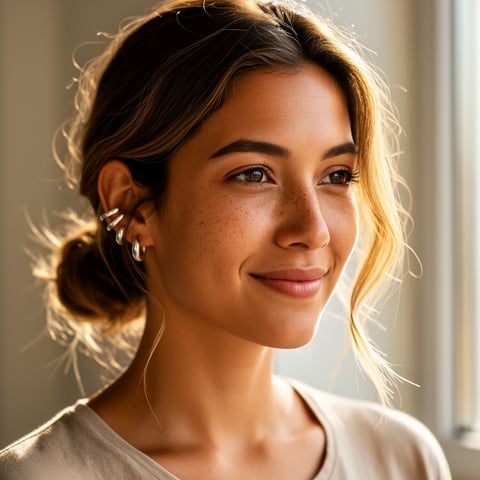
Turn your fanview concept into a recognizable AI character that looks, speaks, and appears consistently across every piece of content you publish. With socialAF, you can build a fan-ready persona once, then generate images, short videos, talking-head clips, voice content, and organized galleries that help your audience remember your character and come back for more. Instead of wasting hours trying to recreate the same face, style, mood, and personality manually, you can create a repeatable content system around one polished AI persona. Fan subscription platforms increasingly reward direct audience connection, exclusive media, paywalled posts, and personalized fan engagement, making consistency and speed critical for creators who want to grow without burning out. ([blog.fanvue.com](https://blog.fanvue.com/what-is-fanvue/?utm_source=openai)) socialAF helps you move from scattered one-off generations to a structured fanview workflow: define the character, produce multi-angle references, create content variations, store everything in per-character galleries, and scale production with bulk generation. Whether you are a solo creator testing a new virtual influencer or an agency managing multiple personas, socialAF gives you a practical way to create more usable content in less time while keeping your character identity intact.

Get started today·Results in seconds·Loved by creators

Our library·13 characters·12 models

Mia, Beauty + soft glam
Nova, Fitness + wellness
Jordan, Strength coach
Aria, Style + fashion
Kai, Travel + adventure
Eli, Food + slow living
Sage, Yoga + breathwork
Reese, Gaming + tech

Proof·Built for creators and agencies who need repeatable AI character production, not random outputs. socialAF supports reference-driven character creation, multi-angle reference packs, image-to-image and text-to-image generation, text-to-video and image-to-video workflows, reference-to-video creation, lip-sync videos, text-to-speech, voice cloning with permission, per-character galleries, agency multi-org workspaces, and bulk generation. That means your fanview workflow can cover profile visuals, teaser posts, premium-style media sets, announcement clips, voice updates, and campaign batches from one organized workspace. AI creator platforms are now openly supporting AI-generated media and AI creator labeling, which makes transparent, consistent persona building more important than ever. ([help.fanvue.com](https://help.fanvue.com/en/articles/14290142-how-do-i-know-if-a-creator-is-ai?utm_source=openai))

Why fanview

Built for the way creators actually work.

01

Build a Fanview Persona People Recognize Instantly

Create a consistent AI character with a repeatable face, visual style, wardrobe direction, voice, and personality cues. Use socialAF’s reference-driven character builder and multi-angle reference packs to keep your fanview content aligned across profile images, social teasers, short videos, talking-head updates, and campaign galleries. The outcome is simple: your audience sees one memorable persona, not a different-looking character every time you post.

02

Publish More Content Without Losing Creative Control

Generate image sets, video variations, and voice-led clips faster while staying in charge of the character’s tone and brand. With text-to-image, image-to-image, text-to-video, image-to-video, reference-to-video, lip-sync, and text-to-speech tools in one workflow, you can turn a single fanview idea into multiple usable assets for different channels. Spend less time rebuilding prompts and more time testing what your audience responds to.

03

Scale Solo or Agency Fanview Workflows Cleanly

Keep each persona organized with per-character galleries, then use bulk generation to produce batches of content for launches, themed drops, seasonal campaigns, or client calendars. Agency multi-org workspaces help separate brands, clients, and characters so your team can move quickly without mixing assets. You get a cleaner production pipeline and fewer bottlenecks as your fanview operation grows.

How it works

How fanview works.

socialAF turns fanview character creation into a repeatable workflow you can use every week. Start with a clear persona, lock in visual and voice consistency, then generate content batches for your audience, platform, or client calendar.

Kai, Travel + adventure

01

Step 1: Define Your Fanview Character Foundation

Start by creating the core identity of your fanview persona. Upload inspiration or reference material you have rights to use, then describe the character’s look, niche, tone, audience, visual world, and content boundaries. Use the reference-driven character builder to shape a persona that feels specific rather than generic. Add details such as signature colors, recurring outfits, camera style, facial expressions, personality traits, and audience promise. This foundation gives every future image, video, and voice asset a clear creative direction.

Eli, Food + slow living

02

Step 2: Create Multi-Angle References and Voice Assets

Generate a multi-angle reference pack so your character stays recognizable from front, side, three-quarter, close-up, and full-body views. Then add voice direction using text-to-speech or permission-based voice cloning when you have the legal right to clone a voice. These assets become your consistency engine. They help socialAF preserve identity across image-to-image edits, text-to-image scenes, video generation, lip-sync clips, and talking-head updates, so your fanview content feels like it comes from one real brand world.

Sage, Yoga + breathwork

03

Step 3: Generate, Organize, and Scale Fanview Content

Turn your character into publishable content. Create image sets for profile updates, short videos for social discovery, reference-to-video clips for motion consistency, lip-sync announcements, and text-to-speech voice notes. Save approved outputs to per-character galleries so you can reuse your best assets and keep your library organized. If you manage multiple personas or clients, use agency multi-org workspaces and bulk generation to plan themed batches, test variations, and maintain a steady publishing rhythm without starting from scratch every time.

Create Your Fanview Character Today

Build consistent AI characters across image, video, and voice. Cancel anytime.

Try it Today

The difference

Why it wins for fanview.

Most fanview creators do not fail because they lack ideas. They struggle because production becomes inconsistent, slow, and hard to organize. socialAF gives you a dedicated AI character workflow built around repeatability, brand control, and publishing speed.

Without fanview

Traditional approach

With socialAF

You avoid long production cycles, repeated shoots, scattered folders, and the cost of recreating every visual manually. socialAF lets you generate character-led assets on demand while keeping your persona’s identity consistent.

Without fanview

Generic tools

With socialAF

Instead of getting disconnected outputs that drift from one generation to the next, you can use reference-driven character building, multi-angle packs, and per-character galleries to maintain a recognizable fanview persona.

Without fanview

Manual methods

With socialAF

You can turn one concept into many campaign-ready variations with bulk generation, video tools, lip-sync, and text-to-speech, reducing repetitive work while increasing your content testing speed.

What creators say

Creators using socialAF for fanview.

socialAF helped us turn a rough fanview persona idea into a complete character system. The biggest win was consistency. Our images, short videos, and talking-head clips finally looked like the same creator instead of separate experiments.

Maya Collins

Virtual Creator Strategist

We manage multiple AI personas for client campaigns, and the per-character galleries plus bulk generation changed our workflow. We can plan content drops faster, keep assets organized, and hand clients a cleaner creative pipeline.

Jordan Reyes

Agency Creative Director

FAQ

Common questions about fanview.

What is a fanview AI character generator?

A fanview AI character generator helps you create a consistent virtual persona for fan-facing content, including images, videos, voice updates, social teasers, and gallery assets. In socialAF, you do more than generate one image. You build a character system using reference-driven creation, multi-angle reference packs, image generation, video generation, lip-sync, text-to-speech, and organized galleries. This helps your persona stay recognizable across different scenes, formats, and campaigns.

How can socialAF help me create consistent fanview content?

socialAF helps consistency by giving your character a repeatable foundation. You can define the persona’s look, generate multi-angle references, save approved outputs in per-character galleries, and reuse those references for image-to-image, text-to-image, text-to-video, image-to-video, and reference-to-video generation. Instead of hoping each new output matches the last one, you build from a stable identity system designed for repeat fanview publishing.

Can I create fanview videos with the same AI character?

Yes. socialAF supports multiple video workflows, including text-to-video, image-to-video, and reference-to-video generation. You can also create lip-sync and talking-head videos when you want your character to deliver an announcement, introduction, update, or scripted message. This is useful for creators who want a fanview persona that does more than appear in still images. You can build a richer content mix for social discovery, audience updates, and campaign drops.

Does socialAF support voice for fanview AI personas?

Yes. socialAF includes text-to-speech and voice cloning capabilities. Text-to-speech helps you create spoken updates quickly, while voice cloning should only be used when you have permission and the legal right to clone that voice. For fanview workflows, voice can make your persona feel more memorable and can support talking-head videos, short announcements, character intros, and recurring content formats.

Is socialAF useful for agencies managing multiple fanview creators?

Yes. socialAF is designed for both individual creators and agencies. Agency multi-org workspaces help you separate clients, brands, teams, and personas. Per-character galleries keep each fanview identity organized, and bulk generation helps your team create multiple assets for campaigns, launches, or content calendars. This makes it easier to scale without mixing references, losing approved assets, or rebuilding each character workflow manually.

How do I make fanview AI content that builds trust with fans?

Start with transparency, consistency, and quality. Make sure your audience understands when a persona is AI-generated, use only references and voices you have rights to use, and keep your character identity stable across content. Fan platforms are increasingly recognizing AI creators and AI-generated media, so clear labeling and responsible persona building matter. ([help.fanvue.com](https://help.fanvue.com/en/articles/14290142-how-do-i-know-if-a-creator-is-ai?utm_source=openai)) socialAF helps by keeping your assets organized, your outputs consistent, and your production workflow repeatable.

Ready to get started?

Start free →

Ready

Build your first character today.

Join creators using socialAF to bring their characters to life. One subscription, every model, no shoot required.

Start today