Use case · fanvue ai model

fanvue ai model with socialAF.

Turn your Fanvue AI model idea into a consistent, content-ready virtual persona with socialAF. Instead of rebuilding a character from scratch every time you need a new post, you can create one reference-driven AI character, save it in a per-character gallery, and produce images, videos, voice clips, and talking-head content that feel connected across every fan touchpoint. Fanvue’s own creator resources describe AI-generated models as virtual characters or avatars built with artificial intelligence, and emphasize that successful AI personalities need a clear look, storyline, voice, and transparent disclosure. ([help.fanvue.com](https://help.fanvue.com/en/articles/9538752-what-is-an-ai-generated-model)) socialAF helps you build that full package. You can define your model’s appearance with a reference-driven character builder, create multi-angle reference packs for better consistency, clone or design a voice, generate image-to-image and text-to-image posts, turn concepts into video, create lip-sync or talking-head clips, and organize every asset by character. For agencies, socialAF also supports multi-org workspaces and bulk generation, so you can manage multiple AI personas without messy folders, repeated prompts, or disconnected workflows. The outcome is simple: you can move from idea to launch-ready Fanvue AI model faster, with a repeatable content engine that supports daily posting, premium drops, promotional teasers, creator storytelling, and branded campaigns. Build consistent AI characters across image, video, and voice. Cancel anytime.

Get started today·Results in seconds·Loved by creators

Our library·13 characters·12 models

Mia, Beauty + soft glam
Nova, Fitness + wellness
Jordan, Strength coach
Aria, Style + fashion
Kai, Travel + adventure
Eli, Food + slow living
Sage, Yoga + breathwork
Reese, Gaming + tech

Proof·Built for creators and agencies who need more than one-off AI images: 1 character system for images, video, and voice; per-character galleries for organized content libraries; multi-angle reference packs for visual consistency; agency multi-org workspaces for client separation; and bulk generation for campaign-scale production. Fanvue’s current AI creator guidance highlights transparency, owned outputs, moderation awareness, and consistent character identity as important parts of building responsibly. ([fanvue.com](https://www.fanvue.com/blog/ai-content-guidelines))

Why fanvue ai model

Built for the way creators actually work.

01

Launch a Recognizable AI Persona Faster

Create a Fanvue AI model with a clear visual identity, repeatable poses, defined personality, and reusable content base. Your model can appear across profile images, teaser posts, video clips, voice-led updates, and promotional content without looking like a different person every time.

02

Keep Fans Engaged With More Content Formats

Move beyond static images. Use socialAF to generate image posts, short videos, lip-sync clips, talking-head updates, and text-to-speech content so your AI model can tell stories, respond to themes, and stay present across your fan funnel.

03

Scale Like an Agency Without Losing Control

Organize every character in its own gallery, generate content in bulk, and manage multiple brands or client personas from agency multi-org workspaces. You can plan campaigns, test looks, and keep creative assets separated by model, niche, or account.

How it works

How fanvue ai model works.

socialAF gives you a repeatable workflow for building a Fanvue AI model from concept to content library. Start with a character foundation, generate a consistent media set, then scale your posting pipeline with organized galleries and bulk production.

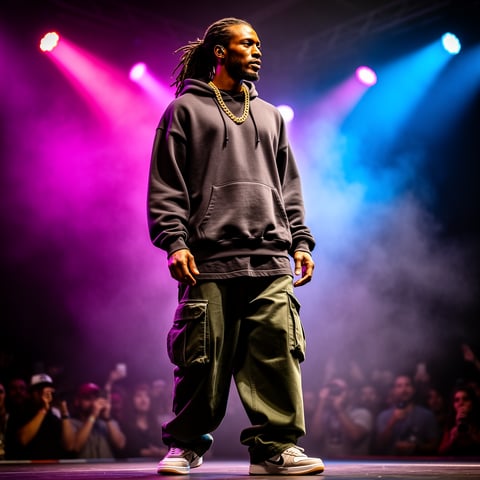
Dre, Music + dance

01

Step 1: Build Your Fanvue AI Model Identity

Define your character’s niche, backstory, visual style, personality, and audience promise. Upload or create references in the socialAF reference-driven character builder, then generate a multi-angle reference pack so your AI model has a consistent face, look, styling direction, and body language across future assets. Add transparent positioning from the beginning so your brand is built responsibly.

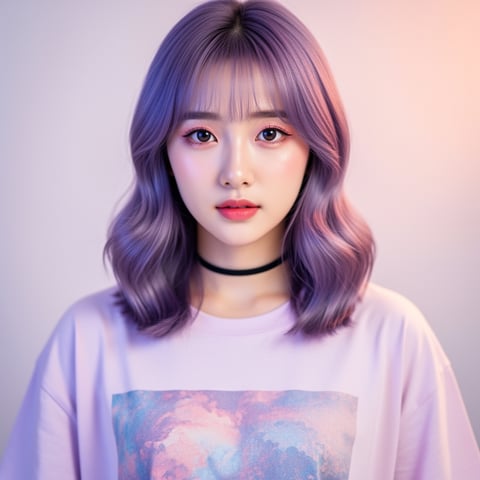
Yuna, Anime + Y2K aesthetic

02

Step 2: Generate Images, Videos, and Voice Assets

Create content for your launch stack: profile images, banner options, daily feed posts, teaser clips, text-to-video scenes, image-to-video animations, reference-to-video variations, lip-sync clips, talking-head videos, and text-to-speech voice updates. Use the same saved character so every asset feels connected instead of random.

Marco, Chef + restaurant

03

Step 3: Organize, Batch, and Publish With Confidence

Save outputs to your per-character gallery, sort your best assets by campaign, and use bulk generation to create variations for testing. Agencies can separate client work inside multi-org workspaces, while solo creators can build a consistent posting library before promoting their Fanvue AI model across social channels.

Create Your Fanvue AI Model Content Engine

Build consistent AI characters across image, video, and voice. Cancel anytime.

Try it Today

The difference

Why it wins for fanvue ai model.

A Fanvue AI model needs more than a few good images. To grow, you need recognizable identity, repeatable content formats, organized production, and a workflow that can keep up with audience demand.

Without fanvue ai model

Traditional approach

With socialAF

Avoid coordinating shoots, props, locations, and retakes for every campaign. socialAF lets you create new scenes, angles, and content themes from one reusable AI character foundation.

Without fanvue ai model

Generic tools

With socialAF

Stop juggling disconnected outputs. socialAF combines character creation, multi-angle references, image generation, video generation, lip-sync, talking-head video, voice, galleries, and bulk workflows in one creator-focused system.

Without fanvue ai model

Manual methods

With socialAF

Reduce repetitive prompting, file chaos, and inconsistent appearances. Your per-character gallery keeps assets organized so you can scale a Fanvue AI model with a more reliable creative process.

What creators say

Creators using socialAF for fanvue ai model.

socialAF helped us turn one character concept into a full launch kit: profile visuals, teaser videos, and voice-led clips. The biggest win was consistency. Every asset looked like the same persona.

Maya Collins

AI Creator Strategist

Our agency needed a cleaner way to manage multiple virtual creators. The multi-org workspaces and per-character galleries made it easier to separate client brands and produce content in batches.

Jordan Blake

Founder, Creator Growth Studio

FAQ

Common questions about fanvue ai model.

What is a Fanvue AI model and how can socialAF help create one?

A Fanvue AI model is a virtual creator persona designed for visual storytelling, fan engagement, and subscription-style content. Fanvue’s help center describes AI-generated models as virtual characters or avatars created with AI, and notes that they can be customized for appearance, expressions, poses, marketing, entertainment, social media, and visual storytelling. ([help.fanvue.com](https://help.fanvue.com/en/articles/9538752-what-is-an-ai-generated-model)) socialAF helps you create the full content foundation for that persona: a reference-driven character, multi-angle reference pack, image content, video clips, lip-sync or talking-head updates, text-to-speech, and organized galleries.

How do I keep my Fanvue AI model consistent across every post?

Consistency starts with a strong character system. In socialAF, you build your AI model from references, generate multi-angle packs, and save outputs inside a per-character gallery. That means your future image-to-image, text-to-image, text-to-video, image-to-video, and reference-to-video generations all begin from the same creative foundation. You can keep the same face, styling direction, color palette, mood, and personality while still creating fresh scenes and campaigns.

Can I create videos and talking-head content for a Fanvue AI model?

Yes. socialAF supports video generation workflows including text-to-video, image-to-video, and reference-to-video, plus lip-sync and talking-head video. This helps your Fanvue AI model feel more active and expressive. You can create short promotional clips, character introductions, update videos, themed campaign teasers, and voice-led messages without needing a live shoot for every piece of content.

Do I need to disclose that my Fanvue AI model is AI-generated?

Yes, you should build your workflow around transparency. Fanvue’s own guidance says creators must disclose that a model is AI in the bio and must not tell fans the AI model is a real person in posts or chats. Fanvue also advises creators to avoid deception, avoid deepfakes of others, avoid under-18 likenesses or cues, and confirm they own the AI outputs they share. ([fanvue.com](https://www.fanvue.com/blog/ai-content-guidelines)) socialAF helps with the content creation side, but you should always follow Fanvue’s current policies and any laws that apply to your content.

Is socialAF useful for agencies managing multiple Fanvue AI model brands?

Yes. socialAF is built for both solo creators and agencies. Agency multi-org workspaces let you separate brands, clients, or model portfolios. Per-character galleries keep each AI persona’s images, videos, voice assets, and campaign materials organized. Bulk generation helps you create variations faster, which is especially useful when testing different thumbnails, outfits, captions, seasonal campaigns, or audience segments.

What content should I create before launching a Fanvue AI model?

Before launch, create a complete starter library: profile image, banner, short bio concept, 10 to 20 feed-ready images, several teaser videos, a character introduction clip, voice or text-to-speech samples, and a few themed content sets. Fanvue’s AI Personality of the Year guidance emphasizes that strong AI personalities work because they have a distinct look, storyline, voice, and personality—not just attractive visuals. ([landing.fanvue.com](https://landing.fanvue.com/blog/fanvue-openart-ai-personality-of-the-year-awards)) socialAF gives you the tools to prepare that library before you start promoting.

Ready to build a Fanvue AI model that stays consistent?

Start free →

Ready

Build your first character today.

Join creators using socialAF to bring their characters to life. One subscription, every model, no shoot required.

Start today