Use case · makefilm ai

makefilm ai with socialAF.

MakeFilm AI is no longer just about typing a prompt and hoping the result looks usable. The creators who win are building repeatable character systems: a recognizable cast, consistent visual identity, believable voice, reusable scenes, and fast production workflows. socialAF helps you turn your character idea into a production-ready persona you can use across images, videos, talking avatars, ads, shorts, pitches, and branded story content. With socialAF, you can create a character once, generate multi-angle reference packs, clone or build a matching voice, and keep every output organized in a per-character gallery. Then you can move from concept to campaign with image generation, text-to-video, image-to-video, reference-to-video, talking avatars, text-to-speech, and bulk generation. Instead of rebuilding your look every time, you create a repeatable content engine around characters your audience remembers. Current AI filmmaking workflows increasingly rely on reference-first production, short controlled video shots, and character anchors to reduce drift across scenes. Research and creator workflows continue to show that character consistency, shot control, and spatial continuity are key challenges in AI video storytelling, which is why socialAF is designed around reusable personas rather than one-off generations. ([arxiv.org](https://arxiv.org/abs/2512.16954?utm_source=openai)) Use socialAF when you want to makefilm ai content that looks intentional: a founder avatar explaining your product, a fictional influencer for a campaign, a cast of characters for a story channel, a talking brand mascot, or a cinematic short built from consistent character references. You bring the idea. socialAF helps you make it visual, voiced, organized, and scalable.

Get started today·Results in seconds·Loved by creators

Our library·13 characters·12 models

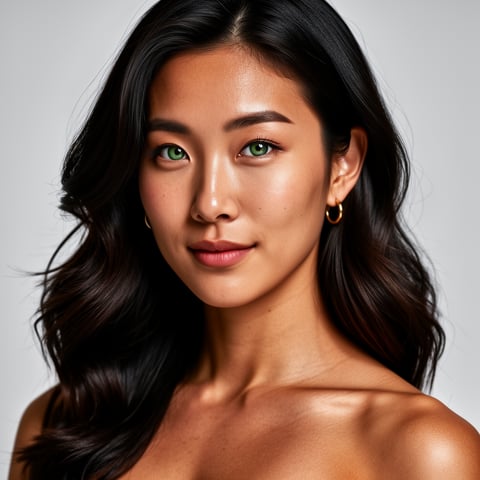
Mia, Beauty + soft glam
Nova, Fitness + wellness
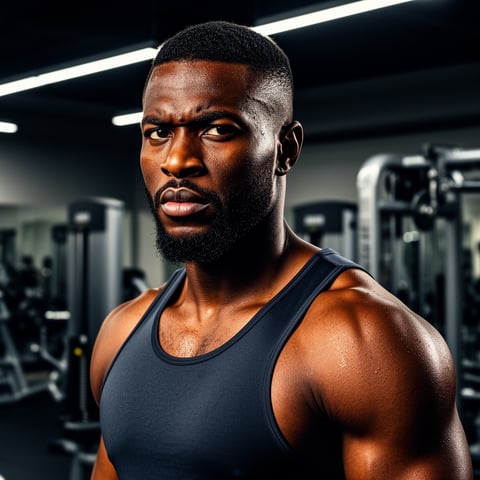
Jordan, Strength coach
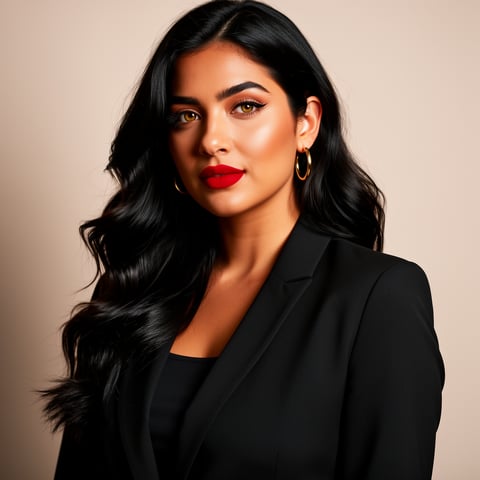
Aria, Style + fashion
Kai, Travel + adventure
Eli, Food + slow living
Sage, Yoga + breathwork
Reese, Gaming + tech

Proof·Built for creators, agencies, and production teams who need repeatable AI character workflows: 3-step character-to-content creation, reusable per-character galleries, multi-angle reference packs, agency multi-org workspaces, bulk generation, and web-based production across image, video, and voice. Build consistent AI characters across image, video, and voice. Cancel anytime.

Why makefilm ai

Built for the way creators actually work.

01

Create Characters Your Audience Recognizes

Build a reusable AI persona with a reference-driven character builder, multi-angle reference packs, and a matching voice so your makefilm ai videos feel connected from one post, scene, or campaign to the next.

02

Produce More Content Without Starting Over

Go from one character concept to images, video clips, talking avatars, voiceovers, and social-ready variations using text-to-image, image-to-image, text-to-video, image-to-video, reference-to-video, and bulk generation.

03

Keep Every Asset Organized by Character

Store outputs in per-character galleries so you can reuse your best references, compare looks, maintain continuity, and hand off organized character assets across your team or agency workspace.

How it works

How makefilm ai works.

The best makefilm ai workflow starts with identity before motion. socialAF helps you lock your character first, then expand that persona into repeatable visual and voice content for films, shorts, ads, and creator channels.

Nova, Fitness + wellness

01

Step 1: Build a Production-Ready AI Character

Start with a prompt, reference image, mood direction, or persona concept. Use the reference-driven character builder to define your character’s face, style, wardrobe, age range, expression, and brand role. Generate multi-angle reference packs so you have front, side, close-up, full-body, and expression references ready for future scenes. If your character needs to speak, create or clone a voice and save it with the persona.

Jordan, Strength coach

02

Step 2: Generate Scenes, Stills, and Talking Moments

Use your saved character to create cinematic stills with text-to-image or image-to-image. Then create motion with text-to-video, image-to-video, or reference-to-video, depending on how much control you need. For dialogue, use text-to-speech and talking avatars to generate on-brand speaking clips. This gives you a flexible makefilm ai workflow for trailers, short scenes, social ads, product explainers, and creator content.

Aria, Style + fashion

03

Step 3: Scale Campaigns With Galleries and Bulk Generation

Save every strong result to the character’s gallery, then use those assets as references for the next batch. Agencies can organize clients inside multi-org workspaces, generate variations in bulk, and keep characters, voice assets, and visual references separated by brand. You can test hooks, formats, backgrounds, languages, and calls-to-action without losing the character identity your audience already recognizes.

Start Making AI Films With Characters That Stay Consistent

Build consistent AI characters across image, video, and voice. Cancel anytime.

Try it Today

The difference

Why it wins for makefilm ai.

Most makefilm ai workflows break down when your character changes face, style, outfit, or voice between scenes. socialAF gives you a character-first system so every image, clip, avatar, and voiceover can connect back to the same reusable persona.

Without makefilm ai

Traditional approach

With socialAF

You can create campaign-ready character content without booking talent, coordinating shoots, renting locations, or rebuilding a production schedule for every variation.

Without makefilm ai

Generic tools

With socialAF

socialAF keeps your character references, voice, galleries, and generated outputs connected, so you are not managing disconnected files across multiple one-off tools.

Without makefilm ai

Manual methods

With socialAF

Bulk generation and agency workspaces help you test more hooks, scenes, aspect ratios, and creative directions while preserving the character identity that makes your content memorable.

What creators say

Creators using socialAF for makefilm ai.

socialAF turned our character concept into a repeatable content system. We now create product explainers, short videos, and talking avatar clips with the same persona instead of rebuilding from scratch every week.

Maya Chen

Creative Director

The per-character galleries are the difference maker. Our team can keep references, voice, and video variations organized by client, which makes AI production feel like a real agency workflow.

Jordan Ellis

Founder, Social Content Studio

FAQ

Common questions about makefilm ai.

What is makefilm ai and how can socialAF help me use it?

Makefilm ai describes the process of using AI to create film-style content, short videos, scenes, avatars, voiceovers, and cinematic story assets from prompts or references. socialAF helps by giving you a character-first workflow. You can design a persona, generate multi-angle reference packs, create a voice, produce images, generate videos, make talking avatars, and organize everything in a per-character gallery. That means you can create content that feels connected instead of producing random one-off clips.

How do I keep the same AI character consistent across makefilm ai videos?

Start by locking the character before you generate motion. In socialAF, build your character with references, save strong outputs, and create a multi-angle reference pack. Use those references for future image-to-image, image-to-video, and reference-to-video generations. Keep your best results in the character gallery so every new scene has a visual anchor. This workflow is especially useful for recurring brand avatars, story channels, fictional influencers, product spokespeople, and serialized short films.

Can I create talking avatar videos for my makefilm ai character?

Yes. socialAF supports talking avatars, text-to-speech, and voice cloning so your character can speak with a consistent voice and on-screen identity. You can write a script, generate the voice, and create avatar-style clips for explainers, social posts, onboarding videos, ads, education, or story dialogue. This is useful when you want a recognizable presenter without filming yourself or hiring talent for every new message.

What types of content can I create with a makefilm ai workflow?

You can create cinematic character stills, short scenes, vertical videos, talking avatars, fictional influencer posts, ad variations, product explainers, storyboards, pitch visuals, UGC-style scripts, and branded character campaigns. socialAF gives you image generation for text-to-image and image-to-image, video generation for text-to-video, image-to-video, and reference-to-video, plus voice tools for narration and dialogue. Agencies can also scale production with multi-org workspaces and bulk generation.

Is socialAF better for creators or agencies making AI film content?

socialAF is built for both. Solo creators can move faster by saving characters, references, voices, and galleries in one place. Agencies can organize multiple brands or clients with multi-org workspaces, then use bulk generation to create variations for testing. If your work depends on repeatable characters, campaign volume, or client-ready organization, socialAF helps reduce friction from concept to export.

Do I need filmmaking experience to create makefilm ai videos with socialAF?

No. You do not need a studio background to start. socialAF guides you through a practical workflow: create a character, generate references, produce stills or clips, add voice or avatar speech, then save the strongest outputs for future scenes. If you already understand storytelling, branding, or social content, you can use that creative direction inside socialAF. If you are new, the character-first process helps you avoid common mistakes like inconsistent faces, mismatched voices, and disorganized assets.

Ready to get started?

Start free →

Ready

Build your first character today.

Join creators using socialAF to bring their characters to life. One subscription, every model, no shoot required.

Start today