Use case · most realistic ai image

most realistic ai image with socialAF.

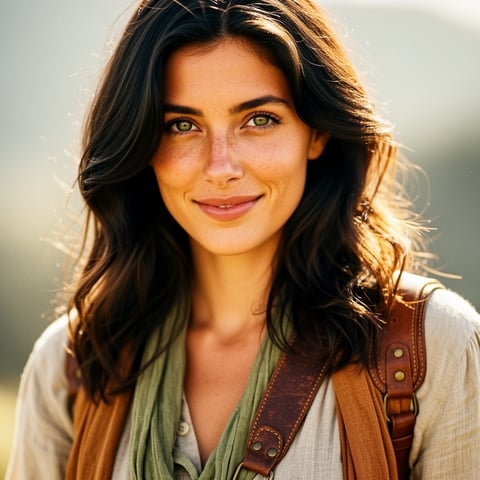
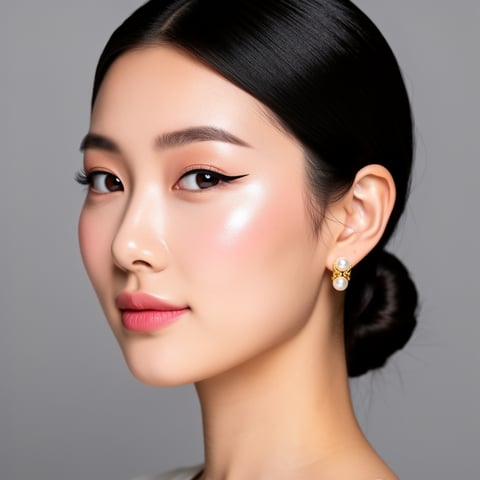
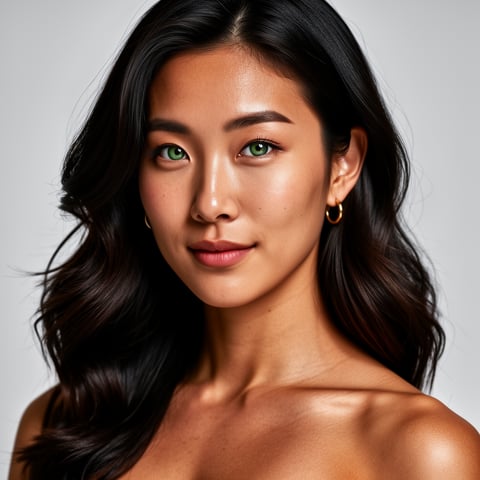
Create the most realistic AI image assets your audience can actually believe in, then reuse the same character across posts, ads, thumbnails, storyboards, talking-head clips, and campaign visuals. socialAF is built for creators and agencies who need more than one good image. You need a repeatable content engine: a character that keeps the same face, style, voice, wardrobe direction, and visual identity across every asset. Current realistic AI image workflows work best when you combine strong references, clear lighting and camera direction, controlled iteration, and final quality checks instead of relying on one oversized prompt. Recent research also shows that photorealism still depends on reducing telltale artifacts such as overly smooth skin, strange details, and inconsistent subject identity. ([arxiv.org](https://arxiv.org/abs/2512.00473)) socialAF helps you move from one-off AI pictures to production-ready persona content. Start with the reference-driven character builder, create multi-angle reference packs, generate realistic images from text or existing images, then extend the same persona into video, lip-sync, talking-head content, and text-to-speech. Your result is a faster way to launch visual campaigns, test creator concepts, produce realistic influencer-style content, and keep every character organized in per-character galleries.

Get started today·Results in seconds·Loved by creators

Our library·13 characters·12 models

Mia, Beauty + soft glam
Nova, Fitness + wellness
Jordan, Strength coach
Aria, Style + fashion
Kai, Travel + adventure
Eli, Food + slow living
Sage, Yoga + breathwork
Reese, Gaming + tech

Proof·Built for high-output creator workflows: reference-driven character creation, multi-angle image packs, image-to-image and text-to-image generation, text-to-video and image-to-video creation, lip-sync video, voice cloning, text-to-speech, bulk generation, per-character galleries, and agency multi-org workspaces. Build consistent AI characters across image, video, and voice. Cancel anytime.

Why most realistic ai image

Built for the way creators actually work.

01

Create Realistic Characters That Stay Recognizable

Turn a visual idea into a repeatable AI persona with the same face, mood, and brand presence across multiple images. Reference-based workflows are especially useful when you need identity consistency instead of random outputs each time. ([arxiv.org](https://arxiv.org/abs/2602.03448))

02

Produce Campaign Visuals Faster Than a Photoshoot

Generate realistic AI image options for ads, social posts, profile content, launch visuals, storyboards, and thumbnails without waiting on locations, crews, or reshoots. Create variations in bulk, choose winners, and keep moving.

03

Extend One Image Into Video and Voice Content

Use your best realistic image as the foundation for image-to-video, reference-to-video, lip-sync, talking-head clips, voice cloning, and text-to-speech so your character can show up across the full content funnel.

How it works

How most realistic ai image works.

The easiest path to the most realistic AI image is not to chase complexity. socialAF helps you start with a strong character reference, generate focused variations, organize the best outputs, and turn approved visuals into reusable content assets.

Alemap, Travel + slow living

01

Step 1: Build a Reference-Driven Character

Start in socialAF’s character builder and define the person, creator persona, or brand avatar you want to produce. Add references for face shape, age range, hair, wardrobe direction, expression, and visual tone. Then create a multi-angle reference pack so your character has front, side, close-up, and lifestyle views. This gives you a stronger foundation for realistic AI image consistency.

Mia, Beauty + soft glam

02

Step 2: Generate Realistic Images From Text or References

Use text-to-image when you want a new scene from scratch, or image-to-image when you want to preserve a pose, framing, product setup, or existing brand look. Keep your prompt practical: one subject, one setting, one lighting style, and one camera direction. Modern creator workflows recommend locking camera angle, lighting, and aspect ratio early, then iterating from the best variation instead of changing everything at once. ([pict.ai](https://pict.ai/blog/what-changed-in-ai-image-generation-2026/))

Nova, Fitness + wellness

03

Step 3: Save Winners in Per-Character Galleries

When you find an image that matches your character, save it to the character’s gallery. Organize close-ups, lifestyle shots, product shots, ad creatives, and platform-specific crops in one place. This makes it easier to keep your most realistic AI image assets consistent when you return for the next campaign, client request, or content batch.

Create Your Most Realistic AI Image Today

Build consistent AI characters across image, video, and voice. Cancel anytime.

Try it Today

The difference

Why it wins for most realistic ai image.

Most realistic AI image tools can produce a single impressive result. socialAF is designed for the full creator workflow: build the character, generate realistic visuals, keep the identity organized, and turn the same persona into scalable image, video, and voice content.

Without most realistic ai image

Traditional approach

With socialAF

Skip the cost and coordination of repeated shoots while still producing realistic campaign concepts, creator portraits, product-style visuals, and social assets on demand.

Without most realistic ai image

Generic tools

With socialAF

Avoid starting from scratch every time. socialAF’s reference-driven character builder, multi-angle reference packs, and per-character galleries help you keep one persona consistent across many outputs.

Without most realistic ai image

Manual methods

With socialAF

Replace scattered folders, one-off prompts, and disconnected editing steps with a single workflow for image generation, video generation, lip-sync, voice cloning, text-to-speech, and bulk production.

What creators say

Creators using socialAF for most realistic ai image.

I stopped treating realistic AI images like random experiments. With socialAF, each character has a gallery, references, and a repeatable workflow, so every campaign feels more intentional.

Maya Ellison

Creator Strategist

The biggest win for our agency is consistency. We can build a character once, generate image batches, test ad angles, and turn the strongest stills into short talking-head videos.

Jordan Vale

Agency Creative Director

FAQ

Common questions about most realistic ai image.

What makes socialAF useful for creating the most realistic AI image?

socialAF is useful because it focuses on the full outcome, not just one image. You can build a character from references, create multi-angle reference packs, generate realistic images with text-to-image or image-to-image workflows, and save your best results in per-character galleries. That means you are not rebuilding the same persona from memory every time. You can create a realistic portrait, a lifestyle scene, a product visual, a social post, and a video-ready character asset from the same organized identity system.

How do I get more realistic AI images instead of fake-looking outputs?

Start with a focused prompt and strong references. Use one subject, one setting, one lighting direction, and one camera angle. Avoid stuffing the prompt with too many competing adjectives. Generate a small set of variations, choose the strongest one, then refine from that version. Before exporting, inspect details like eyes, hands, background geometry, skin texture, and clothing edges. Current AI image workflows still benefit from careful iteration and final artifact checks, especially when photorealism matters. ([arxiv.org](https://arxiv.org/abs/2512.00473))

Can I keep the same realistic AI character consistent across multiple images?

Yes. socialAF is designed around consistent AI characters. The reference-driven character builder lets you define the character’s look, and multi-angle reference packs give the system more visual context. Per-character galleries help you store approved outputs, so each new generation can build from the same identity. This is especially valuable for serialized creator content, virtual spokespeople, campaign concepts, storyboards, and agencies managing multiple personas for different clients.

Can I turn my most realistic AI image into a video?

Yes. After you generate or approve a realistic image, you can extend it into motion with socialAF’s video tools. Use text-to-video for new scenes, image-to-video to animate a still image, or reference-to-video when you want the output to follow an established character look. You can also create lip-sync and talking-head videos for announcements, hooks, educational clips, product explainers, and short-form content. This helps you get more value from every image you create.

Does socialAF support realistic AI voice and talking-head content?

Yes. socialAF includes voice cloning and text-to-speech so your character can have a consistent sound, not just a consistent appearance. You can pair realistic AI images with lip-sync or talking-head video to create persona-led content for social posts, ads, onboarding, explainers, and client campaigns. This is ideal when you want a character to feel like a complete brand asset across image, video, and voice.

Is socialAF a good realistic AI image generator for agencies?

Yes. Agencies can use socialAF to manage multiple creator personas, client brands, and production workflows without mixing assets. Agency multi-org workspaces help separate client work, bulk generation supports faster creative testing, and per-character galleries keep every persona organized. Instead of juggling prompts, folders, image files, video tools, and audio tools separately, your team can build repeatable systems for realistic AI image campaigns and then scale them into video and voice.

Ready to get started?

Start free →

Ready

Build your first character today.

Join creators using socialAF to bring their characters to life. One subscription, every model, no shoot required.

Start today