01
Make Character Motion Feel On-Brand
Give your AI persona repeatable body language, expressions, poses, and camera presence so every clip supports the same recognizable brand identity instead of feeling like a one-off experiment.
Use case · motion control
Motion control gives you a faster way to create AI character videos that look intentional instead of random. With socialAF, you can guide how your character moves, speaks, poses, reacts, and appears across campaign assets, short-form clips, product promos, creator content, and agency deliverables. Instead of rebuilding a persona from scratch for every post, you can start with a consistent character, generate polished image references, animate that character with text-to-video, image-to-video, or reference-to-video workflows, then add talking avatar output, text-to-speech, or voice cloning for a complete content package. For creators, motion control means your AI persona can walk into frame, gesture during a hook, turn toward a product, deliver a line, or repeat a signature pose across multiple videos. For agencies, it means you can create repeatable branded character systems for clients without slowing every concept down with manual production. Recent AI video research and tool updates show a clear shift toward more controllable camera movement, object motion, and reference-guided animation because prompt-only video is often hard to direct precisely. socialAF is built around that outcome: helping you build consistent AI characters across image, video, and voice. Cancel anytime.
Get started today·Results in seconds·Loved by creators
Our library·13 characters·12 models








Proof·Built for modern creator and agency workflows: one character hub, 3 core asset types across image, video, and voice, bulk generation for campaign variations, per-character galleries for organized reuse, and agency multi-org workspaces for managing multiple brands without mixing assets.
Why motion control
01
Give your AI persona repeatable body language, expressions, poses, and camera presence so every clip supports the same recognizable brand identity instead of feeling like a one-off experiment.
02
Use text-to-video, image-to-video, and reference-to-video generation to turn one strong character concept into multiple hooks, angles, intros, reactions, and ad variations without rebuilding your workflow.
03
Store outputs in per-character galleries, generate multi-angle reference packs, and manage client work in agency multi-org workspaces so your team can scale motion-controlled content cleanly.
How it works
socialAF helps you move from character idea to motion-controlled content without juggling disconnected tools. You create the character foundation, generate strong visual references, animate the persona, then add voice and campaign variations.

01
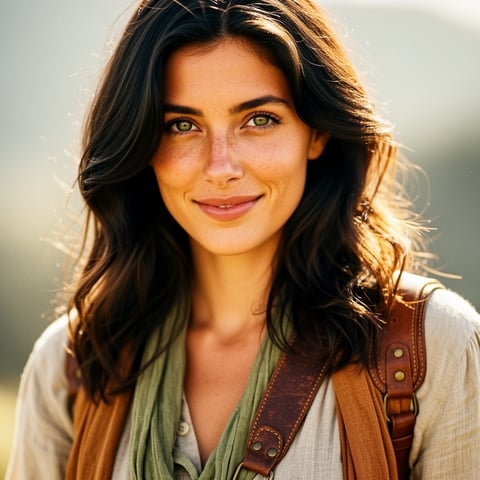
Start with the reference-driven character builder. Upload inspiration, define the persona, choose style direction, and create a visual identity that can support multiple campaigns. Generate multi-angle reference packs so your character has usable front, side, close-up, and lifestyle views before you begin motion control. This gives your AI character a stable look for image generation, image-to-video animation, talking avatars, and future bulk generation.
02
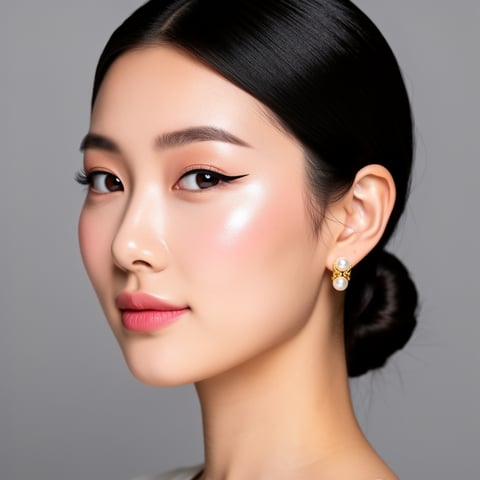
Choose the best generation path for your goal. Use text-to-video when you want to describe a scene from scratch, image-to-video when you want to animate a selected character image, or reference-to-video when you want motion inspired by a guide clip. Add prompts for camera movement, gestures, facial expression, pacing, product interaction, and scene style. The goal is not just to make a video; it is to create a clip where your character performs the right action for the hook, ad, tutorial, or story beat.
03
Turn your animated character into finished content with talking avatars, text-to-speech, or voice cloning. Save each output inside the per-character gallery, then use bulk generation to create multiple captions, hooks, formats, and campaign variants. Agencies can separate clients inside multi-org workspaces, while creators can keep every persona organized by niche, platform, or content series.
Build consistent AI characters across image, video, and voice. Cancel anytime.
Try it TodayThe difference
socialAF helps you move beyond one-off video experiments by connecting character design, motion generation, voice, organization, and campaign scaling in one workflow.
Without motion control
Traditional approach
With socialAF
You can create character-led video concepts without coordinating actors, studios, reshoots, editing handoffs, or separate voice sessions for every variation.
Without motion control
Generic tools
With socialAF
You can keep each AI persona organized with reference-driven character creation, multi-angle packs, per-character galleries, and reusable brand assets.
Without motion control
Manual methods
With socialAF
You can scale motion-controlled videos with bulk generation, talking avatars, text-to-speech, and voice cloning instead of manually recreating every clip.
What creators say
“socialAF helped us turn one character concept into a full set of short-form video hooks. The biggest win was consistency: the same persona, the same visual style, and motion that matched the campaign.”
Maya Chen
Creative Strategist
“Our agency needed a cleaner way to manage AI characters for multiple clients. The per-character galleries and multi-org workspaces made it much easier to produce variations without losing track of approvals.”
Jordan Ellis
Agency Founder
FAQ
Motion control AI is a way to guide how an AI-generated video moves instead of relying only on a written prompt. In a socialAF workflow, that can mean directing a character’s gesture, pose, facial expression, camera framing, pacing, or scene action. You can begin with a reusable AI character, generate strong image references, then animate the character through text-to-video, image-to-video, or reference-to-video workflows. The outcome is more useful content: intros with a clear hook, product demos with intentional movement, talking avatar clips that feel branded, and campaign variations that stay aligned with the same character identity.
socialAF starts with consistency before animation begins. The reference-driven character builder helps you define the persona’s look and style, while multi-angle reference packs give you more usable visual anchors for different shots. Once the character foundation is ready, you can generate images, animate them into videos, create talking avatars, add text-to-speech, or use voice cloning. Because outputs are saved in per-character galleries, you can return to the same persona again and again instead of hunting through disconnected files. This is especially valuable for creators building a recurring AI influencer, agencies managing branded mascots, or teams producing repeated campaign content.
Yes. socialAF supports both image-to-video and text-to-video workflows, along with reference-to-video generation when you want a motion guide to influence the final result. Text-to-video is useful when you want to describe a fresh scene, such as a character walking through a studio or reacting to a product. Image-to-video is useful when you already have a strong character image and want to animate it. Reference-to-video is helpful when you want the output to follow a specific type of movement, such as a wave, turn, walk, pose shift, or presenter-style gesture. You can combine these workflows with talking avatars, text-to-speech, and voice cloning to create finished videos faster.
Strong motion control examples include a recurring AI host delivering daily news-style updates, a character turning toward a featured product in an ad, an avatar pointing to on-screen benefits, a persona reacting to comments, a branded mascot introducing a tutorial, or a virtual spokesperson speaking with a cloned voice. For short-form platforms, motion control is especially useful for hooks: a character stepping into frame, leaning toward the camera, changing expression, or using a signature gesture. With socialAF, you can save these outputs in a character gallery and generate new variations for different offers, captions, formats, and audiences.
Yes. Motion control is particularly useful for agencies because it turns AI character production into a repeatable system. Instead of creating isolated assets for each client request, your team can build character foundations, generate multi-angle reference packs, organize approved assets in per-character galleries, and separate client work with agency multi-org workspaces. Bulk generation then helps you produce multiple versions of a concept, such as different hooks, product angles, voiceovers, thumbnails, and video intros. That means faster iteration, cleaner approvals, and more consistent creative output across client campaigns.
No. socialAF is designed around creative outcomes rather than complex production setup. You describe the character, scene, motion, and voice direction you want, then use the platform’s generation tools to produce images, videos, talking avatars, and audio. You can still be specific with prompts, references, and character details, but you do not need to manually animate every movement frame by frame. The workflow is built for creators, marketers, and agencies that want professional-looking character content without adding unnecessary friction. Start with one persona, test a few motion directions, save the best outputs, and scale the winners with bulk generation.
Ready
Join creators using socialAF to bring their characters to life. One subscription, every model, no shoot required.
Start todayCreate original AI personas inspired by viral trends without leaks, copying, or risk. Build images, videos, voice, and campaigns fast.
Create logo-inspired AI brand characters, images, videos, avatars, and voice assets for campaigns with socialAF. Cancel anytime.
Create respectful AI shemale and trans feminine characters for images, videos, avatars, and voice with socialAF.