Use case · photo face changer online free

photo face changer online free with socialAF.

Create polished face changes without starting over every time you need a new post, ad, avatar, or campaign visual. socialAF gives you a photo face changer online free workflow built for creators, agencies, and brands that need more than a one-off face swap. You can transform a portrait, build a consistent AI character, generate new looks from text or image prompts, and keep that character recognizable across image, video, and voice. Instead of uploading a photo, downloading one result, and losing consistency on the next edit, socialAF helps you create a reusable persona. Start with reference images, define the face, style, wardrobe, expressions, and personality, then generate content that looks aligned across multiple formats. Use it to refresh profile photos, test campaign concepts, create UGC-style visuals, localize creator content, produce talking avatars, or build a library of on-brand AI characters for clients. You stay in control of the creative direction. Upload references you own or have permission to use, choose the output style, generate variations, and organize finished assets in per-character galleries. Whether you need a natural headshot, a cinematic social post, a product model, or a short video avatar with cloned voice and text-to-speech, socialAF turns face-changing into a complete content engine.

Get started today·Results in seconds·Loved by creators

Our library·13 characters·12 models

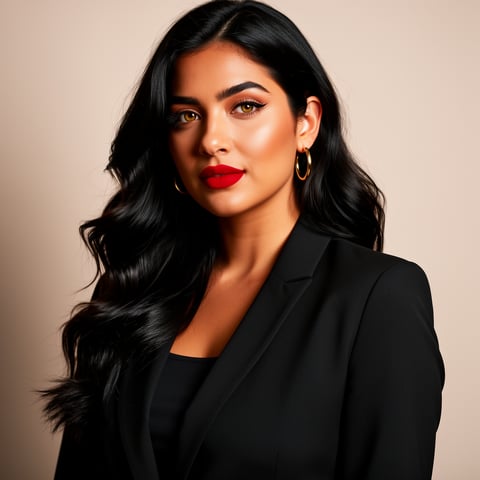
Mia, Beauty + soft glam
Nova, Fitness + wellness
Jordan, Strength coach
Aria, Style + fashion
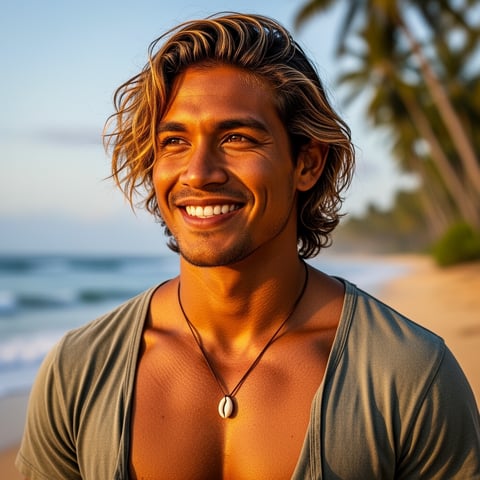
Kai, Travel + adventure
Eli, Food + slow living
Sage, Yoga + breathwork
Reese, Gaming + tech

Proof·Built for high-output creator teams: 1 character workspace, 3-step creation flow, image plus video plus voice generation, per-character galleries, agency multi-org workspaces, and bulk generation for campaign-scale production. Start free, create responsibly with consent-based references, and upgrade only when your content workflow needs more volume.

Why photo face changer online free

Built for the way creators actually work.

01

Turn One Face Edit Into a Reusable AI Character

Create a consistent persona from reference photos, then reuse that character across headshots, lifestyle images, short videos, talking avatars, and branded creative without rebuilding the look from scratch.

02

Move From Photo to Campaign Faster

Generate multiple expressions, outfits, angles, and scenes in minutes so you can test thumbnails, ads, profile visuals, product shots, and social posts before spending time on manual editing.

03

Keep Every Asset Organized for Clients and Teams

Store outputs in per-character galleries, manage multiple client brands with agency multi-org workspaces, and use bulk generation when you need many variations for a launch, content calendar, or A/B test.

How it works

How photo face changer online free works.

socialAF makes a photo face changer online free workflow simple: upload approved references, build a consistent character, then generate images, videos, and voice-led content from the same persona.

Aria, Style + fashion

01

Step 1: Upload Approved Face References

Start with clear photos you own or have permission to use. Add front-facing, side-angle, and expression references so socialAF can help you build a more consistent AI character. For best results, choose well-lit images where the face is visible and not heavily obscured by sunglasses, motion blur, or extreme filters.

Kai, Travel + adventure

02

Step 2: Build Your Character Persona

Use the reference-driven character builder to define the face, style, personality, wardrobe, and use case. Add multi-angle reference packs for stronger consistency, then create a dedicated character gallery so every generated image, video, talking avatar, and voice asset stays attached to the same persona.

Eli, Food + slow living

03

Step 3: Generate Photos, Videos, and Talking Avatars

Create new content with image-to-image, text-to-image, text-to-video, image-to-video, and reference-to-video tools. Produce realistic face-changed photos, short-form clips, talking avatars, and text-to-speech content, then bulk-generate variations for ads, social posts, client approvals, or campaign testing.

Create Your First AI Face Character Today

Build consistent AI characters across image, video, and voice. Cancel anytime.

Try it Today

The difference

Why it wins for photo face changer online free.

Most free face-changing tools stop at a single download. socialAF helps you create a consistent, reusable character system for ongoing content production.

Without photo face changer online free

Traditional approach

With socialAF

Skip hours of manual masking, retouching, color matching, and export cleanup by generating polished character visuals from approved references and prompts.

Without photo face changer online free

Generic tools

With socialAF

Avoid disconnected one-off results by saving each persona in a dedicated gallery and keeping the same character consistent across images, videos, talking avatars, and voice.

Without photo face changer online free

Manual methods

With socialAF

Move from concept to content calendar faster with bulk generation, multi-angle reference packs, agency workspaces, and repeatable workflows for every brand or client.

What creators say

Creators using socialAF for photo face changer online free.

We used to create one face edit at a time. With socialAF, we built a reusable AI character and generated a full week of image and video concepts in one session.

Maya Benton

Social Content Strategist

The biggest win is consistency. Our client avatar looks recognizable across product shots, talking videos, and ad variations, which makes approvals much easier.

Evan Torres

Agency Creative Director

FAQ

Common questions about photo face changer online free.

What is a photo face changer online free tool used for?

A photo face changer online free tool helps you edit or transform the face in an image for creative, branding, entertainment, or content production purposes. With socialAF, you can go beyond a single face change by turning approved references into a reusable AI character. That means you can create profile images, campaign visuals, product models, social posts, video avatars, and voice-led content that stay visually consistent over time.

Can I create a consistent AI character from a face photo?

Yes. socialAF is designed for consistency. You can upload reference photos, add multi-angle reference packs, define the character’s style and personality, and store outputs in a per-character gallery. This makes it easier to keep the same face, look, and creative direction across text-to-image, image-to-image, text-to-video, image-to-video, reference-to-video, talking avatar, and text-to-speech workflows.

How do I get better results from an AI photo face changer?

Use clear, well-lit reference photos where the face is visible. Include multiple angles if you want a stronger character identity. Avoid blurry screenshots, heavy filters, blocked facial features, or mismatched lighting when possible. In socialAF, you can improve consistency by adding a multi-angle reference pack, writing specific prompts for wardrobe and setting, and saving successful generations in the character gallery for future creative direction.

Is socialAF only for face swapping, or can it create videos too?

socialAF is built for complete AI character production, not just face swapping. You can generate images from text or image references, create videos from text, images, or character references, produce talking avatars, and add voice with voice cloning or text-to-speech. This is useful when you want one character to appear in a profile photo, a short social clip, an ad concept, a product explainer, and a narrated avatar video.

Can agencies use this photo face changer online free workflow for clients?

Yes. Agencies can use socialAF to organize client work with multi-org workspaces, per-character galleries, and bulk generation. Instead of mixing assets across brands, you can keep each client’s characters, references, visual tests, and campaign outputs separate. This helps creative teams produce more variations, present clearer options, and maintain brand consistency across different content calendars.

Is it okay to change someone’s face in a photo with AI?

You should only use photos and likenesses you own, have permission to edit, or are authorized to use for the project. Responsible AI face editing matters, especially for realistic images, ads, and public-facing content. socialAF is best used for consent-based creator content, brand-owned characters, fictional personas, approved talent references, and clearly authorized campaign assets.

Ready to build your first reusable AI face character?

Start free →

Ready

Build your first character today.

Join creators using socialAF to bring their characters to life. One subscription, every model, no shoot required.

Start today