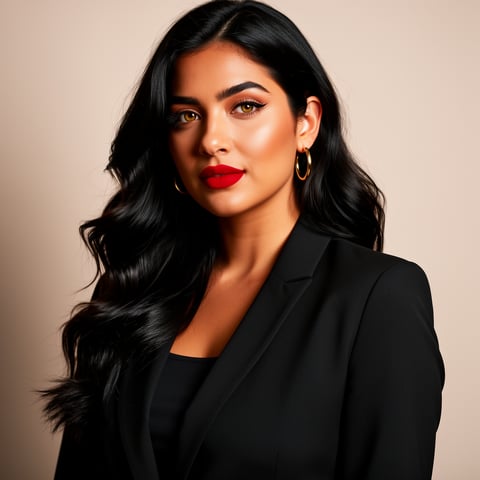
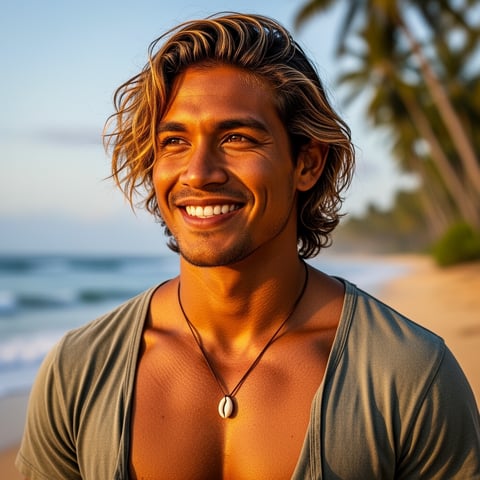
Use case · rajan edit

rajan edit with socialAF.

Create scroll-stopping Rajan edit content without spending hours hunting for presets, rebuilding templates, or fixing inconsistent character shots. socialAF helps you turn the Rajan edit aesthetic into a repeatable content system: a recognizable AI character, a strong visual style, matching voice, and ready-to-post images or videos for Reels, Shorts, TikTok-style clips, thumbnails, profile content, and agency campaigns. A Rajan edit usually succeeds because it feels bold, fast, emotional, and instantly social. The best versions combine cinematic backgrounds, dramatic poses, stylized lighting, trending transitions, AI prompt concepts, music-ready pacing, and a character viewers remember. With socialAF, you can build that character once, then create fresh variations across image, video, and voice whenever a new trend appears. Instead of starting from scratch for every post, you can create a reference-driven character, generate multi-angle reference packs, produce image-to-image or text-to-image visuals, animate them with text-to-video, image-to-video, or reference-to-video, add a talking avatar, and generate voiceovers with text-to-speech or voice cloning. The result is a faster workflow for creators and agencies who want more content, stronger consistency, and a cleaner brand presence.

Get started today·Results in seconds·Loved by creators

Our library·13 characters·12 models

Mia, Beauty + soft glam
Nova, Fitness + wellness
Jordan, Strength coach
Aria, Style + fashion
Kai, Travel + adventure
Eli, Food + slow living
Sage, Yoga + breathwork
Reese, Gaming + tech

Proof·Rajan edit content is already tied to active creator behavior: public trend pages describe Rajan Editz-style resources around presets, backgrounds, PNGs, templates, AI prompts, and mobile-friendly editing, while one public Rajan_editz template listing showed 9.88K uses and 1.35K likes, and a Rajan editz Telegram channel listing showed 97.2K subscribers. socialAF gives you a more scalable way to turn that demand into consistent AI character content for your own brand, page, client, or creator persona. ([rajaneditz.net](https://rajaneditz.net/?utm_source=openai))

Why rajan edit

Built for the way creators actually work.

01

Create a recognizable Rajan edit character people remember

Build one consistent AI persona, then reuse that character across cinematic portraits, dance-style visuals, entry scenes, talking avatar clips, promo reels, and short-form storytelling. Your audience sees the same face, style, and energy every time, which makes your content feel more professional and easier to follow.

02

Publish more trend-ready visuals with less manual editing

Move from idea to output faster by generating images, videos, voiceovers, and avatar clips in one workflow. You can test multiple hooks, outfits, backgrounds, moods, and camera angles without manually building every Rajan edit from separate presets, layers, and assets.

03

Scale Rajan edit campaigns for creators, pages, and clients

Use per-character galleries, bulk generation, and agency multi-org workspaces to manage multiple personas, brands, or client campaigns. Keep every character organized, create batches of content, and deliver polished variations without losing track of references or approvals.

How it works

How rajan edit works.

socialAF turns the Rajan edit workflow into a simple creative system: define your character, generate a consistent visual pack, then produce image, video, avatar, and voice content from the same persona.

Jordan, Strength coach

01

Step 1: Build your Rajan edit character from references

Upload reference images or describe the persona you want: face, hairstyle, outfit, attitude, pose style, color palette, and visual mood. socialAF’s reference-driven character builder helps you create a stable AI character that can appear in multiple Rajan edit scenes. Generate a multi-angle reference pack so your persona can look consistent in close-ups, full-body shots, side angles, cinematic posters, and vertical video frames.

Aria, Style + fashion

02

Step 2: Generate bold Rajan edit images and scene variations

Use text-to-image or image-to-image generation to create high-impact visuals: dramatic hero poses, neon street scenes, luxury car entry shots, festival-style backgrounds, 3D cartoon-inspired frames, emotional portrait edits, or music-poster looks. Save your best outputs inside a per-character gallery so every strong pose, background, and outfit variation stays connected to the same AI persona.

Kai, Travel + adventure

03

Step 3: Turn your images into videos, avatars, and voice content

Animate your strongest visuals with image-to-video, text-to-video, or reference-to-video. Create talking avatar clips for announcements, story posts, intros, fan-page content, product promos, or creator monologues. Add text-to-speech or voice cloning so the character can speak in a consistent tone. Then use bulk generation to produce multiple hooks, captions, and scene variations for testing.

Create your first Rajan edit character today

Build consistent AI characters across image, video, and voice. Cancel anytime.

Try it Today

The difference

Why it wins for rajan edit.

Rajan edit content moves fast. socialAF helps you keep up without rebuilding your character, voice, and visual style every time you want a new post.

Without rajan edit

Traditional approach

With socialAF

You do not need to manually collect backgrounds, overlays, presets, prompts, voice tools, and video workflows from separate places. socialAF keeps character creation, image generation, video generation, talking avatars, text-to-speech, and galleries together.

Without rajan edit

Generic tools

With socialAF

Instead of generating one-off images that look different every time, socialAF is designed around persistent characters. Your Rajan edit persona can stay consistent across portraits, reels, avatar clips, reference videos, and voice-led content.

Without rajan edit

Manual methods

With socialAF

You can create batches of variations for hooks, poses, outfits, scenes, and client deliverables without repeating every step. Bulk generation and agency multi-org workspaces help you scale the same creative direction across multiple pages or brands.

What creators say

Creators using socialAF for rajan edit.

I used to make each Rajan edit as a one-off post. With socialAF, I built one character and turned it into portraits, reels, and talking avatar clips that all feel connected.

Aarav Mehta

Short-form Content Creator

The biggest win for our agency is consistency. We can create character galleries for each client, generate batches of concepts, and keep the same face and style across every campaign.

Nisha Kapoor

Creative Agency Lead

FAQ

Common questions about rajan edit.

What is a Rajan edit AI generator used for?

A Rajan edit AI generator is used to create bold, trend-ready social content inspired by the Rajan edit style: cinematic portraits, dramatic backgrounds, stylish reels, avatar videos, AI prompt scenes, and music-ready visual edits. With socialAF, you can go further than a single template by building a consistent AI character first. That means your persona can appear in multiple scenes, angles, outfits, and video formats while still looking recognizable. This is useful for creators, fan pages, influencers, meme pages, music editors, and agencies that need a steady stream of visually connected content.

How can I make a consistent Rajan edit character for images and videos?

Start by defining your character’s core identity: face, hairstyle, body type, clothing style, expression, color palette, and overall attitude. In socialAF, you can use the reference-driven character builder to create a stable persona and generate multi-angle reference packs. Once your character is set, you can create text-to-image portraits, image-to-image variations, image-to-video animations, reference-to-video scenes, and talking avatar clips. Because the workflow is organized around the character, your visuals are easier to keep consistent than one-off edits.

Can socialAF create Rajan edit videos for Reels and Shorts?

Yes. socialAF supports video generation workflows that are ideal for vertical social content. You can start with a text prompt, an existing image, or a character reference and generate motion using text-to-video, image-to-video, or reference-to-video. This helps you create entry scenes, attitude shots, dramatic reveal clips, avatar intros, character monologues, and short visual stories. You can also add talking avatars and text-to-speech so your Rajan edit content is not just visually strong, but also ready for narration, announcements, or promotional messages.

Do I need editing experience to create Rajan edit content with socialAF?

No advanced editing experience is required. socialAF is built to help you move from idea to content without managing complicated layers, timelines, asset folders, or separate voice tools. You describe the result you want, build or choose your character, generate images or videos, and organize everything in per-character galleries. Beginners can create polished Rajan edit visuals quickly, while experienced creators and agencies can use the same workflow to produce larger batches, test more concepts, and keep client work organized.

Can agencies use socialAF for multiple Rajan edit clients or pages?

Yes. socialAF is especially useful for agencies because it includes agency multi-org workspaces, per-character galleries, and bulk generation. You can separate client work, maintain different AI personas for each brand or creator, and produce batches of images, videos, avatars, and voice content. This makes it easier to manage approvals, keep styles consistent, and deliver more concepts without mixing references or rebuilding the same setup for every client.

Can I add voice to a Rajan edit character?

Yes. socialAF includes text-to-speech and voice cloning capabilities, so your character can speak with a consistent voice across videos. You can create talking avatars for intros, motivational clips, announcements, story-style content, product promotions, or fan engagement posts. This is powerful because your Rajan edit persona becomes more than a visual: it can develop a recognizable voice, tone, and personality across image, video, and audio.

Ready to turn Rajan edit ideas into consistent content?

Start free →

Ready

Build your first character today.

Join creators using socialAF to bring their characters to life. One subscription, every model, no shoot required.

Start today