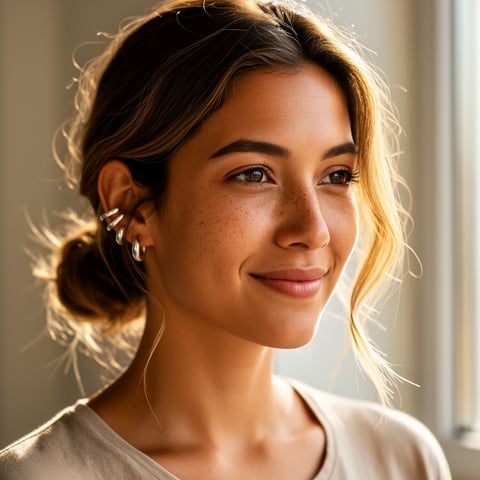
Use case · veo 3

veo 3 with socialAF.

Veo 3 has raised expectations for AI video: creators now want cinematic short clips, synchronized sound, realistic motion, and characters that feel repeatable from one scene to the next. Google’s current Veo documentation describes high-fidelity 8-second video generation with native audio, while the latest Veo 3.1 updates emphasize reference-image workflows, vertical video, character consistency, richer dialogue, and 1080p or 4K upscaling in supported Google workflows. ([ai.google.dev](https://ai.google.dev/gemini-api/docs/video?authuser=002&utm_source=openai)) socialAF helps you turn that demand into a repeatable creator system. Instead of starting every clip from a blank prompt, you build a reusable AI character once, organize that character’s references, generate images and videos, add talking-avatar scenes, produce text-to-speech voiceovers, and manage everything in per-character galleries. For creators, that means more consistent content across Reels, Shorts, TikTok-style clips, ads, story arcs, UGC concepts, and branded character campaigns. For agencies, it means faster approvals, cleaner handoffs, and bulk generation across multiple clients without losing character identity. Use socialAF to create the character foundation behind your Veo 3 content workflow: reference-driven character building, multi-angle reference packs, voice cloning, image generation, video generation, talking avatars, text-to-speech, agency multi-org workspaces, and bulk generation in one production flow.

Get started today·Results in seconds·Loved by creators

Our library·13 characters·12 models

Mia, Beauty + soft glam
Nova, Fitness + wellness
Jordan, Strength coach
Aria, Style + fashion
Kai, Travel + adventure
Eli, Food + slow living
Sage, Yoga + breathwork
Reese, Gaming + tech

Proof·Built for high-output creators and agencies who need character consistency, faster content variation, and organized production. socialAF gives you a 3-part character workflow: build a reusable persona, generate multi-format assets, and scale campaigns with per-character galleries, bulk generation, and agency workspaces. Build consistent AI characters across image, video, and voice. Cancel anytime.

Why veo 3

Built for the way creators actually work.

01

Turn One Character Into a Full Content Engine

Create a recognizable AI persona once, then reuse that character across images, video scenes, talking avatars, voiceovers, and campaign galleries. You can produce more content without rebuilding your look, tone, and backstory every time.

02

Move From Prompt Experiments to Publishable Campaigns

Veo 3-style video rewards clear subject, context, action, style, camera, and audio direction. socialAF helps you organize the character assets behind those prompts so each new clip starts from a stronger creative foundation.

03

Scale Agency Output Without Losing Brand Control

Use multi-org workspaces, per-character galleries, and bulk generation to produce client-ready character content faster. Your team can separate brands, manage variants, and generate campaign batches while keeping each persona consistent.

How it works

How veo 3 works.

socialAF makes Veo 3-style character production feel like a repeatable workflow instead of a one-off prompt session. Start with a character, build a visual and voice reference system, then generate image, video, avatar, and audio assets for every platform.

Kai, Travel + adventure

01

Step 1: Build Your Reusable AI Character

Start with the reference-driven character builder. Upload or create inspiration for your persona, define the character’s look, role, personality, audience, style, and content purpose, then generate a multi-angle reference pack. This gives you a stronger base for consistent image-to-video, text-to-video, and talking-avatar content.

Eli, Food + slow living

02

Step 2: Generate Scenes, Variations, Voice, and Avatars

Use socialAF image generation for text-to-image and image-to-image concepts, then create video assets with text-to-video, image-to-video, and reference-to-video workflows. Add talking avatars when you need direct-to-camera content, and use text-to-speech or voice cloning to give the character a repeatable voice across hooks, explainers, product demos, and story clips.

Sage, Yoga + breathwork

03

Step 3: Organize, Batch, and Publish More Consistently

Store outputs in per-character galleries so you can find winning shots, reuse references, and keep campaigns organized. Agencies can separate clients with multi-org workspaces, create bulk generations for A/B tests, and hand off polished assets for ads, social posts, and creator packages.

Create Your Veo 3-Ready AI Character Today

Build consistent AI characters across image, video, and voice. Cancel anytime.

Try it Today

The difference

Why it wins for veo 3.

Veo 3 has made AI video more expressive, but great character campaigns still need planning, references, repeatability, and workflow control. socialAF is built for creators who want consistent personas, not isolated clips.

Without veo 3

Traditional approach

With socialAF

Instead of booking shoots, coordinating talent, and rebuilding scenes from scratch, you can create a reusable AI character and generate content variations for multiple platforms in one organized workflow.

Without veo 3

Generic tools

With socialAF

Instead of scattered prompts and inconsistent faces, socialAF gives you reference-driven character creation, multi-angle packs, voice cloning, per-character galleries, and video tools designed around repeatable personas.

Without veo 3

Manual methods

With socialAF

Instead of manually tracking files, prompts, references, and client versions, your team can use agency multi-org workspaces and bulk generation to keep production fast, clean, and scalable.

What creators say

Creators using socialAF for veo 3.

socialAF helped us turn a single character concept into a repeatable content system. The biggest win was consistency: the same persona could show up in stills, short videos, and voice-led avatar posts without our team rebuilding everything.

Maya Collins

Creator Strategist

For agency work, the per-character galleries and workspaces make a huge difference. We can keep client personas separate, batch ideas quickly, and present more polished AI character campaigns with less production chaos.

Jordan Reyes

Creative Agency Founder

FAQ

Common questions about veo 3.

What is a Veo 3 AI video generator workflow?

A Veo 3 AI video generator workflow is the process of planning, prompting, generating, and refining short AI video assets using clear creative direction. Current official Veo 3 documentation describes text-prompted video generation with native audio and support for image inputs in Gemini API workflows, while Veo 3.1 updates emphasize reference images, vertical outputs, character consistency, and higher-resolution production options in supported products. ([ai.google.dev](https://ai.google.dev/gemini-api/docs/video?authuser=002&utm_source=openai)) socialAF focuses on the character layer of that workflow: helping you create the persona, reference pack, voice, images, video variations, and organized galleries that make repeatable character-led video campaigns easier to produce.

How does socialAF help create consistent characters for Veo 3-style videos?

socialAF helps you start with a reusable character instead of a one-time prompt. The reference-driven character builder lets you define the character’s visual identity, personality, content niche, and creative direction. Multi-angle reference packs give you more usable source material for image generation, image-to-video concepts, and reference-based video planning. Per-character galleries keep every asset connected to the right persona, so you can reuse the strongest images, clips, avatar takes, and voice outputs across future campaigns.

Can I make vertical Veo 3-style videos for Shorts, Reels, and TikTok-style content?

Yes. Short-form video is one of the strongest use cases for character-led AI content. Google’s January 2026 Veo 3.1 update specifically highlighted native vertical 9:16 output for mobile-first storytelling in supported Veo workflows. ([blog.google](https://blog.google/innovation-and-ai/technology/ai/veo-3-1-ingredients-to-video/)) With socialAF, you can build a character system around that format by generating vertical-ready concepts, creator-style talking avatars, product explainers, skits, hooks, reaction clips, and UGC-style videos that keep the same persona recognizable across posts.

Can socialAF create voice and talking avatars for AI character videos?

Yes. socialAF includes voice cloning, text-to-speech, and talking avatars, so your character can have more than a visual identity. You can create direct-to-camera clips, narrated explainers, product walkthroughs, educational shorts, fictional character updates, or influencer-style posts with a repeatable voice. This is especially valuable for creators and agencies because audiences remember characters faster when the face, voice, tone, and format stay consistent across multiple pieces of content.

Is socialAF useful for agencies producing AI video content for multiple clients?

Yes. socialAF is built with agency production in mind. Multi-org workspaces help you separate clients, brands, and campaigns. Per-character galleries keep each persona’s references and outputs organized. Bulk generation helps your team test more creative angles, hooks, thumbnails, and video concepts in less time. That means you can present stronger campaign options, avoid mixed-up assets, and scale AI character production without relying on messy folders or disconnected tools.

Do I need advanced prompting skills to use socialAF for Veo 3 content?

No. Strong prompting helps, but socialAF reduces the pressure to get everything perfect in one prompt by giving you a reusable character foundation. You can build the persona, create reference images, generate variations, organize the best outputs, and keep improving the character over time. For Veo 3-style video prompts, a practical structure is to define the subject, setting, action, camera movement, style, mood, and audio direction. Google’s Veo prompting guidance also emphasizes descriptive, clear prompts that identify the core idea and refine it with useful modifiers. ([cloud.google.com](https://cloud.google.com/vertex-ai/generative-ai/docs/video/video-gen-prompt-guide?hl=en&utm_source=openai)) socialAF gives you the assets and organization to make those prompts more consistent.

Ready to build your AI character video engine?

Start free →

Ready

Build your first character today.

Join creators using socialAF to bring their characters to life. One subscription, every model, no shoot required.

Start today