Use case · video ai

video ai with socialAF.

Your audience scrolls fast. socialAF helps you create video AI content that feels recognizable, repeatable, and ready for every channel without rebuilding your character, voice, or style from scratch each time. Instead of juggling disconnected tools, you can design a persona once, generate images and video around that character, add a natural-sounding voice, and organize every asset in a workflow built for creators and agencies. With socialAF, you can turn a brand mascot, AI influencer, spokesperson, product presenter, or fictional persona into a reusable content engine. Build a consistent character with references, create multi-angle reference packs, generate videos from text, images, or reference assets, and produce talking avatar clips with text-to-speech or voice cloning. The outcome is simple: more polished video content, more creative variations, and fewer production bottlenecks. Use video ai for short-form social posts, campaign concepts, explainer clips, product teasers, creator-led ads, faceless channel content, and recurring character series. Whether you are testing hooks for paid ads or building a character-led content calendar, socialAF gives you the structure to keep your visuals, voice, and persona aligned across every generation.

Get started today·Results in seconds·Loved by creators

Our library·13 characters·12 models

Mia, Beauty + soft glam
Nova, Fitness + wellness
Jordan, Strength coach
Aria, Style + fashion
Kai, Travel + adventure
Eli, Food + slow living
Sage, Yoga + breathwork
Reese, Gaming + tech

Proof·Video AI is no longer a novelty workflow. Adobe reported that 86% of global creators use creative generative AI, while IAB research shows nearly 9 in 10 buyers are using or planning to use generative AI to build digital video ads. Artlist’s 2026 creator research also highlights that AI is becoming part of everyday creative workflows across video, image, and voice production. socialAF is built for this shift: a web-based character and persona studio for teams that need consistent output, organized galleries, multi-org agency workflows, bulk generation, and risk reversal with cancel-anytime flexibility. Build consistent AI characters across image, video, and voice. Cancel anytime. ([news.adobe.com](https://news.adobe.com/news/2025/10/adobe-max-2025-creators-survey?utm_source=openai))

Why video ai

Built for the way creators actually work.

01

Launch More Video Ideas Without More Production Days

You can move from concept to campaign-ready creative faster by generating text-to-video, image-to-video, and reference-to-video assets inside one workflow. Create hooks, scene variations, product moments, avatar explainers, and short-form clips without booking a studio for every new idea. For agencies, this means more client concepts delivered in less time. For creators, it means you can post consistently even when you do not have time to film.

02

Keep Every Character Recognizable Across Campaigns

One of the biggest frustrations with video ai is inconsistency: a face changes, the outfit drifts, or the personality feels different from clip to clip. socialAF is designed around character-first creation. Use the reference-driven character builder, multi-angle reference packs, per-character galleries, and image-to-image generation to keep your persona visually aligned before you animate, speak, or scale it into new scenes.

03

Turn One Persona Into a Full Content System

Your character should not live in a single file. With socialAF, you can build a reusable AI influencer, spokesperson, mascot, or fictional creator that works across images, videos, talking avatars, and voice. Add text-to-speech or voice cloning, organize outputs in per-character galleries, and use bulk generation to create multiple campaign angles, languages, formats, and visual styles from the same core identity.

How it works

How video ai works.

socialAF makes video ai creation practical by starting with a strong character foundation, then giving you multiple ways to generate, animate, voice, and organize content. The workflow is built so you can test quickly without losing brand consistency.

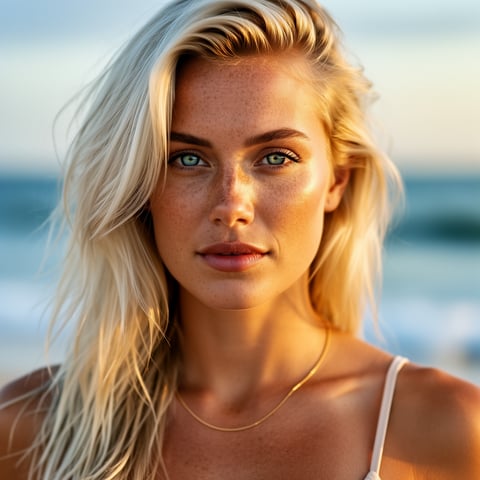
Liv, Beach + lifestyle

01

Step 1: Build Your Reusable AI Character

Start with a persona brief, visual references, or an existing brand idea. Use socialAF’s reference-driven character builder to define the character’s look, style, role, tone, and campaign purpose. Generate multi-angle reference packs so the same persona can appear in different poses, compositions, outfits, and formats. This gives your video ai workflow a stable creative base before you create clips.

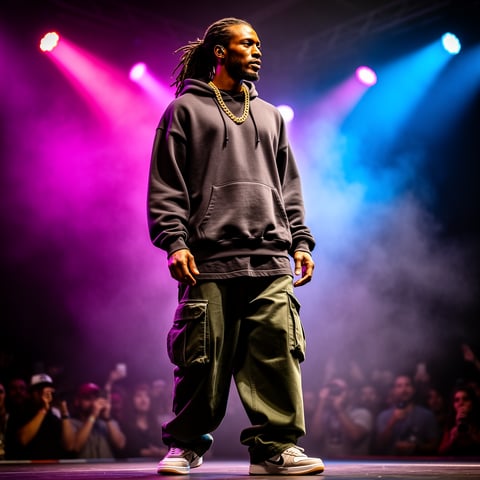
Dre, Music + dance

02

Step 2: Generate Video Scenes, Avatars, and Voice

Choose the workflow that matches your goal: text-to-video for fresh scene concepts, image-to-video for animating approved visuals, or reference-to-video for character-led moments that need continuity. Create talking avatars for explainers, intros, product pitches, or social posts. Add text-to-speech for fast narration, or use voice cloning when you need a more recognizable branded voice. You can also generate supporting images with text-to-image and image-to-image tools.

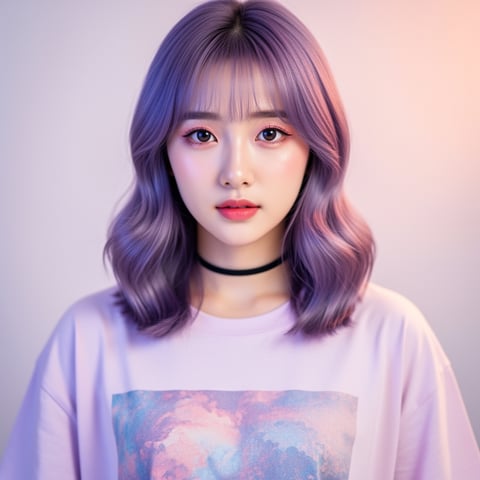
Yuna, Anime + Y2K aesthetic

03

Step 3: Organize, Iterate, and Scale Campaign Variations

Save every output in per-character galleries so your team can compare versions, reuse the best assets, and maintain a clear creative history. Agencies can manage clients in multi-org workspaces, while creators can keep personas separated by project or channel. Use bulk generation to produce multiple hooks, captions, backgrounds, avatar takes, product angles, and aspect-ratio-ready concepts for testing.

Create Your First Consistent Video AI Character

Build consistent AI characters across image, video, and voice. Cancel anytime.

Try it Today

The difference

Why it wins for video ai.

Most video production workflows make you choose between speed, quality, and consistency. socialAF is different because it treats your character as the core asset, then connects image generation, video generation, avatars, voice, organization, and scale around that persona.

Without video ai

Traditional approach

With socialAF

Instead of coordinating shoots, actors, locations, retakes, and edit rounds for every new idea, you can generate multiple video ai concepts from a reusable character system and reserve live production for the moments that truly need it.

Without video ai

Generic tools

With socialAF

Instead of one-off clips that look different every time, socialAF helps you create and store character references, multi-angle packs, voice assets, and per-character galleries so your content feels like a connected series.

Without video ai

Manual methods

With socialAF

Instead of rebuilding prompts, folders, scripts, and versions by hand, agencies and creators can use multi-org workspaces, bulk generation, and organized galleries to manage more clients, more campaigns, and more creative tests.

What creators say

Creators using socialAF for video ai.

Sample testimonial: We used to lose hours trying to recreate the same character across clips. With socialAF, our persona has a stable look, a reusable voice direction, and a gallery our whole team can build from.

Maya R. (sample)

Creative Director

Sample testimonial: socialAF turned video ai from a random experiment into a repeatable workflow. We can test hooks, avatar intros, product scenes, and short-form variations without starting over every time.

Jordan K. (sample)

Performance Marketer

FAQ

Common questions about video ai.

What is video ai and how can creators use it for social content?

Video ai is the use of AI generation tools to create, animate, edit, or voice video content from prompts, images, references, scripts, or existing assets. With socialAF, you can use it to build repeatable character-led content instead of producing isolated one-off clips. For example, you can create an AI spokesperson, generate supporting images, animate those images into short videos, add text-to-speech narration, and organize everything in a per-character gallery. This is especially useful for social media creators, faceless channels, agencies, eCommerce brands, educators, and marketers who need frequent content but do not want every post to require a full production process.

How does socialAF help keep AI video characters consistent?

socialAF starts with character creation rather than treating video as the first step. You can build a character from references, generate multi-angle reference packs, and store outputs in per-character galleries. That gives your workflow a stronger identity foundation before you create videos. When you move into image generation or video generation, you can use approved character references to guide new scenes, poses, backgrounds, and campaign variations. The result is a more recognizable persona across image-to-image, text-to-image, text-to-video, image-to-video, reference-to-video, talking avatar, and voice workflows.

Can I create talking avatar videos with voice using socialAF?

Yes. socialAF supports talking avatars, text-to-speech, and voice cloning, so you can create character-led videos that speak to your audience. This is ideal for product explainers, social intros, educational clips, announcement videos, onboarding content, ad variations, and creator-style commentary. You can write a script, choose or create a character, generate the avatar content, and pair it with a voice that matches the tone of your brand. For teams, this makes it easier to produce repeatable presenter-style content without filming a human host for every update.

Is video ai useful for agencies managing multiple brands or clients?

Yes. socialAF includes agency multi-org workspaces so you can separate client projects, keep assets organized, and manage multiple creative systems without mixing files. Each character can have its own gallery, references, generated visuals, video outputs, and voice direction. Bulk generation also helps agencies produce multiple creative options quickly, such as different hooks, backgrounds, scripts, character poses, and campaign angles. This gives your team a scalable way to deliver more concepts, iterate faster, and keep approvals organized across client accounts.

What types of video AI content can I make with socialAF?

You can create a wide range of character-led and brand-led video content. Common use cases include AI influencer clips, product teasers, social media ads, talking avatar explainers, short-form storytelling, campaign concepts, educational videos, launch announcements, UGC-style creative, mascot content, faceless channel assets, and brand persona videos. socialAF supports text-to-video, image-to-video, reference-to-video, talking avatars, text-to-speech, voice cloning, and supporting image generation workflows, so you can move from still concept to speaking character to full campaign variation inside one creative system.

Do I need video editing or AI prompting experience to start?

No. socialAF is designed to help you start with practical building blocks: a character, a reference, a script, and a content goal. You do not need to understand every technical detail of AI video generation to create useful outputs. Begin by defining who your character is, what your audience should feel or do, and where the video will be used. Then generate references, create scenes, add voice, and save the best results to your gallery. As you learn what performs, you can use bulk generation to test more variations and refine your creative direction.

Ready to turn one character into a video content engine?

Start free →

Ready

Build your first character today.

Join creators using socialAF to bring their characters to life. One subscription, every model, no shoot required.

Start today