Use case · video faceswap

video faceswap with socialAF.

Create video faceswap content that looks intentional, on-brand, and repeatable—not like a one-off experiment. socialAF helps creators, agencies, and content teams build consistent AI characters that can appear across short-form ads, social reels, product demos, explainers, skits, and talking-avatar videos without starting from scratch every time. Instead of juggling disconnected tools, you can create a reusable character once, generate multi-angle references, produce images and videos, add a cloned or AI-generated voice, and organize every output inside a character-specific gallery. That means your video faceswap workflow becomes faster, cleaner, and easier to scale. Use socialAF when you want to: - Put an authorized persona into multiple video concepts - Turn a still character reference into dynamic short-form content - Create UGC-style videos without booking a new shoot for every variation - Test hooks, scripts, outfits, backgrounds, and offers at scale - Keep the same character recognizable across image, video, and voice Whether you are building a virtual influencer, a brand mascot, a founder-style spokesperson, or a campaign character, socialAF gives you the workflow to move from idea to publish-ready assets with less production friction. Build consistent AI characters across image, video, and voice. Cancel anytime.

Get started today·Results in seconds·Loved by creators

Our library·13 characters·12 models

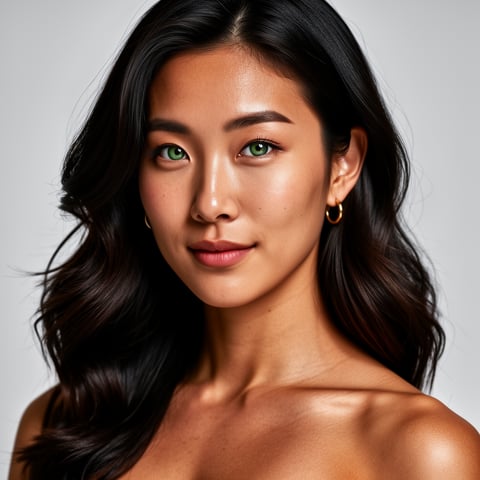
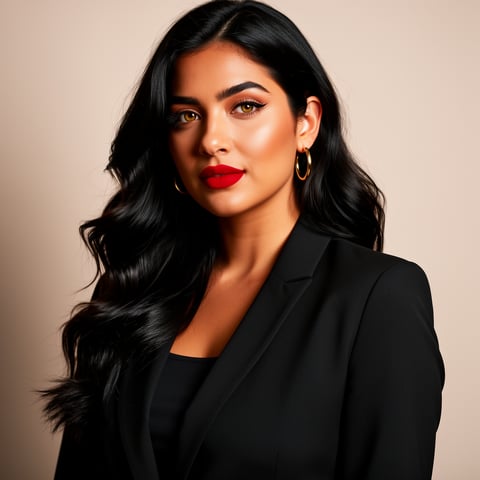
Mia, Beauty + soft glam
Nova, Fitness + wellness
Jordan, Strength coach
Aria, Style + fashion
Kai, Travel + adventure
Eli, Food + slow living
Sage, Yoga + breathwork
Reese, Gaming + tech

Proof·Built for modern creator operations that need speed, consistency, and control. Produce 10, 50, or 500+ content variations from reusable characters, organize assets by persona, and collaborate across agency multi-org workspaces. socialAF is designed for teams that need campaign-ready AI video faceswap content without scattered files, repeated setup, or inconsistent character results.

Why video faceswap

Built for the way creators actually work.

01

Turn One Character Into a Full Content Engine

Create a reusable AI persona once, then use it across video faceswap clips, talking avatars, image posts, ad variations, and voice-led content. Your character can stay recognizable across angles, scenes, outfits, and formats, helping you build a stronger brand presence with less manual production.

02

Launch More Video Tests Without More Shoots

Use bulk generation to create multiple hooks, scripts, thumbnails, scenes, and calls-to-action from the same character system. Instead of waiting on filming schedules, edits, reshoots, or creator availability, you can test more ideas and identify winning content faster.

03

Keep Every Persona Organized and On-Brand

Per-character galleries keep references, generated images, video outputs, voice assets, and campaign variations connected to the right persona. Agencies can manage multiple brands, clients, and teams with multi-org workspaces so each character stays clean, consistent, and easy to reuse.

How it works

How video faceswap works.

socialAF turns video faceswap from a one-off edit into a repeatable creative workflow. Start with an authorized face or original character reference, build a consistent persona, then generate videos, avatars, voices, and content variations from one organized workspace.

Nova, Fitness + wellness

01

Step 1: Build Your Reusable AI Character

Upload approved reference images or create a persona from scratch with the reference-driven character builder. Add details like age range, style, wardrobe direction, facial traits, brand tone, and use case. socialAF can help you create multi-angle reference packs so your character is ready for front-facing clips, side angles, expressive scenes, and social-first compositions.

Jordan, Strength coach

02

Step 2: Generate Images, Videos, and Talking Avatars

Use image generation for i2i and t2i concepts, then move into video generation with t2v, i2v, and r2v workflows. Create video faceswap scenes, spokesperson clips, lifestyle shots, creator-style testimonials, or animated product explainers. Add talking avatars, text-to-speech, or voice cloning to make your character speak in a consistent tone across every asset.

Aria, Style + fashion

03

Step 3: Scale Variations and Organize Campaigns

Save every output to the character’s gallery, then use bulk generation to produce campaign variations for different hooks, audiences, offers, languages, or platforms. Agencies can separate clients in multi-org workspaces, keep approvals cleaner, and reuse winning characters across future campaigns without rebuilding the creative system.

Create Your First Video Faceswap Character Today

Build consistent AI characters across image, video, and voice. Cancel anytime.

Try it Today

The difference

Why it wins for video faceswap.

Most video faceswap workflows stop at a single output. socialAF is built for repeatable content creation, so you can create a character once and keep using that persona across images, videos, voices, galleries, and bulk campaign variations.

Without video faceswap

Traditional approach

With socialAF

Avoid booking repeated shoots, coordinating talent, rebuilding sets, and waiting on reshoots for every new hook or campaign angle. socialAF helps you create more video faceswap variations from an approved character system.

Without video faceswap

Generic tools

With socialAF

Instead of producing disconnected outputs, socialAF keeps your character, references, generated media, voice, and video assets together so your persona remains consistent across formats.

Without video faceswap

Manual methods

With socialAF

Skip frame-by-frame edits, scattered folders, and repetitive setup. Use per-character galleries, multi-angle reference packs, and bulk generation to move from concept to campaign assets faster.

What creators say

Creators using socialAF for video faceswap.

We needed the same campaign character across hooks, product scenes, and spokesperson videos. socialAF made the video faceswap workflow feel organized instead of experimental.

Maya Chen

Creative Strategist

The biggest win is consistency. Our team can build a character, generate references, create talking videos, and keep everything in one gallery for the next campaign.

Jordan Ellis

Agency Founder

FAQ

Common questions about video faceswap.

What is a video faceswap generator for creators and agencies?

A video faceswap generator helps you place an approved face, original persona, or brand character into video content so you can create more variations without filming every scene from scratch. For creators, that can mean faster short-form videos, skits, reactions, talking-avatar posts, and virtual influencer content. For agencies, it can mean scalable UGC-style ads, spokesperson clips, product explainers, and campaign variations. socialAF goes beyond a single face replacement by helping you build a reusable AI character with references, image generation, video generation, voice cloning, text-to-speech, talking avatars, galleries, and bulk workflows.

How does socialAF keep AI video faceswap characters consistent?

socialAF is designed around character consistency. You can start with a reference-driven character builder, create multi-angle reference packs, and store every generated output in a per-character gallery. That gives your team a central source of truth for the persona’s look, style, voice, and campaign assets. When you generate images with i2i or t2i, create videos with t2v, i2v, or r2v, or produce a talking avatar, your workflow stays connected to the same character instead of becoming a collection of unrelated one-off files.

Can I use video faceswap for UGC-style ads and social content?

Yes, socialAF is especially useful for UGC-style creative testing when you have the rights to use the likeness, character, or reference material. You can create multiple versions of a spokesperson-style clip, test different openings, demonstrate products, localize messaging, or build a series around a recurring persona. Bulk generation makes it easier to test several hooks and calls-to-action, while character galleries help you keep the best-performing assets organized for reuse.

Do I need filming, editing, or animation experience to create video faceswap content?

No advanced production background is required. socialAF is built to guide you from character setup to generated assets in a clear workflow. You can upload references, describe the scene you want, generate images or video, add a talking-avatar layer, and create voice output with text-to-speech or voice cloning. Experienced teams can move faster, but beginners can still create polished content by starting with simple prompts, clean references, and short video concepts.

What should I prepare before making an AI video faceswap?

For best results, prepare authorized references with clear lighting, multiple expressions, and useful angles. If you are creating an original persona, define the character’s role, audience, tone, wardrobe, and content goals before generating. For campaign work, prepare scripts, hooks, product benefits, platform sizes, and any compliance notes your team needs. socialAF’s multi-angle reference packs, per-character galleries, and agency workspaces help you turn those inputs into a repeatable system rather than a one-time upload.

Is video faceswap content safe to use for brands?

Video faceswap can be brand-safe when you use authorized likenesses, original characters, licensed references, and transparent creative practices. socialAF is best used for approved personas, brand-owned characters, consent-based creator workflows, and clearly managed campaign assets. If your content depicts realistic people or could be mistaken for real footage, review the disclosure rules of the platforms where you publish. This helps protect your brand, your audience, and the people represented in your content.

Ready to get started?

Start free →

Ready

Build your first character today.

Join creators using socialAF to bring their characters to life. One subscription, every model, no shoot required.

Start today