Use case · wan video

wan video with socialAF.

Create scroll-stopping Wan video content without rebuilding your character every time. socialAF helps you turn a persona, reference image, product concept, or campaign idea into consistent AI videos for ads, short-form content, creator channels, fan engagement, brand storytelling, and agency deliverables. Instead of fighting disconnected tools, you can build a reusable AI character once, organize every output in a per-character gallery, and generate image, video, and voice assets from the same creative foundation. Wan video workflows are popular because creators want cinematic movement, prompt-driven scenes, and image-to-video control. But the real business outcome is not just a nice clip. You need a character that looks recognizable across multiple posts, speaks in a believable voice, fits your brand, and can be produced at campaign speed. socialAF is built around that outcome. Use reference-driven character creation, multi-angle reference packs, image generation, video generation, talking avatars, text-to-speech, voice cloning, and bulk generation to create content that feels planned instead of random. Whether you are launching a virtual influencer, producing UGC-style product explainers, animating a mascot, pitching client concepts, or scaling social ads, socialAF gives you a repeatable way to move from idea to publish-ready asset. Start with text-to-image or image-to-image, animate with text-to-video, image-to-video, or reference-to-video, add speech with text-to-speech or a cloned voice, then organize variations by character and campaign. Build consistent AI characters across image, video, and voice. Cancel anytime.

Get started today·Results in seconds·Loved by creators

Our library·13 characters·12 models

Mia, Beauty + soft glam
Nova, Fitness + wellness
Jordan, Strength coach
Aria, Style + fashion
Kai, Travel + adventure
Eli, Food + slow living
Sage, Yoga + breathwork
Reese, Gaming + tech

Proof·Built for creators, agencies, and brand teams that need repeatable AI character content instead of one-off experiments. socialAF combines character creation, image generation, Wan-style video workflows, talking avatars, voice tools, agency multi-org workspaces, and bulk generation in one browser-based production hub. Use it to reduce handoffs, speed up campaign testing, and keep every character asset organized from first concept to final export.

Why wan video

Built for the way creators actually work.

01

Create Recognizable Characters Across Every Video

Your audience remembers faces, voices, outfits, and personalities. socialAF helps you create a reference-driven AI character, generate multi-angle reference packs, and reuse that character across Wan video scenes so your content looks like a series, not a folder of disconnected tests.

02

Move From Prompt to Campaign Asset Faster

Turn a single idea into image concepts, animated clips, talking avatar scenes, and voiceovers without switching production systems. Use text-to-video for fresh scenes, image-to-video for controlled motion, and reference-to-video when you need the character identity to stay consistent.

03

Scale Video Variations Without Losing Control

Generate multiple hooks, formats, character poses, voice reads, and scene directions in bulk. Agencies can use multi-org workspaces to separate clients, while creators can keep per-character galleries clean, searchable, and ready for the next post or campaign.

How it works

How wan video works.

socialAF turns Wan video creation into a simple creative workflow: define your character, generate strong visual references, animate the best assets, then add voice and variations for publishing.

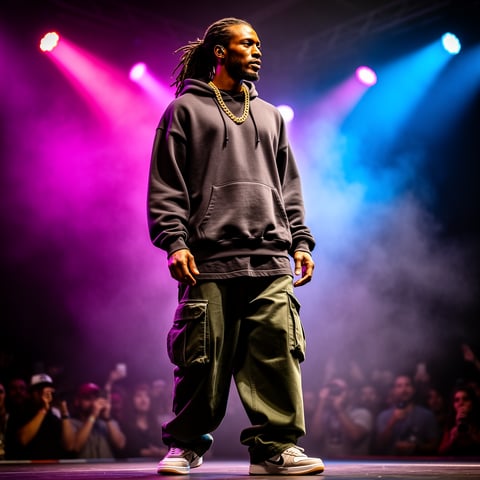
Dre, Music + dance

01

Step 1: Build a Character Your Audience Can Recognize

Start with a written persona, brand brief, or uploaded reference. Use the reference-driven character builder to define the character’s face, wardrobe, age range, style, personality, tone, and content role. Then create a multi-angle reference pack so future images and videos have a stronger identity anchor. This is especially useful for virtual influencers, mascots, product explainers, recurring ad actors, and creator personas that need to appear in many scenes.

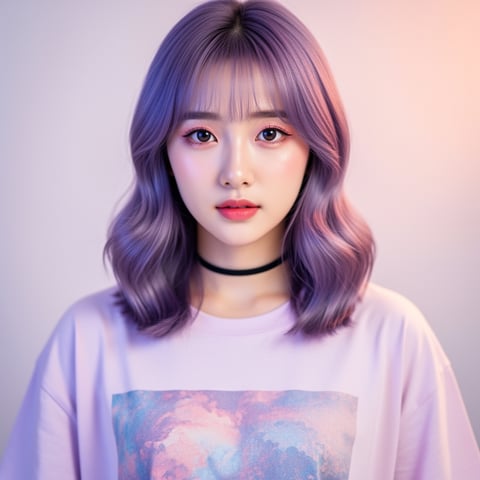
Yuna, Anime + Y2K aesthetic

02

Step 2: Generate the Visual Scene Before You Animate

Use text-to-image or image-to-image generation to create the best starting frame for your Wan video. Describe the subject, location, lighting, camera framing, mood, and intended motion. For example: a confident fitness coach holding a shaker bottle in a bright kitchen, slow push-in camera, morning light, natural expression, social ad framing. Save your strongest images to the per-character gallery so every video variation starts from an approved look.

Marco, Chef + restaurant

03

Step 3: Animate, Add Voice, and Produce Variations

Choose text-to-video, image-to-video, or reference-to-video depending on how much control you need. Add specific motion instructions such as camera push-in, hair movement, hand gesture, product reveal, walk cycle, or talking head delivery. Then use talking avatars, text-to-speech, or voice cloning to create a complete video asset. Generate hook variations in bulk for different platforms, audiences, or clients, and keep final clips organized in the right character gallery or agency workspace.

Create Your First Wan Video Character Today

Build consistent AI characters across image, video, and voice. Cancel anytime.

Try it Today

The difference

Why it wins for wan video.

Most Wan video workflows can create an impressive clip. socialAF is designed to help you create a repeatable content system around consistent characters, faster approvals, and campaign-ready output.

Without wan video

Traditional approach

With socialAF

Hiring talent, booking shoots, editing footage, and reshooting variations can slow down every campaign. socialAF lets you create reusable AI characters, generate scene options, and produce new video angles whenever your content calendar changes.

Without wan video

Generic tools

With socialAF

Single-purpose generators often produce one nice asset but make consistency difficult. socialAF connects character references, image generation, video generation, talking avatars, text-to-speech, and voice cloning so your persona can stay recognizable across many clips.

Without wan video

Manual methods

With socialAF

Manually tracking prompts, reference images, exports, and client versions creates clutter. socialAF gives you per-character galleries, agency multi-org workspaces, and bulk generation so you can manage production like a real creative pipeline.

What creators say

Creators using socialAF for wan video.

socialAF helped us turn one character concept into a full week of vertical video ads. The biggest win was consistency. Our character looked like the same person across hooks, scenes, and voiceover tests.

Maya Reynolds

Performance Creative Lead

We use socialAF to pitch AI character campaigns before production budgets are approved. Clients can see the persona, motion style, and talking avatar direction in one place, which makes approvals much faster.

Jordan Ellis

Agency Founder

FAQ

Common questions about wan video.

What is a Wan video generator and how can socialAF help creators use it?

A Wan video generator workflow focuses on creating AI video from text prompts, images, or reference assets. For creators, the challenge is not only generating motion. The challenge is keeping a character recognizable, producing enough variations, and turning the output into content that can be published. socialAF helps by combining character creation, image generation, video generation, talking avatars, text-to-speech, voice cloning, per-character galleries, and bulk generation. You can build the persona, create reference images, animate the strongest frames, add a voice, and organize everything in one workspace.

Can I create consistent AI characters for Wan-style image-to-video content?

Yes. socialAF is designed for consistent AI character workflows. Start with the reference-driven character builder, then generate a multi-angle reference pack that captures the character’s face, body type, wardrobe, and visual style. From there, you can create starting images with text-to-image or image-to-image, then animate them with image-to-video or reference-to-video. This gives you more control than starting from a fresh prompt every time and helps your character remain recognizable across social posts, ad variations, and client campaigns.

What kinds of Wan video examples can I make with socialAF?

You can create virtual influencer clips, product demo videos, UGC-style testimonials, talking avatar explainers, character-led social ads, brand mascot scenes, lifestyle reels, teaser videos, educational shorts, and pitch concepts for clients. A practical example is building a skincare advisor character, generating a bathroom mirror starting frame, animating a natural hand gesture toward the product, and adding a calm text-to-speech voiceover. Another example is creating a fitness coach persona, generating multiple gym and kitchen scenes, and bulk-producing different hooks for paid social testing.

How do I write better prompts for Wan video generation?

Strong Wan video prompts usually describe the subject, action, environment, camera movement, lighting, mood, and quality constraints. For character content, you should also reference the persona’s role and identity. A useful structure is: character plus scene, action, camera direction, expression, lighting, style, and what to avoid. For example: confident AI fashion host in a minimalist studio, holding a silver jacket, slow dolly-in, friendly smile, soft editorial lighting, vertical social video, clean background, natural hands, stable face. socialAF makes this easier because your character reference and gallery assets can guide the workflow instead of relying on prompt text alone.

Can agencies use socialAF for multiple Wan video clients?

Yes. socialAF includes agency multi-org workspaces so you can separate clients, brands, personas, and campaigns. That matters when you are producing many AI characters at once. You can keep each client’s references, generated images, video outputs, talking avatar assets, and voice directions organized. Bulk generation also helps agencies create more variations for testing, including different hooks, calls to action, backgrounds, camera moves, and voiceover styles.

Do I need video editing or AI engineering experience to make Wan videos?

No. socialAF is built for creators and agencies that want outcomes, not complicated setup. You can start with a simple character brief, generate reference images, create a starting frame, animate it, and add voice without managing a technical production stack. Advanced users can still be precise with prompts, references, and campaign organization, but beginners can follow the guided workflow and create usable AI character videos quickly. You can start small, test a few clips, and cancel anytime if it is not the right fit.

Ready to get started?

Start free →

Ready

Build your first character today.

Join creators using socialAF to bring their characters to life. One subscription, every model, no shoot required.

Start today