Skip to content
All guides
Workflow8 min

Generate scenes that hold the face

The pattern every showcase scene shares: anchor reference plus scene-specific prompt, routed through the right model for the look.

Once a character exists, every image you render is the same structural call: this character, in this scene, shot in this style. The studio handles routing your character’s reference images into whichever image model you pick, so the face stays locked. Your job is the prompt and the model choice.

Every still in the showcase below the hero on the landing page was rendered using exactly this pattern. Each example below shows the actual prompt and the actual model that produced it.

Step 01

Open Generate, pick the character, leave Image mode on

The dashboard /generate page defaults to Image mode. Pick your character from the dropdown. Once selected, the studio threads its references into every submit automatically.

You don’t need to pick references on the Generate page a second time. The character carries them. You only need ad-hoc references when you want to mix in a NEW image (a wardrobe piece, a location photo) on top of the character.
Step 02

Write a scene prompt that describes the situation, not the face

Don’t describe the character. The references already do that. Describe what they’re doing, where, in what light, captured how. The studio prepends an implicit “the same character” so your prompt can stay short and visual.

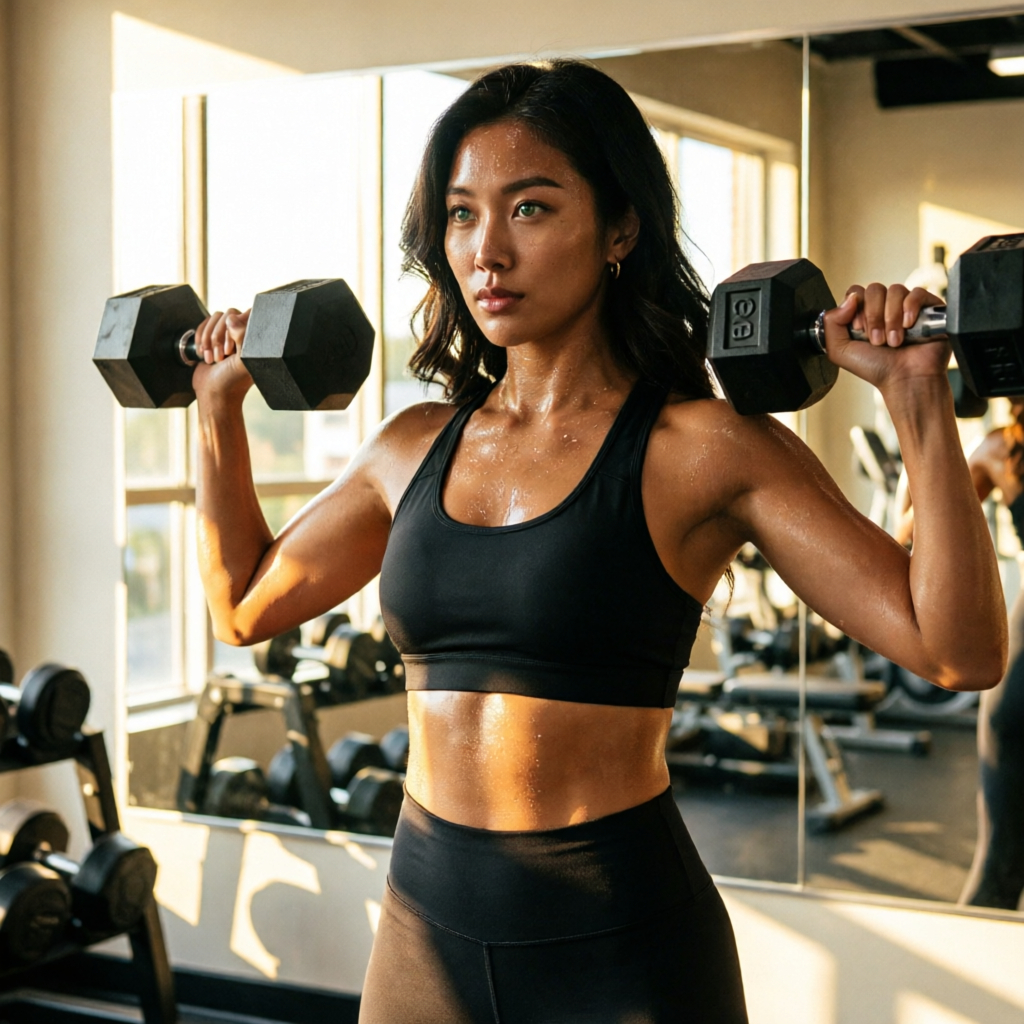
Notice the example below specifies wardrobe, action, location, light, expression, look (commercial fitness), camera (35mm). Six pieces of vocabulary, none of them about her face.

Gym, morning light
qwen-image-2.0-pro4:5Gym, morning light

Prompt

the same woman in matte black sports bra and high-waist leggings, mid-rep on a dumbbell shoulder press, gym mirror behind her catching golden window light, sweat sheen, focused expression, photoreal commercial fitness shot, 35mm

Step 03

Pick the right image model for the look

Each model in the catalog has a personality. The defaults that work well:

  • QWEN Image 2 Pro . Best identity lock with character references. Default for any scene where holding the face matters most.
  • Flux 2 Pro . Cleaner editorial light, sharper textures. Reach for it when the scene is about composition (studio, runway, beauty campaign).
  • Nano Banana 2 . Google SOTA. Up to 14 reference images. Use it when you need to combine a character with multiple distinct references (character + outfit + location).

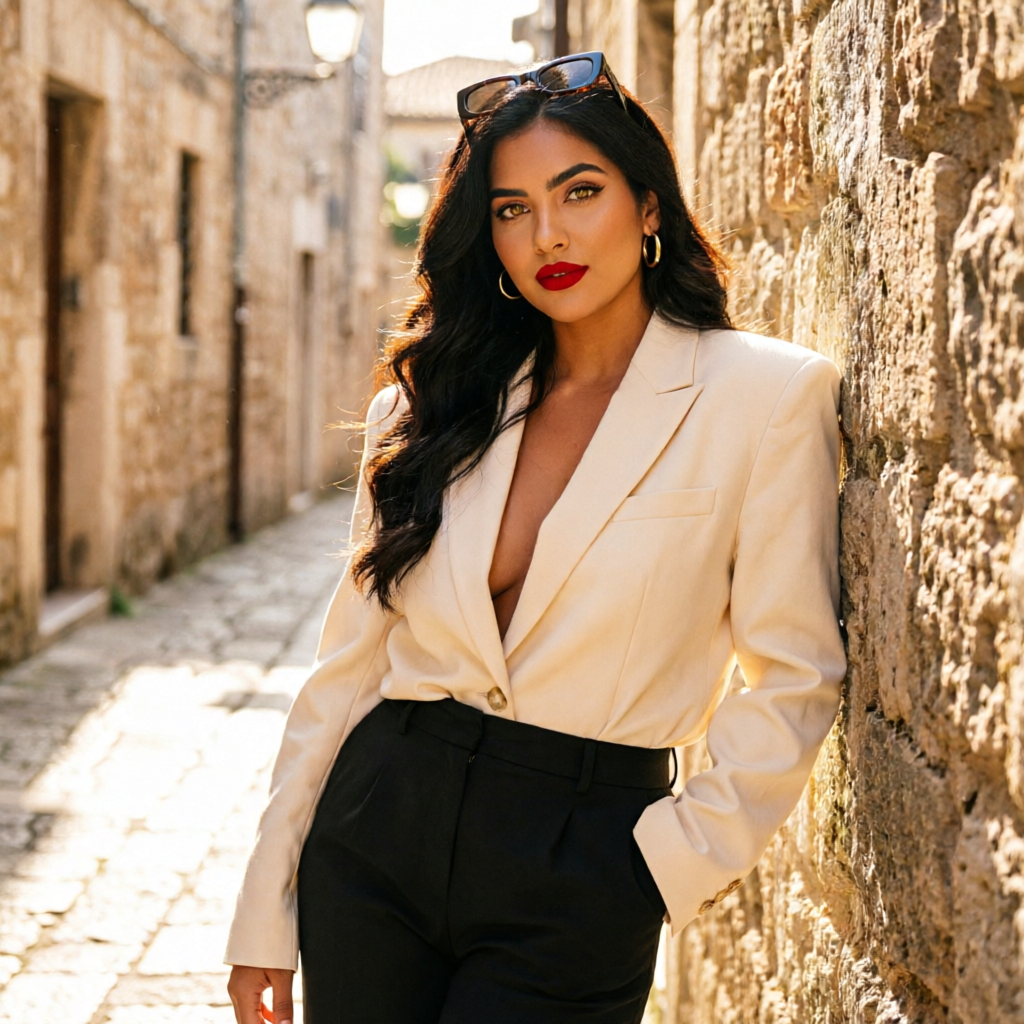
Aria’s tailored alley shot below uses QWEN Pro for tight identity lock; the dedicated reference guide covers more nuance per model.

Tailored shoot, alley
qwen-image-2.0-pro9:16Tailored shoot, alley

Prompt

the same woman in an oversized cream blazer and black trousers in a sunlit narrow stone alley, leaning against a wall, sunglasses pushed up, photoreal high-fashion street editorial, 50mm

Step 04

Pick an aspect ratio that matches where the post lives

The aspect picker isn’t cosmetic. It changes composition. A 9:16 prompt asks the model to vertically frame the action; 16:9 asks for horizontal cinematography; 1:1 sits comfortably as a feed post.

Reels and TikToks: 9:16. Editorial campaigns: 4:5 or 3:4. Wide hero shots: 16:9. Square feed posts: 1:1.

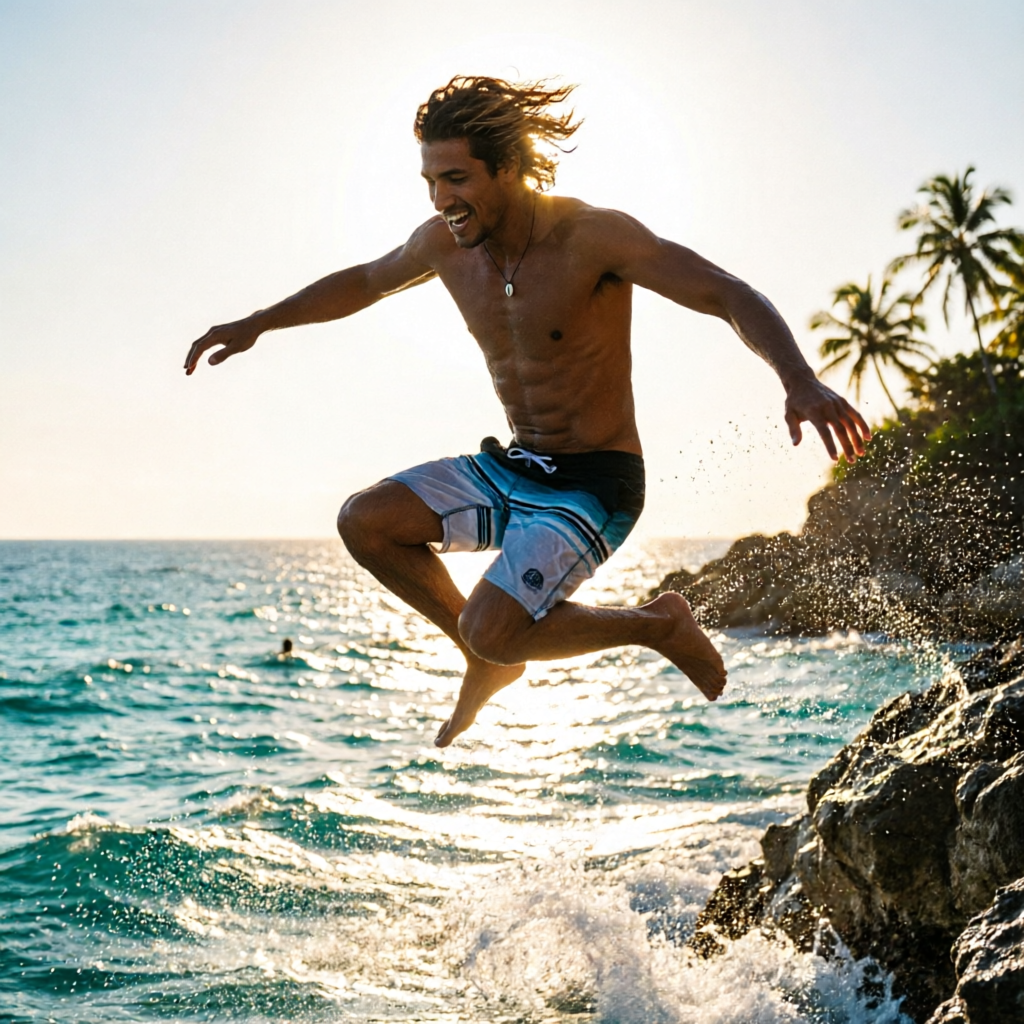
Cliff jump, silhouette
qwen-image-2.0-pro9:16Cliff jump, silhouette

Prompt

the same man in board shorts mid-air during a cliff jump into turquoise ocean below, sun behind him creating a rim-lit silhouette, photoreal adventure sports photography

Step 05

Generate 1, scan it, then iterate

Start with one output. Look at it for ten seconds. Did the face stay locked? Did the scene match the prompt? If yes, bump the count to 4 and run a fresh batch with the same prompt. Small variations land in seconds.

If not, two diagnoses: face drift means switch to a model with stronger reference handling (QWEN Pro or Nano Banana 2); scene drift means tighten the prompt vocabulary or pick a different aesthetic preset.

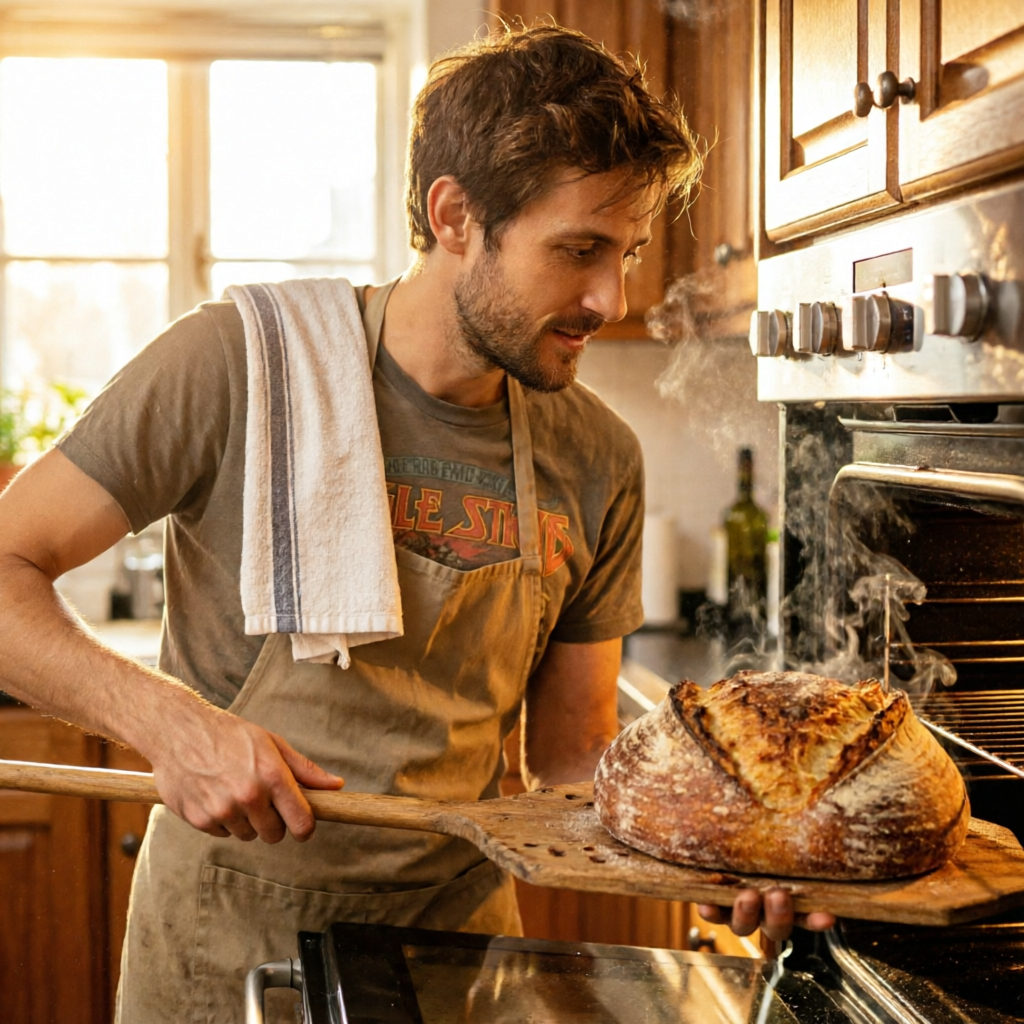
Sourdough, kitchen
qwen-image-2.0-pro4:5Sourdough, kitchen

Prompt

the same man pulling a hot sourdough loaf from a home oven with a wooden peel, golden brown crust, kitchen towel slung over shoulder, photoreal warm-light food editorial

The same pattern carries into video. Next up: how character references travel into the video router so the face holds in motion, not just in stills.

Now go build.

The whole pipeline is in your dashboard. Start with a character, ship every format from there.