Use case · famvue

famvue with socialAF.

Turn your Famvue idea into a polished, consistent AI character people recognize across every post, preview, message, and video. socialAF helps creators and agencies build production-ready AI personas that look, sound, and feel consistent without rebuilding the same prompt workflow every day. Instead of juggling scattered image tools, video apps, voice generators, folders, and spreadsheets, you can create one character system and use it across image generation, video generation, lip-sync clips, text-to-speech, and organized galleries. Famvue-style creator businesses work best when your audience can instantly recognize the character, understand the personality, and see fresh content often. With socialAF, you can launch a new persona faster, test content angles, create multi-angle reference packs, generate daily image and video assets, and organize everything by character. Whether you are a solo creator building your first AI model or an agency managing multiple virtual personalities, socialAF gives you the workflow to move from concept to monetizable content with less friction. You bring the creative direction. socialAF helps you build the character, maintain visual continuity, produce more content, and keep your brand organized as you scale.

Get started today·Results in seconds·Loved by creators

Our library·13 characters·12 models

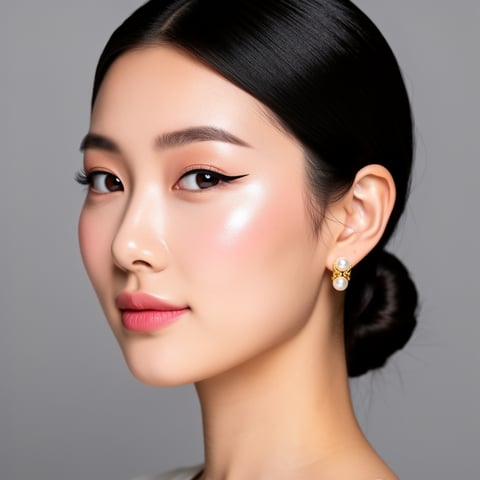
Mia, Beauty + soft glam
Nova, Fitness + wellness
Jordan, Strength coach
Aria, Style + fashion
Kai, Travel + adventure
Eli, Food + slow living
Sage, Yoga + breathwork
Reese, Gaming + tech

Proof·Built for high-output creator workflows: create reusable character references, generate image and video variations, organize assets in per-character galleries, and manage multiple brands with agency multi-org workspaces. Creators use socialAF to reduce repetitive production steps, keep characters consistent across campaigns, and publish more often without sacrificing quality. Build consistent AI characters across image, video, and voice. Cancel anytime.

Why famvue

Built for the way creators actually work.

01

Launch a Recognizable Famvue Persona Faster

Go from rough concept to consistent AI character with a reference-driven builder, multi-angle reference packs, and reusable character identity. You can define your persona’s look, vibe, content themes, and brand direction once, then generate assets that feel connected instead of random.

02

Create More Content Without Burning Out

Use text-to-image, image-to-image, text-to-video, image-to-video, reference-to-video, lip-sync, talking-head video, and text-to-speech to produce a steady stream of Famvue-ready assets. You can test post styles, create teaser clips, refresh galleries, and prepare campaigns in bulk.

03

Keep Every Character Organized as You Scale

Per-character galleries, bulk generation, and agency multi-org workspaces help you separate brands, clients, and campaigns. Instead of losing winning prompts and references, you can build a repeatable content engine for every AI persona you manage.

How it works

How famvue works.

socialAF turns Famvue character creation into a repeatable workflow: build the persona, generate consistent content, then scale production across image, video, and voice.

Marco, Chef + restaurant

01

Step 1: Build Your Famvue Character Foundation

Start with your character concept: name, personality, aesthetic, audience, content themes, and visual direction. Use the reference-driven character builder to shape a consistent face, body style, wardrobe direction, and brand mood. Then create multi-angle reference packs so your AI character can stay recognizable from selfies, studio portraits, lifestyle posts, and short-form video frames.

Alemap, Travel + slow living

02

Step 2: Generate Famvue-Ready Images, Videos, and Voice

Create image sets with text-to-image or image-to-image, then turn strong visuals into motion with text-to-video, image-to-video, or reference-to-video. Add lip-sync or talking-head video when you want your character to speak directly to followers. Use text-to-speech or voice cloning to give the persona a recognizable sound for intros, promos, storytelling clips, and social teasers.

Mia, Beauty + soft glam

03

Step 3: Organize, Batch, and Scale Your Creator Workflow

Save outputs inside per-character galleries so every asset stays connected to the right persona. Use bulk generation to create multiple post variations, seasonal campaigns, teaser sets, and platform-specific formats. If you manage clients or multiple brands, agency multi-org workspaces let you keep teams, characters, and campaigns separated while maintaining a faster production rhythm.

Build Your Famvue AI Character Today

Build consistent AI characters across image, video, and voice. Cancel anytime.

Try it Today

The difference

Why it wins for famvue.

Most Famvue content workflows break down when creators try to scale. The character looks different between posts, video takes too long, voice tools live somewhere else, and agencies struggle to organize multiple personas. socialAF gives you one connected workflow designed around character consistency and high-output production.

Without famvue

Traditional approach

With socialAF

Instead of booking shoots, coordinating edits, and recreating the same setup repeatedly, you can generate fresh character content from reusable references and organized galleries.

Without famvue

Generic tools

With socialAF

Instead of starting from scratch for every image or clip, socialAF is built around persistent characters, multi-angle reference packs, and cross-format generation for image, video, and voice.

Without famvue

Manual methods

With socialAF

Instead of tracking prompts, assets, client folders, and content variations manually, you can use per-character galleries, bulk generation, and agency multi-org workspaces to keep production clean.

What creators say

Creators using socialAF for famvue.

socialAF helped us turn a character concept into a repeatable Famvue content workflow. The biggest win was consistency: every image, clip, and voice asset felt like it belonged to the same persona.

Maya Ellison

Virtual Creator Strategist

We manage several AI personas, and the per-character galleries changed how we work. Our team can batch content, keep references organized, and move from idea to campaign much faster.

Derek Monroe

Agency Operations Lead

FAQ

Common questions about famvue.

What is a Famvue AI character generator?

A Famvue AI character generator helps you create a virtual persona that can be used for creator content, social teasers, fan-page branding, images, videos, and voice-based assets. The goal is not just to make one attractive image. The real value is building a character your audience can recognize over time. socialAF supports this with a reference-driven character builder, multi-angle reference packs, image generation, video generation, lip-sync, talking-head video, text-to-speech, voice cloning, and organized per-character galleries.

How does socialAF help me make a consistent Famvue AI model?

socialAF helps you create consistency by starting with reusable references instead of one-off prompts. You can build a character identity, generate multi-angle reference packs, and use those references across image-to-image, text-to-image, text-to-video, image-to-video, and reference-to-video workflows. This makes it easier to maintain the same face, visual style, wardrobe direction, and personality across different content formats. Consistency matters because audiences are more likely to remember and trust a character that looks and feels coherent from post to post.

Can I create Famvue videos with my AI character?

Yes. socialAF includes video generation workflows for text-to-video, image-to-video, and reference-to-video, so you can move beyond static images. You can create short-form clips, talking-head videos, character introductions, lifestyle-style motion content, and promotional assets. You can also use lip-sync and text-to-speech to make your character speak, which helps your persona feel more alive and gives you more formats to test across social and fan-content funnels.

Can agencies use socialAF for multiple Famvue creator brands?

Yes. socialAF is designed for both solo creators and agencies. Agency multi-org workspaces help you separate clients, brands, characters, and production pipelines. Per-character galleries keep each persona’s assets organized, while bulk generation helps teams produce more variations in less time. This is especially useful if you manage multiple AI influencers, test different audience niches, or need to deliver consistent content for several creator brands without mixing up references and campaign assets.

Do I need technical prompting experience to create Famvue content?

No. You do not need to be an advanced prompt engineer to get value from socialAF. The workflow is built around creative direction and repeatable character systems. You define the persona, use references, choose the content format, and generate assets that match your brand direction. Experienced creators can still refine outputs with detailed prompts, but beginners can start with a clear character concept and improve results through reference packs, galleries, and iteration.

What kind of Famvue content can I create with socialAF?

You can create a wide range of AI character content, including profile images, lifestyle-style photos, teaser visuals, short-form videos, talking-head clips, lip-sync videos, voiceovers, campaign variations, and bulk content sets. socialAF supports image generation through text-to-image and image-to-image, video generation through text-to-video, image-to-video, and reference-to-video, plus voice cloning and text-to-speech for audio-driven content. Everything can be organized by character so you can build a long-term content library instead of a scattered folder of one-off files.

Ready to get started?

Start free →

Ready

Build your first character today.

Join creators using socialAF to bring their characters to life. One subscription, every model, no shoot required.

Start today