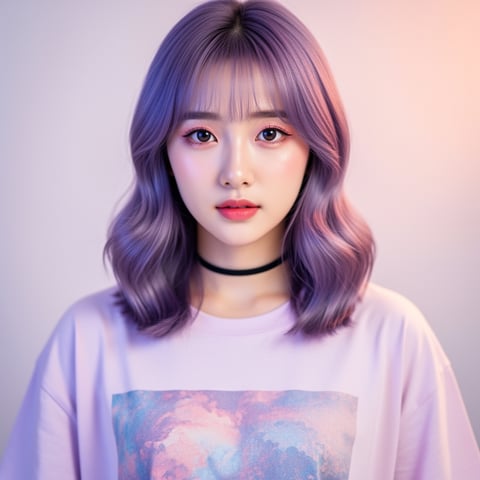
Use case · fanvue ai

fanvue ai with socialAF.

Turn your Fanvue AI idea into a consistent, monetizable character system. socialAF helps you build a recognizable AI persona with a clear look, voice, content style, and repeatable creative workflow, so you can publish more often without rebuilding your character from scratch every time. Fanvue has positioned itself as an AI-forward subscription creator platform where creators can monetize through subscriptions, paywalled posts, pay-to-view messages, and direct fan engagement. Its AI category has also gained mainstream attention through initiatives like AI creator awards and public discussion around synthetic influencer transparency. ([fanvue.com](https://www.fanvue.com/blog/what-is-fanvue?utm_source=openai)) That creates a major opportunity for creators and agencies: the winners are not just generating random attractive images. They are building characters with continuity. Your audience should recognize your AI creator across profile photos, feed posts, premium drops, reels, voice notes, talking-head updates, and seasonal campaigns. socialAF is built for that exact outcome. Use the reference-driven character builder to define your persona once. Create multi-angle reference packs for visual consistency. Add voice cloning and text-to-speech so your AI character can sound as recognizable as they look. Then generate images, videos, lip-sync clips, and bulk content from a per-character gallery that keeps your workflow organized. Whether you are launching your first Fanvue AI persona or managing a roster for an agency, socialAF helps you move from scattered experiments to a repeatable content engine.

Get started today·Results in seconds·Loved by creators

Our library·13 characters·12 models

Mia, Beauty + soft glam
Nova, Fitness + wellness
Jordan, Strength coach
Aria, Style + fashion
Kai, Travel + adventure
Eli, Food + slow living
Sage, Yoga + breathwork
Reese, Gaming + tech

Proof·Built for creators and agencies managing AI characters across image, video, and voice. One workspace supports reference-driven character creation, multi-angle packs, per-character galleries, bulk generation, talking-head video, and agency multi-org workflows. The result: fewer one-off generations, faster campaign production, and a more recognizable Fanvue AI brand.

Why fanvue ai

Built for the way creators actually work.

01

Create a Fanvue AI Persona Fans Recognize

Build a consistent face, style, voice, and personality so your audience connects with one memorable character instead of disconnected posts. Reference packs help keep your AI creator recognizable across selfies, lifestyle images, promos, seasonal sets, and subscriber-only content.

02

Publish More Premium Content in Less Time

Generate images, short videos, talking-head clips, and voice content from one organized workflow. Bulk generation helps you plan daily posts, PPV-style content drops, teasers, and campaign variations without manually recreating prompts for every asset.

03

Scale Like an Agency Without Losing Control

Use per-character galleries and agency multi-org workspaces to manage multiple Fanvue AI personas, clients, or niches. Keep references, outputs, and creative direction separated so every character stays on brand and every project remains easy to review.

How it works

How fanvue ai works.

socialAF turns Fanvue AI content creation into a clear, repeatable workflow: define the character, generate consistent assets, then scale your publishing pipeline across formats.

Yuna, Anime + Y2K aesthetic

01

Step 1: Build Your Fanvue AI Character Foundation

Start with a clear concept: name, niche, audience promise, visual identity, tone of voice, and content boundaries. Upload or create references in socialAF’s reference-driven character builder, then generate a multi-angle reference pack so your AI persona has consistent facial structure, styling, poses, and brand cues. This gives you a reusable creative base for feed content, premium sets, profile assets, and promotional campaigns.

Marco, Chef + restaurant

02

Step 2: Generate Images, Videos, Voice, and Talking-Head Clips

Use socialAF’s image generation for text-to-image and image-to-image variations, then expand your character into video using text-to-video, image-to-video, and reference-to-video workflows. Add lip-sync or talking-head video for updates, intros, teasers, and announcements. Use voice cloning and text-to-speech to create consistent audio moments that make your AI character feel more complete and memorable.

Alemap, Travel + slow living

03

Step 3: Organize, Bulk Generate, and Publish With Confidence

Save outputs inside per-character galleries so every asset stays attached to the right persona. Create batches for weekly posts, subscriber previews, promotional hooks, seasonal campaigns, and message content. If you work with clients or multiple brands, use agency multi-org workspaces to separate teams and characters. Review your assets, keep disclosure and rights requirements in mind, then publish on Fanvue with a more consistent content calendar.

Launch a Fanvue AI Character That Can Scale

Build consistent AI characters across image, video, and voice. Cancel anytime.

Try it Today

The difference

Why it wins for fanvue ai.

Fanvue AI success depends on consistency, speed, and trust. socialAF outperforms scattered creation workflows because it helps you build a reusable character system instead of producing isolated assets.

Without fanvue ai

Traditional approach

With socialAF

Hiring separate photographers, editors, voice talent, and content coordinators can slow down production. socialAF gives you a single AI character workflow for visual references, images, videos, voice, and bulk content planning.

Without fanvue ai

Generic tools

With socialAF

Many tools can create a single image, but they do not keep your Fanvue AI persona organized across galleries, multi-angle references, talking-head content, and agency workflows. socialAF is built around character continuity.

Without fanvue ai

Manual methods

With socialAF

Copying prompts into disconnected files makes it difficult to maintain quality as you scale. socialAF helps you reuse character references, generate batches, and keep every persona’s assets in one place.

What creators say

Creators using socialAF for fanvue ai.

socialAF helped me turn a loose AI influencer idea into a real Fanvue-ready character. The biggest win was consistency: the same face, style, and voice across posts, videos, and subscriber teasers.

Maya R.

AI Creator

Our agency manages several virtual personas, and per-character galleries changed the way we work. We can produce more variations, keep client characters separate, and review assets faster before publishing.

Jordan Lee

Creator Agency Operator

FAQ

Common questions about fanvue ai.

What is the best Fanvue AI character generator for consistent content?

The best Fanvue AI character generator is one that helps you maintain continuity across every asset, not just create a single attractive image. socialAF is designed around reusable character identity. You can create a reference-driven persona, generate multi-angle reference packs, organize outputs in per-character galleries, and produce images, videos, lip-sync clips, and voice content from the same foundation. That means your Fanvue AI creator can look and sound recognizable across feed posts, subscriber content, teasers, announcements, and campaign drops.

How can I create a Fanvue AI influencer without losing visual consistency?

Start by defining your character before you generate large batches of content. Choose the persona’s niche, styling, face shape, hair, wardrobe direction, personality, and content tone. In socialAF, use the reference-driven character builder and multi-angle reference packs to create a stronger visual baseline. Then use image-to-image, text-to-image, image-to-video, and reference-to-video generation to create variations that stay connected to the same character. Keeping everything inside a per-character gallery also helps you compare outputs and select only the most consistent assets.

Can socialAF help me make Fanvue AI videos and talking-head content?

Yes. socialAF supports video workflows for text-to-video, image-to-video, and reference-to-video generation, which helps you turn your AI persona into short clips, motion-based promos, lifestyle scenes, and campaign creative. You can also create lip-sync and talking-head video for messages, introductions, updates, and personality-driven posts. Add text-to-speech or voice cloning to give your character a recognizable sound, then use those assets to make your Fanvue AI presence feel more engaging than static images alone.

Is Fanvue AI content creation better for solo creators or agencies?

It can work for both, but the workflow matters. Solo creators benefit from speed: you can build one persona and generate enough content for a consistent posting schedule. Agencies benefit from structure: socialAF’s agency multi-org workspaces and per-character galleries help you manage multiple AI creators, brands, niches, or clients without mixing assets. If your goal is to scale, the key is to create repeatable systems for references, prompts, review, approvals, and bulk generation.

How do I make my Fanvue AI persona feel more authentic to subscribers?

Authenticity comes from continuity, personality, and clear expectations. Give your AI character a defined voice, recurring themes, visual style, and content rhythm. Use voice cloning or text-to-speech for audio consistency, talking-head video for direct updates, and galleries to preserve a coherent visual identity. You should also be transparent where required and avoid misleading people about synthetic content. Fanvue’s public positioning around AI creators makes disclosure and trust an important part of building a sustainable presence. ([fanvue.com](https://www.fanvue.com/blog/what-is-fanvue?utm_source=openai))

What Fanvue AI content should I create first with socialAF?

Start with the assets that define your character and help visitors understand why they should follow or subscribe. Create a profile image, banner-style visuals, three to five introductory feed posts, a short talking-head welcome clip, and a small batch of premium-style teaser assets. Then build a weekly content system: daily visual posts, short video updates, seasonal drops, and message-ready variations. socialAF’s bulk generation and per-character galleries make it easier to plan these batches while keeping your AI persona consistent across image, video, and voice.

Ready to get started?

Start free →

Ready

Build your first character today.

Join creators using socialAF to bring their characters to life. One subscription, every model, no shoot required.

Start today