Use case · ai image enhancer

ai image enhancer with socialAF.

Create sharper, cleaner, more professional AI character visuals without losing the identity your audience recognizes. socialAF is an AI image enhancer workflow built for creators, agencies, and social teams that need more than a one-off polished picture. You can improve the look of AI portraits, campaign stills, creator thumbnails, product scenes, avatar images, and reference assets, then reuse the same character across images, video, talking avatars, and voice. Instead of fixing every output manually or generating from scratch until something works, socialAF helps you build a repeatable creative system: start with a reference-driven character, create multi-angle reference packs, generate improved image variations with text-to-image and image-to-image, organize the best results in per-character galleries, and scale winning concepts with bulk generation. The outcome is simple: your visuals look sharper, your character stays recognizable, and your content pipeline moves faster. Whether you are refreshing low-resolution AI images, building a polished creator persona, preparing ad creative, or turning a still image into a video-ready asset, socialAF gives you one studio for the entire character lifecycle.

Get started today·Results in seconds·Loved by creators

Our library·13 characters·12 models

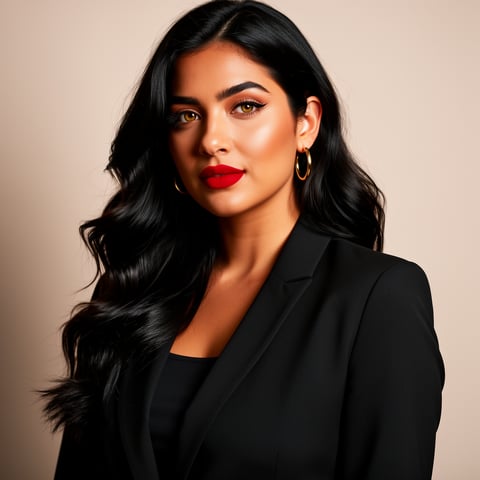
Mia, Beauty + soft glam
Nova, Fitness + wellness
Jordan, Strength coach
Aria, Style + fashion
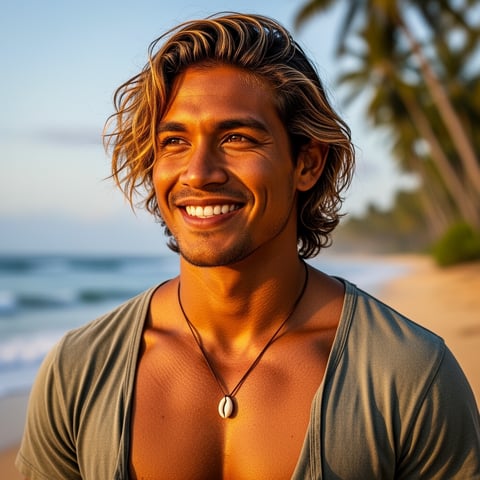
Kai, Travel + adventure
Eli, Food + slow living
Sage, Yoga + breathwork
Reese, Gaming + tech

Proof·Proof built into the workflow: socialAF gives creators a web-based AI studio with 30+ image, video, and audio models, reference-driven character creation, per-character galleries, talking avatars, text-to-speech, voice cloning, agency multi-org workspaces, bulk generation, and cancel-anytime pricing. Modern AI image enhancer workflows often focus on upscaling, sharpening, denoising, color correction, restoration, and artifact cleanup; socialAF extends that into a full character content system so your enhanced image can become a consistent campaign asset, not just a better-looking file.

Why ai image enhancer

Built for the way creators actually work.

01

Make Every Character Image Look Publish-Ready

Turn soft, inconsistent, or under-polished AI images into cleaner creator assets for posts, ads, thumbnails, landing pages, product scenes, and campaign previews. You can use image-to-image generation to refine an existing visual, text-to-image to create stronger alternatives, and reference packs to keep your character’s face, style, and personality aligned across each new version.

02

Move From One Enhanced Image to a Full Content Pipeline

Do more than improve a single picture. Once your image looks right, socialAF helps you expand it into short-form video, reference-to-video, talking avatar clips, voiceovers, and platform-specific content. Your best enhanced still can become a reel, ad hook, product demo, creator intro, or client-ready concept without rebuilding the persona.

03

Keep Your Visual Identity Consistent at Scale

Avoid the common AI problem where every generated image looks like a different person. socialAF’s reference-driven character builder, multi-angle reference packs, per-character galleries, and bulk generation help you preserve recognizable facial features, wardrobe cues, brand style, tone, and scene direction across large content batches.

How it works

How ai image enhancer works.

socialAF turns AI image enhancement into a practical creator workflow. You define the character, improve or regenerate the visual, then scale it into an organized library of images, videos, avatars, and voice assets.

Aria, Style + fashion

01

Step 1: Build or Upload the Character You Want to Enhance

Start with an existing AI image, a reference photo you have rights to use, a brand persona, or a written character concept. Use socialAF’s reference-driven character builder to define the face, style, mood, wardrobe, scene type, color palette, and content goal. If you are building a reusable persona, generate a multi-angle reference pack so future images can follow the same identity from close-up, three-quarter, side, full-body, and campaign-ready perspectives.

Kai, Travel + adventure

02

Step 2: Enhance the Image With Controlled Variations

Use image-to-image generation to improve the existing visual while preserving the character’s core identity. Refine the prompt around the outcome you want: sharper portrait detail, cleaner lighting, more polished wardrobe texture, stronger product placement, a more premium social thumbnail, or a campaign-ready composition. For fresh alternatives, use text-to-image with the saved character references. Review several versions, compare expression, clarity, brand fit, and platform use, then save the strongest outputs to the character gallery.

Eli, Food + slow living

03

Step 3: Turn the Best Enhanced Image Into More Content

Once the enhanced image is approved, expand it across your content calendar. Use text-to-video, image-to-video, or reference-to-video to create motion while keeping the same character. Add talking avatar clips for direct-to-camera content. Use text-to-speech or voice cloning to give the persona a consistent sound. For agencies and high-output creators, use bulk generation and agency multi-org workspaces to produce client variations, ad tests, seasonal drops, and platform-specific formats from the same character foundation.

Enhance Your First AI Character Image Today

Build consistent AI characters across image, video, and voice. Cancel anytime.

Try it Today

The difference

Why it wins for ai image enhancer.

Most AI image enhancer workflows stop after a sharper download. socialAF helps you turn that improved visual into a reusable character asset that supports your posts, videos, ads, avatars, and client campaigns.

Without ai image enhancer

Traditional approach

With socialAF

Avoid reshoots, manual retouching cycles, scattered files, and repeated creative briefs. With socialAF, you can refine a character image, save it to a dedicated gallery, and use that same persona for future image, video, and voice content.

Without ai image enhancer

Generic tools

With socialAF

Go beyond one-click enhancement. socialAF connects enhancement to reference-driven character creation, multi-angle packs, image-to-image, text-to-image, video generation, talking avatars, text-to-speech, voice cloning, and bulk campaign production.

Without ai image enhancer

Manual methods

With socialAF

Reduce slow editing handoffs and inconsistent creative output. Your team can generate multiple improved versions, compare them quickly, organize approved assets by character, and scale winning directions without starting over.

What creators say

Creators using socialAF for ai image enhancer.

We stopped treating enhanced AI images as throwaway assets. With socialAF, one polished character image becomes thumbnails, short videos, talking avatar clips, and client ad variations that all feel connected.

Maya Chen

Creative Director

The biggest win is consistency. We can refine an image, save the character, generate more angles, and build a full campaign without the face changing every time we prompt.

Jordan Ellis

Social Media Strategist

FAQ

Common questions about ai image enhancer.

What is an AI image enhancer for creator content?

An AI image enhancer improves the visual quality and usefulness of an image by helping you create sharper, cleaner, more polished results. For creators, the goal is not just higher resolution. You usually need an image that feels ready for social media, ads, thumbnails, product scenes, brand storytelling, or character-based content. socialAF approaches AI image enhancement as part of a larger creator workflow. You can refine an existing image with image-to-image generation, create stronger alternatives with text-to-image, lock in a character using references, and store the best outputs in a per-character gallery. That means the enhanced image can keep working for you across future posts, videos, avatars, and voice-led content.

Can socialAF enhance AI generated images without changing the character?

Yes. socialAF is designed around consistent AI characters, so the workflow focuses on preserving identity while improving the output. You can start with a saved character, upload references, or build a multi-angle reference pack that anchors the character’s face, proportions, style, wardrobe cues, and overall personality. Then you can use image-to-image generation to create improved variations that stay close to the original direction. As with any AI workflow, your prompt and references matter: the more clearly you define what must stay the same and what should improve, the better your results. socialAF helps by keeping everything organized around the character instead of isolated one-off files.

How do creators use an AI image enhancer for social media posts?

Creators use an AI image enhancer to turn rough concepts into content that looks more intentional and on-brand. For example, you can improve a portrait for a profile post, refine a thumbnail so the face reads clearly on mobile, generate cleaner product scenes for sponsored content, create more polished lifestyle images, or prepare a still image that can later become a short video. In socialAF, you can also organize outputs by character, which makes it easier to build a recognizable feed. Instead of posting disconnected AI images, you can create a consistent persona that appears across reels, carousels, ads, talking avatar clips, and campaign drops.

Is socialAF only for image upscaling, or can it create videos too?

socialAF goes beyond basic AI image upscaling. You can use it to create and refine character images, but you can also expand those images into video and voice formats. The platform supports image generation, text-to-image, image-to-image, text-to-video, image-to-video, reference-to-video, talking avatars, text-to-speech, and voice cloning. This matters because a polished image is often just the first step in a modern content workflow. Once you have a strong enhanced still, you can animate it, create a talking avatar, add a voiceover, produce platform-specific variations, and keep everything connected to the same character identity.

What types of images work best with a consistent AI image enhancer workflow?

The best inputs are images with a clear subject, a defined creative goal, and enough visual direction to guide the output. AI portraits, creator persona images, avatar concepts, product scenes, fashion looks, campaign stills, thumbnails, and character references are strong fits for socialAF. If your image is blurry, low-resolution, under-styled, or inconsistent with your brand, you can use it as a starting point and generate better variations. For long-term results, build a character foundation first: references, style notes, multi-angle views, and a clear description of the audience or campaign. That gives future enhancements a stronger identity base.

Can agencies use socialAF as an AI image enhancer for client campaigns?

Yes. socialAF is useful for agencies because it combines enhancement, character consistency, content expansion, and organization in one workflow. You can create separate client spaces with agency multi-org workspaces, build characters for different brands, generate polished image variations, store outputs in per-character galleries, and use bulk generation to create more creative options for testing. This helps agencies move faster from concept to approval because every improved visual can be connected to a reusable persona, a campaign direction, and future deliverables. It also reduces the friction of jumping between separate tools for images, video, voice, and file management.

Ready to enhance images that become campaigns?

Start free →

Ready

Build your first character today.

Join creators using socialAF to bring their characters to life. One subscription, every model, no shoot required.

Start today