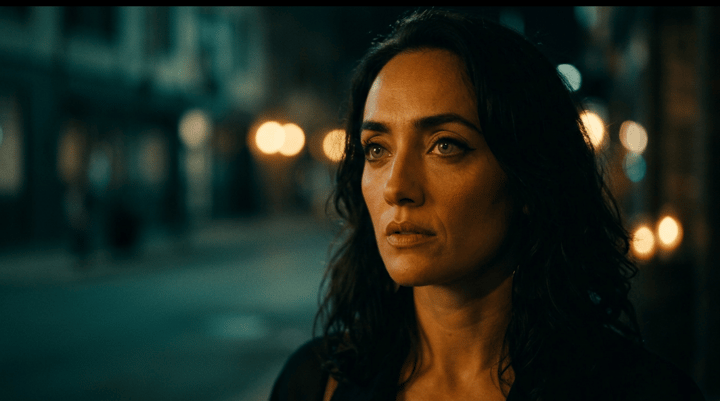
Use case · ai movie generator

ai movie generator with socialAF.

Your audience can spot a broken AI movie instantly: the hero’s face changes, the outfit shifts, the voice feels disconnected, and every scene looks like it came from a different project. socialAF helps you create AI movies that feel planned, branded, and repeatable. Instead of starting from scratch for every shot, you build a reusable character system across image, video, and voice, then generate scenes around that persona. Modern AI filmmaking workflows increasingly rely on reference-guided visuals, multi-shot planning, and character consistency to make stories feel coherent rather than random. ([cliprise.app](https://www.cliprise.app/learn/guides/getting-started/ai-video-generation-complete-guide-2026?utm_source=openai)) With socialAF, you can create a protagonist, product mascot, virtual actor, influencer persona, narrator, or brand character and keep that identity organized in one place. Use the reference-driven character builder to define the look, generate multi-angle reference packs, clone or create a voice, then produce cinematic image and video assets from text, images, or references. Whether you are making a trailer, social-first mini movie, serialized story, ad concept, music visual, explainer, or pitch scene, socialAF gives you a workflow built for creators and agencies who need output that looks intentional. You get per-character galleries, bulk generation for faster testing, talking avatars for dialogue scenes, text-to-speech for narration, and agency multi-org workspaces for client separation. The outcome is simple: you can move from idea to publishable AI movie content faster, with fewer continuity problems and more reusable creative assets.

Get started today·Results in seconds·Loved by creators

Our library·13 characters·12 models

Mia, Beauty + soft glam
Nova, Fitness + wellness
Jordan, Strength coach
Aria, Style + fashion
Kai, Travel + adventure
Eli, Food + slow living
Sage, Yoga + breathwork
Reese, Gaming + tech

Proof·Built for high-output creative teams: create a character once, generate multi-angle references, organize assets in per-character galleries, produce images and videos in bulk, and manage client work through agency multi-org workspaces. socialAF supports the full AI movie generator workflow creators need today: character design, image generation, text-to-video, image-to-video, reference-to-video, talking avatars, text-to-speech, and voice cloning. Use a 3-step production flow to go from character concept to cinematic scene package, with the confidence of a web-based workflow and the flexibility to cancel anytime.

Why ai movie generator

Built for the way creators actually work.

01

Keep Your AI Movie Characters Recognizable

Create a reusable character identity before you generate scenes, so your lead actor, narrator, mascot, or virtual influencer looks consistent across posters, close-ups, action shots, dialogue clips, and social edits. Instead of rebuilding the same person prompt by prompt, you can work from reference packs and a dedicated character gallery.

02

Produce More Scenes Without Slowing Your Team

Use bulk generation, text-to-video, image-to-video, and reference-to-video workflows to test more scene directions in less time. You can explore different camera angles, moods, outfits, locations, and hooks quickly, then save the winners for a trailer, short film, campaign, or pitch deck.

03

Match Visuals, Voice, and Dialogue in One Workflow

Go beyond silent clips. socialAF helps you pair your AI movie character with voice cloning, text-to-speech, and talking avatars, so your audience experiences a more complete character across cinematic visuals, narration, dialogue, and social-ready video formats.

How it works

How ai movie generator works.

socialAF turns AI movie creation into a guided production workflow. Start by building the character, then generate visual scene assets, then turn the strongest shots into motion, voice, and dialogue clips. The process is designed to help you create repeatable story worlds, not one-off experiments.

Eli, Food + slow living

01

Step 1: Build Your Reusable Movie Character

Start with a character brief, uploaded references, or a visual concept. Use the reference-driven character builder to define your character’s face, wardrobe, personality, role, and visual tone. Generate a multi-angle reference pack so the same hero, villain, host, or brand persona can appear in close-ups, wide shots, profile views, emotional expressions, and different lighting styles. Add voice cloning or text-to-speech direction if the character needs narration or dialogue.

Sage, Yoga + breathwork

02

Step 2: Generate Cinematic Images and Scene Frames

Use text-to-image and image-to-image generation to create establishing shots, character portraits, story beats, promotional posters, thumbnails, and scene concepts. Keep each asset inside the character’s gallery so your team can quickly compare versions, choose the best frames, and reuse winning looks. For agencies, organize projects by brand or client with multi-org workspaces, making it easier to separate approvals, creative directions, and campaign assets.

Reese, Gaming + tech

03

Step 3: Turn Your Best Frames Into Movie Clips

Animate selected frames with image-to-video, create new shots with text-to-video, or guide motion with reference-to-video. Add talking avatars for dialogue moments and text-to-speech for trailers, intros, character monologues, or ad voiceovers. Use bulk generation to test pacing, camera movement, hooks, and alternate endings, then export the strongest clips for social platforms, client reviews, campaign teasers, or longer edited AI movie sequences.

Start Creating AI Movies With Characters That Last

Build consistent AI characters across image, video, and voice. Cancel anytime.

Try it Today

The difference

Why it wins for ai movie generator.

Most AI movie generator workflows break down when you need the same character across multiple scenes, formats, and client revisions. socialAF is built around character continuity first, so every image, video, and voice asset can connect back to the persona you created.

Without ai movie generator

Traditional approach

With socialAF

Hiring actors, booking locations, planning shoots, recording voiceovers, and editing revisions can slow down concept testing. socialAF lets you create movie-style scenes, character references, voice assets, and video variations before you commit to expensive production decisions.

Without ai movie generator

Generic tools

With socialAF

One-off generators can produce impressive clips, but they often leave you managing prompts, files, and inconsistent character outputs manually. socialAF gives you per-character galleries, reference-driven creation, multi-angle packs, and connected image, video, and voice workflows.

Without ai movie generator

Manual methods

With socialAF

Manually recreating the same face, outfit, and tone across scenes wastes creative time. socialAF helps you reuse character systems, generate in bulk, organize by client or project, and move from concept to campaign-ready movie assets faster.

What creators say

Creators using socialAF for ai movie generator.

We needed an AI movie generator that could keep our lead character recognizable across trailers, thumbnails, and short scenes. socialAF made the character workflow feel organized instead of chaotic.

Maya Chen

Creative Director

The biggest win was speed. We built a character, generated reference angles, tested video scenes, and created voiceover concepts for a client pitch without juggling disconnected files.

Jordan Ellis

Agency Producer

FAQ

Common questions about ai movie generator.

What is an AI movie generator for creators and agencies?

An AI movie generator helps you create movie-style content using AI-assisted character design, image generation, video generation, voice, and scene planning. For creators, that can mean short films, trailers, story episodes, visualizers, social clips, or character-led content series. For agencies, it can mean faster campaign concepts, pitch videos, product stories, branded characters, and client-ready scene explorations. socialAF is different because it focuses on the full character workflow. You can build a character from references, create multi-angle reference packs, generate images and videos, add talking avatar scenes, create narration with text-to-speech, and keep assets organized by character and workspace.

How does socialAF help keep AI movie characters consistent?

Character consistency is one of the most important parts of believable AI movie creation. Recent AI video research and creator workflows emphasize reference images, character anchors, and multi-stage production as ways to improve continuity across scenes. ([arxiv.org](https://arxiv.org/abs/2512.07328?utm_source=openai)) socialAF supports that outcome with a reference-driven character builder, multi-angle reference packs, and per-character galleries. Instead of treating every shot as a disconnected prompt, you create a reusable identity first. That gives you a stronger foundation for close-ups, wide shots, dialogue clips, thumbnails, and campaign variations featuring the same persona.

Can I make AI movie scenes from both text and images?

Yes. socialAF supports both text-based and image-based creative workflows. You can use text-to-image to create concept frames, image-to-image to refine existing visuals, text-to-video to generate motion from a written scene direction, image-to-video to animate a selected frame, and reference-to-video to guide a clip around an established character or visual identity. This gives you flexibility at every stage. If you have a clear script, start with text. If you have a strong character image, animate it. If you have a brand mascot or persona, use references to preserve the look across scenes.

Can I add voice, narration, or dialogue to an AI movie?

Yes. socialAF includes voice-focused tools that help you make your AI movie feel more complete. You can use text-to-speech for narration, trailers, explainers, scene intros, or character monologues. You can also use voice cloning when you need a consistent approved voice for a recurring persona, brand host, or serialized story character. Talking avatars help you create dialogue-style clips where the character appears to speak on camera. This is especially useful for social-first movie teasers, virtual presenters, educational characters, fictional influencers, and client pitch videos.

Is socialAF useful for agencies making AI movie concepts for clients?

Yes. socialAF is designed for creators and agencies that need organized, repeatable production workflows. Agency multi-org workspaces help you separate clients, campaigns, brands, or internal concepts. Per-character galleries make it easier to keep references, images, scene frames, video clips, and approved assets together. Bulk generation helps your team test multiple directions quickly, which is useful when you need to compare hooks, character styles, visual tones, or campaign angles. Instead of sending scattered files back and forth, your team can build around a shared character system.

What can I create with an AI movie generator besides full films?

You do not need to create a feature-length film to get value from an AI movie generator. Many creators use socialAF for cinematic trailers, fictional character introductions, short-form story episodes, music visuals, product teaser scenes, brand mascot videos, YouTube intros, pitch reels, ad concepts, animated social posts, and virtual influencer content. The best place to start is a focused scene: one character, one goal, one visual style, and one clear call to action. From there, you can expand into a recurring story world with consistent characters, voices, and visual assets.

Ready to get started?

Start free →

Ready

Build your first character today.

Join creators using socialAF to bring their characters to life. One subscription, every model, no shoot required.

Start today