Use case · free photo enhancer

free photo enhancer with socialAF.

Your photos should work harder than a one-time post. With socialAF, a free photo enhancer workflow becomes the starting point for sharper creator assets, stronger brand characters, and content you can reuse across images, videos, voice, and avatars. Instead of simply fixing blur or increasing resolution, you can enhance a reference photo, build a consistent AI character from it, and create polished content for social posts, thumbnails, ads, product demos, UGC-style clips, and agency campaigns. Use socialAF when you need more than a cleaned-up image. Start with a soft portrait, low-resolution phone shot, campaign mockup, product image, or AI-generated character frame. Then improve the visual direction and turn it into a saved character identity with a reference-driven character builder, multi-angle reference packs, per-character galleries, and generation tools for image-to-image, text-to-image, text-to-video, image-to-video, reference-to-video, talking avatars, text-to-speech, and voice cloning. socialAF is built to help creators save and reuse consistent AI characters across image, video, and voice, so your enhanced photo can become a full content system instead of another file in a folder. ([socialaf.ai](https://socialaf.ai/categories/ai-characters?utm_source=openai)) The outcome is simple: you get clearer visuals, more consistent characters, faster campaign production, and a repeatable workflow your whole team can use. Build consistent AI characters across image, video, and voice. Cancel anytime.

Get started today·Results in seconds·Loved by creators

Our library·13 characters·12 models

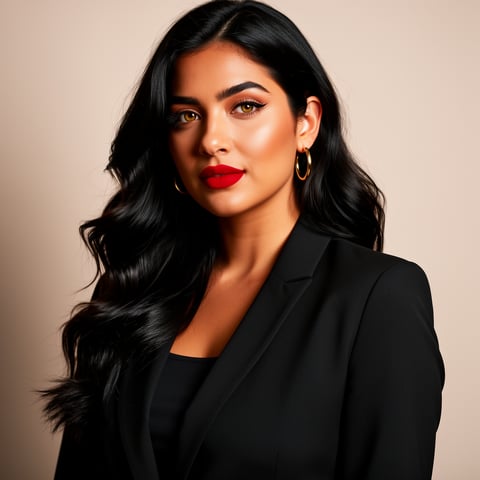
Mia, Beauty + soft glam
Nova, Fitness + wellness
Jordan, Strength coach
Aria, Style + fashion
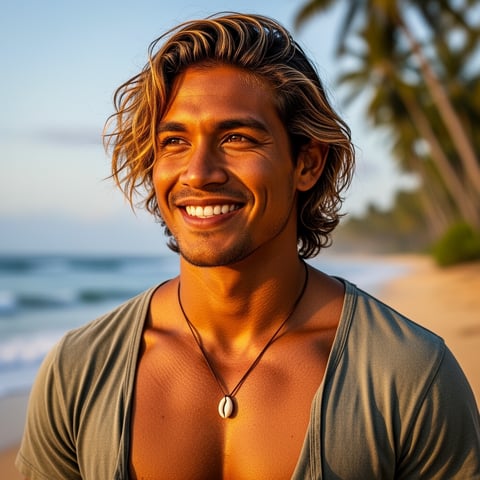
Kai, Travel + adventure
Eli, Food + slow living
Sage, Yoga + breathwork
Reese, Gaming + tech

Proof·Creators and agencies use socialAF to move from isolated image edits to repeatable content production. Independent listings describe socialAF as an all-in-one AI social content studio for images, videos, written posts, avatars, and brand personas, with reported creator satisfaction signals such as 4.9/5 ratings and 2,400+ active creators. ([coldiq.com](https://coldiq.com/tools/socialafai?utm_source=openai)) For teams, the trust signal is speed plus consistency: enhance a photo, save the character, generate batches, organize outputs in per-character galleries, and keep client campaigns moving inside agency multi-org workspaces.

Why free photo enhancer

Built for the way creators actually work.

01

Turn Blurry Photos Into Publish-Ready Creator Assets

Improve the look of portraits, AI character shots, thumbnails, product visuals, and campaign references so your content feels sharper, cleaner, and more intentional. Current AI enhancement workflows commonly focus on upscaling, denoising, deblurring, sharpening, lighting correction, color cleanup, and restoration—exactly the kinds of outcomes creators need before they publish or repurpose an image. ([support.microsoft.com](https://support.microsoft.com/en-us/windows/ai/ai-apps/super-resolution-in-photos?utm_source=openai))

02

Create One Enhanced Character and Reuse It Everywhere

A normal free photo enhancer improves one file. socialAF helps you turn that improved reference into a consistent AI character you can reuse across posts, reels, ads, talking avatars, voice-led clips, and bulk campaign variations. Your character stays organized in a dedicated gallery, so you can return to the same look instead of rebuilding it from scratch.

03

Ship More Content Without More Manual Editing

Use enhanced references to generate image variations, video scenes, avatar clips, and voice content faster. Bulk generation helps you test hooks, angles, outfits, backgrounds, and formats while agency workspaces keep brands, clients, and teams separated. You spend less time fixing files and more time publishing content that looks consistent.

How it works

How free photo enhancer works.

socialAF gives you a practical free photo enhancer path: start with the image you already have, improve its creative usefulness, and turn it into a reusable character-led content engine.

Aria, Style + fashion

01

Step 1: Upload Your Best Available Photo

Choose a portrait, brand character image, product shot, creator selfie, AI render, or campaign reference. You do not need a studio-perfect file. Start with the clearest version you have, then use it as a visual anchor for your character. For best results, pick an image with readable facial details, clean lighting, and a clear subject. If you are building a creator persona, upload references you have the rights to use.

Kai, Travel + adventure

02

Step 2: Build a Reusable Character From the Enhanced Reference

Use socialAF's reference-driven character builder to lock in the look you want. Create multi-angle reference packs so the character can appear from different perspectives, poses, and campaign setups. Save the results to a per-character gallery, then keep refining until the character feels brand-ready. This step turns a simple enhanced photo into an identity you can reuse instead of a one-off image.

Eli, Food + slow living

03

Step 3: Generate Images, Videos, Avatars, and Voice Content

Once your enhanced character is saved, create content across formats. Use text-to-image or image-to-image for thumbnails, social posts, and campaign stills. Use text-to-video, image-to-video, or reference-to-video for reels, ads, and story scenes. Add talking avatars, text-to-speech, or voice cloning when you need a character to speak. Agencies can scale production with bulk generation and multi-org workspaces for different clients or brands.

Enhance a Photo, Then Build the Character Behind It

Build consistent AI characters across image, video, and voice. Cancel anytime.

Try it Today

The difference

Why it wins for free photo enhancer.

Most free photo enhancer tools stop after the before-and-after preview. socialAF helps you convert that improved visual into a repeatable creator workflow for content, campaigns, and client delivery.

Without free photo enhancer

Traditional approach

With socialAF

You avoid juggling separate editing, asset storage, video, voice, and avatar tools. socialAF keeps your enhanced character, generated images, videos, and voice assets connected in one workflow.

Without free photo enhancer

Generic tools

With socialAF

You get character consistency instead of random one-off outputs. The reference-driven builder, multi-angle packs, and per-character galleries help your visuals stay recognizable across every format.

Without free photo enhancer

Manual methods

With socialAF

You can produce campaign variations faster with bulk generation, image-to-image edits, video generation, talking avatars, and text-to-speech instead of hand-editing every asset from scratch.

What creators say

Creators using socialAF for free photo enhancer.

I came in to clean up a soft creator headshot and ended up building a reusable brand persona. Now our thumbnails, reels, and avatar clips all look like they belong to the same campaign.

Maya Chen

Creator Strategist

For agency work, the biggest win is consistency. We can enhance a client reference, save the character, generate batches, and keep each brand separated without rebuilding the workflow every time.

Jordan Ellis

Agency Creative Director

FAQ

Common questions about free photo enhancer.

What is a free photo enhancer for AI creator content?

A free photo enhancer for AI creator content helps you improve the usefulness of an image before you turn it into content. That may include making a low-resolution photo feel sharper, reducing visual noise, improving lighting, restoring clarity, or preparing a reference image for character creation. In socialAF, the bigger advantage is what happens next: your enhanced image can become the foundation for a consistent AI character that appears in images, videos, talking avatars, and voice-led content.

Can I use socialAF to enhance blurry photos and then generate videos?

Yes. socialAF is designed for creators who want enhanced visuals to become multi-format content. Start with a photo or reference image, build or refine your character, then use image generation and video generation workflows such as image-to-image, text-to-image, text-to-video, image-to-video, and reference-to-video. You can create stills for posts, motion content for reels and shorts, or talking avatar clips when you want the character to deliver a message.

How is socialAF different from a normal AI photo enhancer online?

A normal AI photo enhancer online usually focuses on improving a single file. That is useful, but it does not solve the creator problem of consistency across weeks of content. socialAF connects enhancement with character creation, multi-angle references, per-character galleries, video generation, text-to-speech, voice cloning, talking avatars, bulk generation, and agency multi-org workspaces. The result is a workflow for ongoing content production, not just a single improved image.

What kinds of photos work best for a free photo enhancer workflow?

The best starting photos usually have a clear subject, visible facial structure or product shape, and enough lighting to understand the scene. Creator portraits, brand mascot references, product images, AI-generated portraits, campaign mockups, and social media headshots are strong candidates. If your goal is a consistent AI character, use references you own or have permission to use, avoid confusing backgrounds, and choose images that represent the look you want to repeat.

Can agencies use a free photo enhancer workflow for multiple clients?

Yes. Agencies can use socialAF to turn client references into organized, reusable character systems. Agency multi-org workspaces help separate brands, campaigns, and client assets. Per-character galleries make it easier to track approved looks, while bulk generation helps teams create many image, video, avatar, and voice variations for testing. That means you can move from one enhanced reference to a full campaign library without mixing client assets or losing consistency.

Will enhanced photos stay consistent across image, video, and voice?

socialAF is built to help you maintain a consistent character identity across formats. The reference-driven character builder and multi-angle reference packs give your character a stronger visual foundation. Per-character galleries help you keep approved outputs together. Then you can extend the same persona into generated images, video scenes, talking avatars, text-to-speech, and voice cloning. While every AI generation workflow benefits from review and iteration, socialAF gives you the structure to keep your character recognizable.

Ready to turn one better photo into weeks of content?

Start free →

Ready

Build your first character today.

Join creators using socialAF to bring their characters to life. One subscription, every model, no shoot required.

Start today