Use case · img upscaler

img upscaler with socialAF.

Your best character image should not be trapped in a low-resolution file. With socialAF’s AI img upscaler workflow, you can turn rough drafts, compressed social posts, early concept art, and small reference images into polished visuals that are ready for campaigns, creator content, pitch decks, thumbnails, ads, and video production. Instead of rebuilding a character from scratch every time you need a sharper image, socialAF helps you keep the same face, style, wardrobe, and brand energy while improving the final creative output. The biggest win is consistency. A normal img upscaler may make a picture bigger, but creators and agencies need more than size. You need a character who still looks like the same persona across image generation, video generation, talking avatars, and text-to-speech campaigns. socialAF connects upscaling with character creation, reference-driven building, multi-angle reference packs, per-character galleries, and bulk generation so your assets stay organized and usable beyond one export. Use socialAF when you want sharper profile shots, cleaner lifestyle visuals, more detailed campaign images, better thumbnails, higher-quality reference packs, and character assets that can move into video, voice, and avatar workflows. Recent AI super-resolution techniques focus on reconstructing perceived detail, reducing blur, and improving usability for product, social, and creative assets; for creators, that means your visuals can look more professional without booking a new shoot for every content variation. ([technology.org](https://www.technology.org/2026/04/28/ai-image-upscalers-in-2026-how-super-resolution-actually-works-and-where-it-still-falls-short/?utm_source=openai))

Get started today·Results in seconds·Loved by creators

Our library·13 characters·12 models

Mia, Beauty + soft glam
Nova, Fitness + wellness
Jordan, Strength coach
Aria, Style + fashion
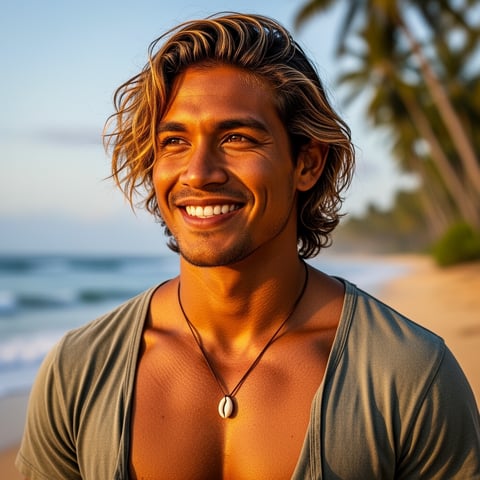
Kai, Travel + adventure
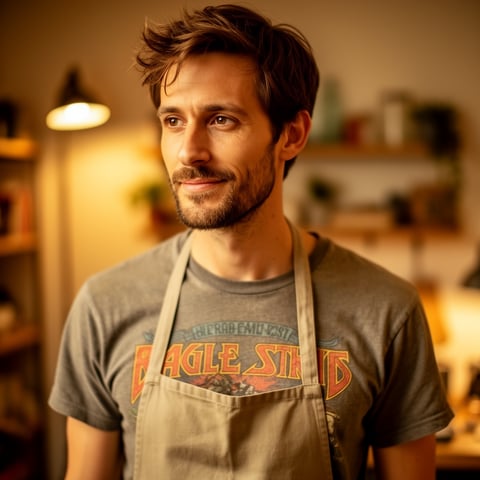
Eli, Food + slow living
Sage, Yoga + breathwork
Reese, Gaming + tech

Proof·Built for modern creator teams: one character hub, image-to-image refinement, text-to-image expansion, text-to-video, image-to-video, reference-to-video, talking avatars, text-to-speech, voice cloning, per-character galleries, agency multi-org workspaces, and bulk generation. High-quality visuals matter because sharper, more professional images are consistently connected with stronger perceived trust, better engagement, and improved conversion outcomes in ecommerce and social content research. ([anchanto.com](https://anchanto.com/best-practices-how-high-quality-product-images-boost-e-commerce-sales/?utm_source=openai))

Why img upscaler

Built for the way creators actually work.

01

Make Every Character Asset Look Campaign-Ready

Use the img upscaler workflow to improve low-resolution character images, clean up soft details, and create sharper visuals for posts, ads, landing pages, email creative, thumbnails, and pitch decks. You get assets that look intentional instead of stretched, blurry, or recycled.

02

Keep Your AI Persona Consistent Across Formats

Upscale and refine images inside a character-first system. socialAF helps you preserve the recognizable look of your persona, then carry that identity into image generation, video generation, talking avatars, text-to-speech, and voice cloning so your audience sees one consistent brand character everywhere.

03

Scale More Creative Without Slowing Your Team

Move from one improved image to full content production. Store results in per-character galleries, generate variations in bulk, organize work across agency multi-org workspaces, and create multi-angle reference packs for repeatable campaigns without manually hunting for files.

How it works

How img upscaler works.

socialAF makes image upscaling practical for creators and agencies by connecting enhancement, character consistency, and production in one workflow. Start with a low-res image, guide the desired output, and turn the improved asset into reusable content.

Kai, Travel + adventure

01

Step 1: Upload or Select Your Character Image

Start with a compressed social image, AI-generated portrait, older reference, product-style creator shot, or campaign asset from your per-character gallery. Choose the character profile you want to preserve so socialAF understands the visual identity you are trying to maintain.

Eli, Food + slow living

02

Step 2: Refine the Look With Reference-Driven Controls

Use image-to-image generation to sharpen the asset while guiding facial consistency, wardrobe, pose, background, and brand style. Add multi-angle references when you need stronger identity preservation, or use text-to-image prompts to expand the scene while keeping the persona recognizable.

Sage, Yoga + breathwork

03

Step 3: Turn the Upscaled Image Into More Content

Save the improved image to the character gallery, then use it for bulk image variations, image-to-video clips, reference-to-video campaigns, talking avatars, voice-cloned narration, and text-to-speech posts. Your upscaled image becomes a reusable creative source, not a one-off file.

Upscale Your Character Images Into Reusable Content

Build consistent AI characters across image, video, and voice. Cancel anytime.

Try it Today

The difference

Why it wins for img upscaler.

Most image enhancement workflows stop after making a file larger. socialAF is built for creators who need the improved image to become part of a consistent character content engine.

Without img upscaler

Traditional approach

With socialAF

Instead of reshooting or manually retouching every low-res asset, you can refine character images, save them to a dedicated gallery, and reuse them across future campaigns.

Without img upscaler

Generic tools

With socialAF

Instead of treating each image as a disconnected file, socialAF connects img upscaler output with character profiles, reference packs, image generation, video generation, talking avatars, and voice workflows.

Without img upscaler

Manual methods

With socialAF

Instead of resizing, sharpening, exporting, renaming, and organizing by hand, your team can use bulk generation and agency workspaces to produce more polished creative in less time.

What creators say

Creators using socialAF for img upscaler.

We had strong character concepts, but our early images were too small for ads and thumbnails. socialAF helped us refine the look, keep the same persona, and turn one asset into a full week of campaign creative.

Maya Collins

Creator Marketing Strategist

The biggest difference is organization. Our team can upscale a character image, save it to the right gallery, generate variations, and hand off video-ready assets without losing track of the brand look.

Jordan Vale

Agency Creative Director

FAQ

Common questions about img upscaler.

What is an AI img upscaler for creator content?

An AI img upscaler helps turn a smaller or lower-quality image into a sharper, more usable version. For creator content, the goal is not only to enlarge the file. You want the image to look polished on social feeds, ad placements, landing pages, thumbnails, and video assets. socialAF approaches this through a character-first workflow, so your upscaled image can remain connected to a specific persona, reference pack, gallery, and production pipeline.

Can I use socialAF to upscale AI character images without changing the identity?

Yes. socialAF is designed for consistent AI characters, so you can use reference-driven character building, image-to-image generation, and multi-angle reference packs to guide the final look. While every AI output should be reviewed, the workflow helps you protect the character’s recognizable features, style, wardrobe direction, and brand personality better than a disconnected one-off resize.

How does an img upscaler help social media creators get better results?

Sharper images can make your content feel more professional, easier to understand, and more trustworthy at a glance. For creators, that can mean better thumbnails, cleaner profile visuals, stronger ad creative, more polished carousel posts, and more reusable assets for short-form video. Research on visual quality and social engagement indicates that higher-resolution visuals can improve audience response because they are easier to process and more appealing. ([letsenhance.io](https://letsenhance.io/blog/all/image-quality-socials-research/?utm_source=openai))

Can agencies use socialAF’s img upscaler workflow for multiple clients?

Yes. socialAF includes agency multi-org workspaces, which makes it easier to separate brands, clients, characters, campaigns, and asset libraries. Your team can upscale and refine images for one character, store them in the correct gallery, produce bulk variations, and keep client work organized without mixing files across projects.

What types of images work best for AI image upscaling?

The best starting images usually have a clear subject, recognizable face or character design, useful lighting, and enough visual information for the AI to preserve the intended look. socialAF can help with character portraits, creator shots, lifestyle images, AI-generated concepts, campaign visuals, and references that need to become cleaner production assets. If the original file is extremely distorted, you can use references and prompts to guide the improved direction.

Can I turn an upscaled image into video, voice, or talking avatar content?

Yes. That is where socialAF is different from a simple img upscaler. Once you refine an image, you can save it to the character gallery and use it in image-to-video, text-to-video, reference-to-video, talking avatar, text-to-speech, and voice cloning workflows. This lets you turn one stronger image into a broader content system for social campaigns, ads, launches, and recurring creator series.

Ready to get sharper character content?

Start free →

Ready

Build your first character today.

Join creators using socialAF to bring their characters to life. One subscription, every model, no shoot required.

Start today