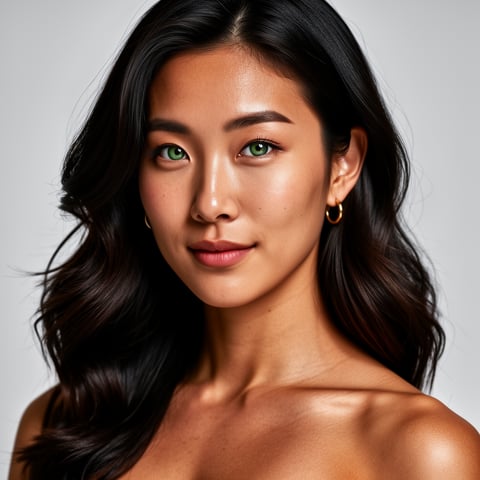
Use case · onlyfans dashboard

onlyfans dashboard with socialAF.

Your OnlyFans dashboard should do more than track posts and messages. It should help you turn ideas into polished, consistent content that keeps fans engaged, gives your team a repeatable production system, and helps your creator brand show up everywhere with the same look, voice, and personality. socialAF gives creators and agencies a production-ready AI character workflow built for subscription content planning: create a recognizable persona, generate image sets, produce short videos, make lip-sync or talking-head clips, organize everything by character, and scale campaign batches without losing consistency. Direct-to-fan platforms have become serious creator businesses; OnlyFans CEO Keily Blair said the platform has paid creators $25 billion since its 2016 founding, which makes efficiency, consistency, and retention-focused content planning more important than ever. ([bloomberg.com](https://www.bloomberg.com/news/articles/2025-10-21/onlyfans-has-paid-creators-25-billion-since-2016-ceo-says?utm_source=openai)) Instead of jumping between disconnected tools, folders, spreadsheets, and prompt notes, you can use socialAF as the creative layer behind your OnlyFans dashboard: build the character once, reuse references, keep every asset in a per-character gallery, and generate content for daily posts, promotional teasers, welcome messages, seasonal campaigns, and subscriber nurture sequences. The outcome is simple: more consistent creator branding, faster content calendars, fewer production bottlenecks, and a cleaner workflow for solo creators, managers, and agencies.

Get started today·Results in seconds·Loved by creators

Our library·13 characters·12 models

Mia, Beauty + soft glam
Nova, Fitness + wellness
Jordan, Strength coach
Aria, Style + fashion
Kai, Travel + adventure
Eli, Food + slow living
Sage, Yoga + breathwork
Reese, Gaming + tech

Proof·Built for modern subscription creator teams that need repeatable output, not random one-off generations: 1 organized gallery per character, 3 core media formats across image, video, and voice, multi-angle reference packs for visual consistency, agency multi-org workspaces for client separation, and bulk generation for campaign production. Build consistent AI characters across image, video, and voice. Cancel anytime.

Why onlyfans dashboard

Built for the way creators actually work.

01

Turn One Persona Into a Full Content Engine

Create a recognizable AI character with a reference-driven character builder, multi-angle reference packs, and voice cloning so your subscription brand feels consistent across profile images, post sets, teasers, videos, and talking-head updates. You get a repeatable identity your audience can recognize instead of starting from scratch every time you open your OnlyFans dashboard.

02

Fill Your Calendar Faster Without Losing Quality

Use text-to-image, image-to-image, text-to-video, image-to-video, reference-to-video, lip-sync, talking-head video, and text-to-speech tools to turn campaign ideas into usable media for daily posts, launches, renewals, and reactivation sequences. Bulk generation helps you produce variations for testing hooks, outfits, scenes, captions, and themes.

03

Keep Agencies and Creator Teams Organized

Store content in per-character galleries, separate brands with agency multi-org workspaces, and manage production batches without mixing client assets. Your team can move from concept to review to publishing prep with a cleaner system that supports creators, assistants, editors, and managers.

How it works

How onlyfans dashboard works.

socialAF helps you build the creative system behind a high-output OnlyFans dashboard. You define the persona, generate consistent media, organize assets by character, and create reusable content batches for posts, promotions, and subscriber engagement.

Nova, Fitness + wellness

01

Step 1: Build a Consistent AI Creator Persona

Start with the reference-driven character builder. Upload approved visual references, define the creator style, choose brand traits, and generate a multi-angle reference pack so the character stays recognizable from close-up portraits to lifestyle scenes. Add voice cloning or text-to-speech settings when you need audio intros, talking-head videos, or personalized-style messages. Use this step to lock the visual identity before scaling content.

Jordan, Strength coach

02

Step 2: Generate Image, Video, and Voice Assets

Create campaign-ready media with image generation using text-to-image and image-to-image, then move into video with text-to-video, image-to-video, and reference-to-video. Produce lip-sync or talking-head clips for announcements, previews, welcome videos, and fan update content. Generate voice snippets with text-to-speech or cloned voice settings so your character presence feels coherent across formats.

Aria, Style + fashion

03

Step 3: Organize, Batch, and Publish With Confidence

Save every approved asset in a per-character gallery, group content by campaign theme, and use bulk generation to create variations for teaser posts, upsell sequences, monthly drops, and cross-platform promotion. Agencies can keep each creator or client inside a separate multi-org workspace, making reviews, approvals, and handoffs easier before content is uploaded to an OnlyFans dashboard or scheduling workflow.

Build Your OnlyFans Dashboard Content System

Build consistent AI characters across image, video, and voice. Cancel anytime.

Try it Today

The difference

Why it wins for onlyfans dashboard.

A high-performing OnlyFans dashboard workflow needs more than scattered files and isolated generations. socialAF brings character identity, media production, organization, and agency operations into one repeatable system.

Without onlyfans dashboard

Traditional approach

With socialAF

Photoshoots, editing queues, folder chaos, and manual asset tracking slow down content planning. socialAF helps you create reusable AI personas and generate campaign-ready image, video, and voice assets faster.

Without onlyfans dashboard

Generic tools

With socialAF

One-off generation tools often produce inconsistent faces, styles, and voices. socialAF is built around reference-driven character creation, multi-angle reference packs, per-character galleries, and repeatable outputs.

Without onlyfans dashboard

Manual methods

With socialAF

Spreadsheets and shared drives can track content, but they do not create it. socialAF lets creators and agencies generate, organize, and scale content batches in the same workflow.

What creators say

Creators using socialAF for onlyfans dashboard.

socialAF changed how we plan subscription campaigns. We can build a character once, generate image and video variations, and keep every approved asset organized by persona before it reaches our publishing dashboard.

Maya Stone

Creator Operations Lead, example testimonial

The biggest win is consistency. Our team can produce teaser sets, talking-head clips, and voice assets without rebuilding the same character from scratch every week.

Jordan Vale

Agency Content Manager, example testimonial

FAQ

Common questions about onlyfans dashboard.

What is an OnlyFans dashboard content workflow?

An OnlyFans dashboard content workflow is the system you use to plan, create, organize, and prepare media before it is posted to a subscription creator account. socialAF supports the creative side of that workflow by helping you build consistent AI characters, generate image and video content, create talking-head or lip-sync clips, produce text-to-speech or cloned voice assets, and store everything in per-character galleries. It does not replace platform account management; it helps you create the content assets your dashboard needs.

How can socialAF help creators post more consistently?

Consistency comes from repeatable systems. With socialAF, you can create a character foundation using references, generate multi-angle packs, and then produce content batches around weekly themes, monthly campaigns, subscriber milestones, or promotional events. Current creator strategy guidance often emphasizes content variety, recurring series, batch planning, and routine analytics reviews as ways to keep audiences engaged. ([sirency.com](https://www.sirency.com/blog/onlyfans-content-strategy-planning-2025.html?utm_source=openai)) socialAF helps you execute that plan faster by generating multiple formats from the same persona.

Can I use socialAF for AI character content across image, video, and voice?

Yes. socialAF is designed for consistent AI character creation across image, video, and voice. You can use image generation for portraits and themed sets, video generation for short clips, reference-to-video for character continuity, lip-sync and talking-head video for announcements or updates, and text-to-speech or voice cloning for audio-driven content. The goal is to make your character feel coherent wherever your audience sees or hears them.

Is socialAF useful for agencies managing multiple creator accounts?

Yes. Agencies can use multi-org workspaces to separate clients, brands, or creator teams. Per-character galleries keep approved assets organized, while bulk generation supports campaign production at scale. This is especially useful when your agency needs to prepare multiple content directions, review options with clients, and avoid mixing files between accounts. You can create a cleaner production pipeline before assets are uploaded into each creator dashboard.

Does socialAF connect directly to my OnlyFans dashboard?

socialAF is best understood as the AI creative production layer behind your OnlyFans dashboard. It helps you generate and organize the media assets you need, but you should still follow the posting, compliance, identity, consent, and content rules of any platform where you publish. Use socialAF to prepare character-consistent content, then review and upload approved assets through your normal publishing workflow.

How do I keep AI creator content ethical and trustworthy?

Use socialAF with original, permissioned personas and approved references. Do not impersonate real people without consent, do not use someone else’s likeness deceptively, and make sure all content follows platform rules and applicable laws. The best creator workflows build trust by keeping branding clear, avoiding misleading claims, and using AI to scale production rather than confuse audiences.

Ready to get started?

Start free →

Ready

Build your first character today.

Join creators using socialAF to bring their characters to life. One subscription, every model, no shoot required.

Start today