Use case · onlyfans toolsy

onlyfans toolsy with socialAF.

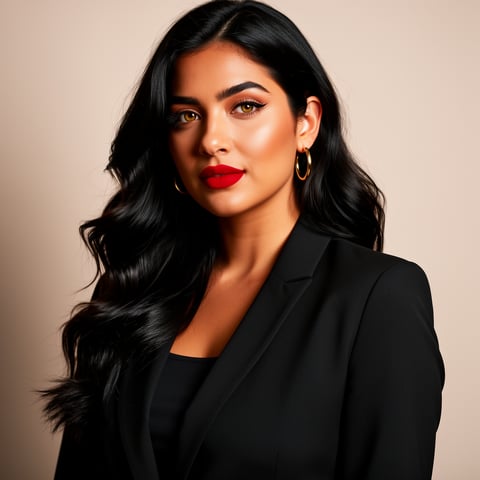
Your content schedule should not fall apart because you need another photoset, promo variation, short-form teaser, voice intro, or branded avatar clip. socialAF is the onlyfans toolsy workflow built for creators and agencies that need consistent, on-brand AI characters across image, video, and voice. Instead of rebuilding the same look from scratch in separate tools, you can create a reference-driven character once, organize every asset in per-character galleries, and produce campaign-ready content in bulk. Use socialAF to plan safer promo assets, test more creative angles, and keep your persona recognizable wherever your audience discovers you. Whether you manage one creator brand or multiple accounts inside an agency workspace, socialAF helps you move from scattered production to a repeatable content engine. Build consistent AI characters across image, video, and voice. Cancel anytime.

Get started today·Results in seconds·Loved by creators

Our library·13 characters·12 models

Mia, Beauty + soft glam
Nova, Fitness + wellness
Jordan, Strength coach
Aria, Style + fashion
Kai, Travel + adventure
Eli, Food + slow living
Sage, Yoga + breathwork
Reese, Gaming + tech

Proof·Built for high-output creator teams: generate 50+ campaign variations from one approved character direction, organize assets by persona, and give agencies multi-org workspaces for cleaner client separation. Creators use socialAF to reduce blank-page time, maintain visual continuity, and ship more promo-ready content without constantly rebuilding the same brand identity.

Why onlyfans toolsy

Built for the way creators actually work.

01

Create a Recognizable Persona Fans Remember

Your audience responds faster when your visuals feel familiar. socialAF helps you build a reference-driven AI character with a consistent face, style, voice direction, and brand mood, so every image, video, talking avatar, and promo asset reinforces the same creator identity.

02

Turn One Idea Into a Full Content Batch

Stop producing one asset at a time. With bulk generation, image-to-image, text-to-image, text-to-video, image-to-video, and reference-to-video workflows, you can expand a single campaign concept into teasers, profile visuals, story posts, preview clips, and avatar messages faster.

03

Manage Creator Brands Without Messy Folders

Agencies can keep client assets clean with per-character galleries and multi-org workspaces. That means fewer mixed files, fewer off-brand posts, and a smoother review process when you are managing multiple creator personas, campaign angles, or assistant workflows.

How it works

How onlyfans toolsy works.

socialAF turns your onlyfans toolsy workflow into a simple repeatable system: define the character, generate campaign assets, then organize and scale the content that performs best.

Aria, Style + fashion

01

Step 1: Build Your Creator Character From References

Upload approved reference images, define the persona’s visual direction, and create a multi-angle reference pack. You can shape the look, styling, expressions, and brand tone before producing campaign assets, which helps every future output feel connected instead of random. If you use voice, add voice cloning or text-to-speech direction so avatar clips and spoken promos match the same creator identity.

Kai, Travel + adventure

02

Step 2: Generate Images, Videos, Avatars, and Voice Assets

Use text-to-image for new campaign ideas, image-to-image for polished variations, text-to-video for short concepts, image-to-video for motion from approved visuals, and reference-to-video for more consistent character-driven clips. Add talking avatars and text-to-speech when you want a face-and-voice asset for intros, fan updates, promo messages, or agency review previews.

Eli, Food + slow living

03

Step 3: Organize, Review, and Scale Winning Campaigns

Save everything in per-character galleries so you can compare angles, reuse successful looks, and avoid losing approved assets. Agencies can separate brands inside multi-org workspaces, then use bulk generation to create more variations for the campaigns that are getting the strongest response. Review platform rules, label AI-assisted content where required, and publish only content you have the right to use.

Build Your OnlyFans Content System Today

Build consistent AI characters across image, video, and voice. Cancel anytime.

Try it Today

The difference

Why it wins for onlyfans toolsy.

Most onlyfans toolsy workflows break because creators jump between disconnected apps, folders, prompts, and review threads. socialAF brings the character, media generation, asset library, and agency workflow into one repeatable system.

Without onlyfans toolsy

Traditional approach

With socialAF

Instead of booking, reshooting, editing, and waiting for every promo concept, you can turn approved character references into new image, video, avatar, and voice assets on demand.

Without onlyfans toolsy

Generic tools

With socialAF

Instead of one-off outputs that drift from your brand, socialAF keeps work organized around each character with reference packs, galleries, and repeatable generation workflows.

Without onlyfans toolsy

Manual methods

With socialAF

Instead of copying files across spreadsheets and folders, agencies can manage multiple creator brands with multi-org workspaces, cleaner approvals, and bulk generation for campaign testing.

What creators say

Creators using socialAF for onlyfans toolsy.

socialAF helped us turn every creator concept into a repeatable content system. The biggest win was consistency: the same persona could show up in promo images, short videos, and avatar clips without our team rebuilding the look every time.

Maya Ellis

Creator Operations Lead

We manage multiple creator brands, so organization matters as much as generation speed. Per-character galleries and bulk variations made our review process cleaner and gave us more creative options for each campaign.

Jordan Vale

Agency Founder

FAQ

Common questions about onlyfans toolsy.

What is onlyfans toolsy and how does socialAF help creators?

onlyfans toolsy is a search phrase creators use when looking for tools that help with content planning, promo asset creation, persona consistency, and agency workflows around subscription-based creator brands. socialAF helps by giving you a reference-driven character builder, multi-angle reference packs, image generation, video generation, talking avatars, text-to-speech, per-character galleries, multi-org workspaces, and bulk generation. The outcome is simple: you can create more consistent campaign assets in less time while keeping your creator identity organized.

Can I use socialAF for AI-assisted OnlyFans marketing content?

You can use socialAF to create AI-assisted creator assets, promotional visuals, avatar clips, and voice content, but you are responsible for reviewing platform rules before publishing. OnlyFans-style subscription platforms commonly involve monetization through subscriptions, tips, direct messages, and pay-per-view content, so your production workflow should include rights checks, consent checks, and disclosure where required. Current public guidance around AI content emphasizes verified creators, consent, no impersonation, and clear labeling for AI-generated or AI-altered content where applicable. Always check the latest platform terms before posting. ([fizzly.ai](https://www.fizzly.ai/blog/onlyfans-ai-content-policy-explained?utm_source=openai))

How does socialAF keep an AI creator character consistent across images and videos?

socialAF starts with references instead of random prompts. You can create a character from approved visuals, build a multi-angle reference pack, and save outputs into that character’s gallery. From there, image-to-image, text-to-image, text-to-video, image-to-video, and reference-to-video workflows help you produce new assets that stay closer to the same persona. This is especially useful when you want a campaign to feel cohesive across profile images, feed previews, short clips, story assets, and talking avatar content.

Is socialAF useful for agencies managing multiple OnlyFans creator brands?

Yes. socialAF is built for both solo creators and agencies. Multi-org workspaces help you separate client brands, while per-character galleries keep each persona’s assets, references, and campaign variations in one place. Bulk generation helps agencies create more options for testing without manually rebuilding every prompt. The practical benefit is a cleaner workflow: fewer mixed assets, faster approvals, and a stronger ability to scale what is working across different creator strategies.

What types of content can I create with this onlyfans toolsy workflow?

You can create brand-safe promo images, profile visuals, campaign variations, short-form video concepts, animated clips from approved images, reference-based video content, talking avatar updates, and text-to-speech voice assets. Many creators use this type of workflow to build teaser libraries, launch visuals, seasonal campaigns, subscriber update clips, and cross-platform marketing assets. socialAF is especially helpful when you need multiple versions of the same idea for testing headlines, outfits, backgrounds, moods, or call-to-action angles.

Do I need technical skills to start generating AI creator content with socialAF?

No. socialAF is designed around practical creator workflows, not technical setup. You begin with references and brand direction, choose the type of asset you want, generate variations, then save the strongest outputs to the right character gallery. If you are an agency, you can structure workspaces by client or brand. If you are a solo creator, you can keep your persona, campaign ideas, and approved visuals together from day one.

Ready to build a content engine that stays consistent?

Start free →

Ready

Build your first character today.

Join creators using socialAF to bring their characters to life. One subscription, every model, no shoot required.

Start today