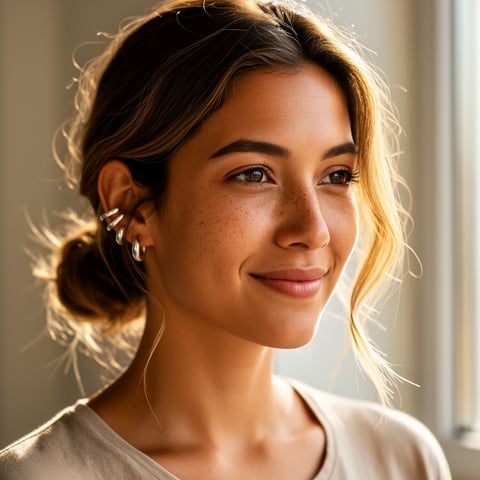
Use case · enhance picture quality

enhance picture quality with socialAF.

Enhance picture quality without losing the character, mood, or brand identity that makes your content work. With socialAF, you can turn rough references, low-resolution concepts, blurry previews, or inconsistent creator assets into polished AI character content ready for social posts, ads, profile visuals, video scenes, and talking avatars. Instead of fixing one picture at a time, you build a reusable character system: upload references, define the look, generate clean image variations, organize outputs in per-character galleries, and scale the best version into video and voice. This matters when your audience needs to recognize the same persona across every post. A sharper face, cleaner outfit detail, better lighting, and more consistent framing can make your content feel more premium immediately. Whether you are a solo creator building a signature AI persona or an agency producing campaigns for multiple brands, socialAF helps you improve photo quality while keeping the same identity across image generation, video generation, talking avatars, and text-to-speech workflows. You can start with image-to-image enhancement, create new text-to-image versions, build multi-angle reference packs, and then use that stronger visual foundation for text-to-video, image-to-video, and reference-to-video content. The outcome is simple: better-looking content, faster production, and a character your audience remembers.

Get started today·Results in seconds·Loved by creators

Our library·13 characters·12 models

Mia, Beauty + soft glam
Nova, Fitness + wellness
Jordan, Strength coach
Aria, Style + fashion
Kai, Travel + adventure
Eli, Food + slow living
Sage, Yoga + breathwork
Reese, Gaming + tech

Proof·Built for creators and agencies that need repeatable visual quality, not one-off experiments. socialAF combines character galleries, bulk generation, agency multi-org workspaces, image generation, video generation, talking avatars, voice cloning, and text-to-speech in one workflow, so teams can move from rough picture to campaign-ready persona faster.

Why enhance picture quality

Built for the way creators actually work.

01

Create Sharper Characters Your Audience Recognizes

Enhance picture quality while preserving the details that define your persona: face shape, hair, expression, wardrobe, lighting style, and visual attitude. Instead of generating a polished image that looks like a different person, socialAF helps you build from references and organize outputs by character, so each improved image supports the same recognizable identity across posts, thumbnails, profile images, and video scenes.

02

Turn One Strong Image into a Full Content Engine

A better picture should do more than sit in a folder. With socialAF, your enhanced image can become the source for multi-angle reference packs, image-to-image variations, text-to-image concepts, image-to-video clips, reference-to-video scenes, talking avatars, and voice-led content. You get more mileage from every approved look and reduce the time spent rebuilding the same persona from scratch.

03

Scale High-Quality Visuals Without Manual Bottlenecks

Agencies and busy creators can use bulk generation, per-character galleries, and multi-org workspaces to improve output volume without losing control. Generate multiple polished versions, compare them quickly, save winning assets to the right character gallery, and keep campaigns organized by client, brand, or persona. You spend less time chasing fixes and more time publishing content that looks intentional.

How it works

How enhance picture quality works.

socialAF helps you enhance picture quality by turning scattered references into a consistent creative workflow. Start with the best available source, strengthen the character identity, generate improved visuals, and then expand the approved look into image, video, and voice formats.

Kai, Travel + adventure

01

Step 1: Upload Your Picture and Build the Character

Start with your photo, sketch, AI draft, or reference set. Use the reference-driven character builder to define the persona’s core look, including facial structure, styling, wardrobe direction, expression range, and content niche. If you have several images, create a multi-angle reference pack so socialAF has a stronger foundation for consistent improvement. This step helps you enhance picture quality without drifting away from the original character identity.

Eli, Food + slow living

02

Step 2: Generate Cleaner, Sharper Image Variations

Use image-to-image generation to refine the original picture or text-to-image generation to create new high-quality versions from the same character direction. Generate options with better lighting, cleaner detail, improved framing, sharper facial definition, and social-ready compositions. Save the strongest results into the character’s gallery so you can compare looks, reuse approved assets, and avoid losing track of your best enhanced images.

Sage, Yoga + breathwork

03

Step 3: Expand the Enhanced Look into Video and Voice

Once you have a picture that looks premium, turn it into more content. Use image-to-video, text-to-video, or reference-to-video generation to create motion clips. Add a talking avatar for announcements, promos, or short-form posts. Pair the persona with voice cloning or text-to-speech so the same character can look and sound consistent across campaigns. For teams, use agency multi-org workspaces and bulk generation to scale the workflow across clients or personas.

Enhance Your Picture Quality and Build a Reusable AI Persona

Build consistent AI characters across image, video, and voice. Cancel anytime.

Try it Today

The difference

Why it wins for enhance picture quality.

Most picture enhancement workflows stop after a single improved image. socialAF is built for creators who need that improved image to become a repeatable character asset across a full content pipeline.

Without enhance picture quality

Traditional approach

With socialAF

You do not need separate editing, casting, filming, and voice processes just to make one persona usable. socialAF helps you enhance the picture, organize the character, and expand the result into images, videos, talking avatars, and voice content from the same workspace.

Without enhance picture quality

Generic tools

With socialAF

Generic enhancement can make an image sharper but may ignore identity consistency. socialAF is character-first, so your improved visuals stay connected to reference packs, per-character galleries, and reusable persona details.

Without enhance picture quality

Manual methods

With socialAF

Manual retouching and recreation can slow down campaigns, especially when you need many variations. socialAF supports bulk generation and agency multi-org workspaces, making it easier to produce polished content at scale while keeping projects organized.

What creators say

Creators using socialAF for enhance picture quality.

We stopped treating image cleanup as a separate task. Now we build the character once, enhance the best references, and generate polished campaign assets from the same gallery.

Maya Collins

Creator Brand Strategist

The biggest win is consistency. Our client personas look sharper in still images, then carry into short videos and talking avatars without us rebuilding the look every time.

Jordan Ellis

Agency Creative Lead

FAQ

Common questions about enhance picture quality.

How can I enhance picture quality for an AI character without changing the face?

The best way to enhance picture quality without changing the character is to start with reference-driven creation instead of treating the image as a one-time edit. In socialAF, you can upload the original picture and supporting references, define the character’s appearance, and build a multi-angle reference pack. Then use image-to-image generation to create cleaner versions while keeping the persona anchored to the same look. Save approved outputs in the character gallery, so future generations continue from the best version rather than from random prompts.

Can socialAF improve low-resolution pictures for social media content?

Yes. socialAF is designed to help you turn weaker source images into stronger creator assets by generating cleaner, sharper, more intentional versions for social platforms. You can refine a low-resolution reference with image-to-image generation, create fresh text-to-image variations, and select versions that work for profile images, thumbnails, ad creatives, story posts, and vertical video covers. For best results, upload the clearest reference you have, add supporting angles when possible, and describe the desired lighting, framing, and content style.

What is the best workflow to enhance picture quality and then create videos?

Start by improving the visual foundation first. Upload your picture, build the character profile, and generate several enhanced image options. Choose the version with the strongest identity, facial clarity, and brand fit. Save it to the per-character gallery, then use image-to-video, text-to-video, or reference-to-video generation to create motion content from the approved look. If you want the character to speak, add a talking avatar with text-to-speech or voice cloning. This creates a smoother path from improved picture to publishable video.

Does enhancing picture quality help with image SEO and content performance?

Better visuals can support a stronger page experience because visitors can immediately understand the subject, style, and value of your content. For search visibility, your image should also have useful surrounding copy, descriptive file context, and accurate alt text. Google says it uses alt text, computer vision, and page content to understand image subject matter, and recommends useful, information-rich alt text without keyword stuffing. Harvard accessibility guidance also recommends concise alt text that explains why the image matters rather than describing every tiny detail. ([developers.google.com](https://developers.google.com/search/docs/appearance/google-images?utm_source=openai))

Can agencies use socialAF to enhance picture quality for multiple clients?

Yes. socialAF includes agency multi-org workspaces, bulk generation, and per-character galleries, which makes it easier to manage many personas without mixing assets between clients or brands. Your team can create separate workspaces, build character systems for each campaign, generate batches of enhanced images, and keep approved outputs organized. This is especially useful when one client needs multiple AI personas, or when your agency needs to produce image, video, talking avatar, and voice assets on a recurring schedule.

Do I need design experience to enhance picture quality with socialAF?

No. socialAF is built so creators and teams can focus on the outcome they want: a sharper, more consistent, more usable character. You do not need to manually retouch every detail or manage a complicated production stack. Upload your references, describe the desired look, generate enhanced variations, select the strongest results, and expand them into other formats. If you can describe the persona and choose the output that fits your brand, you can build high-quality AI character content with socialAF.

Ready to enhance picture quality and scale your AI character content?

Start free →

Ready

Build your first character today.

Join creators using socialAF to bring their characters to life. One subscription, every model, no shoot required.

Start today