Use case · free avatar maker

free avatar maker with socialAF.

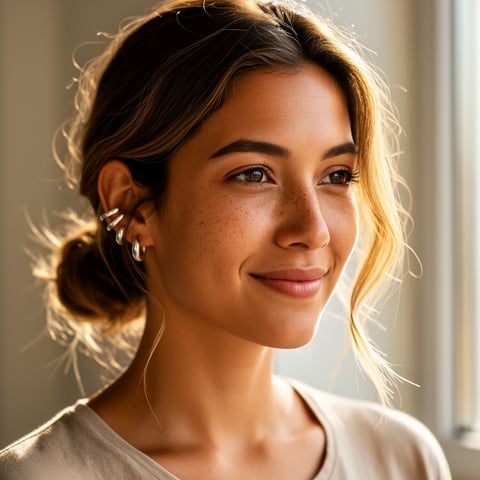
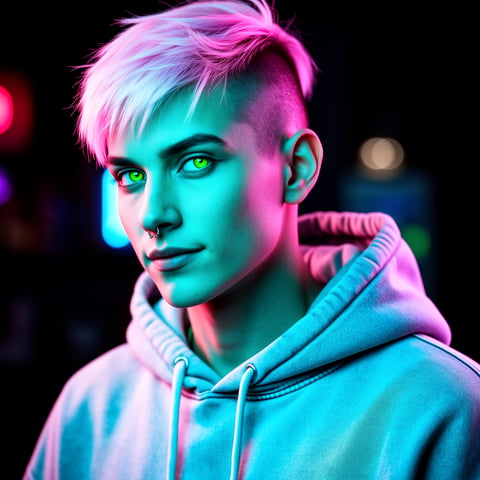
Create an avatar people recognize instantly—then use it across your entire content engine. socialAF is a free avatar maker built for creators, agencies, founders, and social teams who need more than a one-off profile picture. You can design a consistent AI character, generate polished image sets, turn that character into short-form videos, add speech with text-to-speech or voice cloning, and organize every output in a dedicated character gallery. Instead of recreating your look from scratch every time, you build your avatar once and reuse it for profile photos, thumbnails, ad creatives, story posts, talking-avatar videos, explainer clips, product demos, influencer-style content, and brand campaigns. Start with a prompt, upload references, or use socialAF’s reference-driven character builder to shape a persona with a clear face, style, wardrobe, tone, and content role. Then create multi-angle reference packs so your avatar looks familiar from front, side, close-up, full-body, and lifestyle scenes. The result: a recognizable digital persona that can show up consistently in image, video, and voice—without booking a studio, hiring models, or rebuilding your creative workflow every week. Build consistent AI characters across image, video, and voice. Cancel anytime.

Get started today·Results in seconds·Loved by creators

Our library·13 characters·12 models

Mia, Beauty + soft glam
Nova, Fitness + wellness
Jordan, Strength coach
Aria, Style + fashion
Kai, Travel + adventure
Eli, Food + slow living
Sage, Yoga + breathwork
Reese, Gaming + tech

Proof·Built for creator-speed production: launch one avatar, organize assets in per-character galleries, generate image and video variations in bulk, and manage multiple client brands with agency multi-org workspaces. socialAF helps you move from idea to ready-to-post creative faster while keeping your avatar, visual identity, and campaign assets aligned.

Why free avatar maker

Built for the way creators actually work.

01

Create a recognizable avatar you can reuse everywhere

Your avatar should not change faces every time you need a new post. With socialAF, you can build a consistent AI character that works for profile pictures, creator branding, thumbnails, product explainers, UGC-style ads, talking videos, and social campaigns. Use reference-driven creation and multi-angle reference packs to keep the same look across poses, outfits, backgrounds, and formats.

02

Turn one avatar into a complete content system

Go beyond a static avatar image. Generate text-to-image and image-to-image visuals, create text-to-video, image-to-video, and reference-to-video clips, add talking avatars, and give your character a voice with text-to-speech or voice cloning. You can create more content from one persona while keeping your brand presence consistent.

03

Scale avatar content for every brand or client

Whether you manage one personal brand or multiple client campaigns, socialAF keeps production organized. Store outputs in per-character galleries, separate brands with agency multi-org workspaces, and use bulk generation to create variations for ads, posts, hooks, thumbnails, and storyboards without losing creative control.

How it works

How free avatar maker works.

You do not need design experience to create a strong avatar. socialAF guides you from character idea to usable creative assets in a simple workflow: define the persona, generate consistent references, then publish images, videos, and voice content from the same avatar.

Eli, Food + slow living

01

Step 1: Define your avatar’s identity

Start with the outcome you want: a creator persona, brand spokesperson, faceless channel host, product model, educator, coach, gaming identity, or fictional influencer. Add a short description of your avatar’s look, audience, vibe, niche, wardrobe, and content role. You can upload reference images or guide the style with prompts. socialAF’s reference-driven character builder helps turn that input into a repeatable avatar foundation instead of a single random image.

Sage, Yoga + breathwork

02

Step 2: Build a consistent reference pack

Generate a multi-angle reference pack so your avatar stays recognizable from different views and in different content formats. Create front-facing portraits, side angles, close-ups, lifestyle shots, full-body views, and expression variations. Save the best versions to your per-character gallery so every future image, video, talking avatar, or ad creative can be based on the same approved persona.

Reese, Gaming + tech

03

Step 3: Generate images, videos, and voice content

Use your avatar to create production-ready assets. Generate profile pictures with text-to-image, refine concepts with image-to-image, create video clips with text-to-video, image-to-video, or reference-to-video, and make talking avatar content with text-to-speech or voice cloning. For agencies and growth teams, use bulk generation to create multiple hooks, ad angles, thumbnails, captions, and campaign variations quickly.

Create your free AI avatar today

Build consistent AI characters across image, video, and voice. Cancel anytime.

Try it Today

The difference

Why it wins for free avatar maker.

A free avatar maker should help you create something useful, not just a novelty image. socialAF is built for creators and agencies who need an avatar that can become a repeatable content asset.

Without free avatar maker

Traditional approach

With socialAF

Photo shoots, editors, voice talent, and reshoots slow down content production. socialAF lets you create avatar images, videos, talking clips, and voice content from one digital character without rebuilding the setup each time.

Without free avatar maker

Generic tools

With socialAF

Many tools generate a nice image once, then struggle to keep the same face, style, and identity across future outputs. socialAF focuses on reusable characters with reference-driven creation, multi-angle reference packs, and per-character galleries.

Without free avatar maker

Manual methods

With socialAF

Manually organizing prompts, images, exports, and client assets becomes messy fast. socialAF gives you agency multi-org workspaces, bulk generation, and character-based asset libraries so your workflow stays clean as your content volume grows.

What creators say

Creators using socialAF for free avatar maker.

socialAF helped us turn one avatar concept into a full campaign system. We created profile visuals, short videos, and talking clips without losing the character’s look between posts.

Maya Chen

Creative Strategist

The biggest win was consistency. Our client wanted a digital spokesperson that could appear in ads, explainers, and social posts. socialAF made it feel organized instead of experimental.

Jordan Ellis

Agency Founder

FAQ

Common questions about free avatar maker.

What is the best free avatar maker for consistent AI characters?

The best free avatar maker is one that lets you create an avatar you can reuse, not just download once. socialAF helps you build a consistent AI character with a reference-driven character builder, multi-angle reference packs, and per-character galleries. That means your avatar can appear in profile pictures, thumbnails, lifestyle images, short videos, talking avatar clips, and voice content while keeping the same recognizable identity.

Can I use socialAF to make an AI avatar for social media profiles?

Yes. You can create an AI avatar for profile photos, channel branding, creator pages, community accounts, newsletters, and brand identities. Start by defining your avatar’s look and niche, then generate polished profile image options with text-to-image or image-to-image tools. Because socialAF stores your outputs by character, you can keep producing new seasonal, promotional, or platform-specific versions without starting over.

How do I make my AI avatar look the same in every image and video?

Consistency starts with strong references. In socialAF, you can build a character from prompts or uploaded references, then create a multi-angle reference pack that captures the avatar’s face, body type, wardrobe direction, expressions, and visual style. Save approved outputs to the character gallery and use those references when generating new images, image-to-video clips, reference-to-video scenes, and talking avatars.

Can I turn my free avatar into a talking avatar video?

Yes. socialAF is designed to move beyond static avatar creation. After you create your avatar, you can generate talking avatar content using text-to-speech or voice cloning. This is useful for explainer videos, creator introductions, product demos, educational clips, ad variations, and short-form social content where you want a consistent face and voice without filming every version manually.

Is a free avatar maker useful for agencies managing multiple clients?

A free avatar maker becomes much more valuable when it supports organized production. socialAF includes agency multi-org workspaces so teams can separate clients, brands, campaigns, and characters. You can create avatar systems for different niches, store assets in per-character galleries, and use bulk generation to produce creative variations for testing, social calendars, ads, and client presentations.

What can I create after I make my AI avatar?

Once your avatar is ready, you can create a complete content library. Use socialAF for text-to-image portraits, image-to-image refinements, text-to-video clips, image-to-video motion, reference-to-video scenes, talking avatars, text-to-speech narration, voice-cloned content, thumbnails, ad concepts, story posts, creator intros, brand spokesperson videos, and reusable campaign visuals. Your avatar becomes the foundation for repeatable image, video, and voice production.

Ready to get started?

Start free →

Ready

Build your first character today.

Join creators using socialAF to bring their characters to life. One subscription, every model, no shoot required.

Start today