Use case · image quality enhancer free

image quality enhancer free with socialAF.

Your visuals should look sharp everywhere you publish: social posts, ads, creator profiles, agency decks, thumbnails, short-form videos, and talking avatar clips. socialAF’s image quality enhancer free workflow helps you turn low-resolution, blurry, inconsistent, or underwhelming images into polished creative assets that are ready to become part of a larger character-driven content system. Instead of fixing one image and starting over every time, you can enhance an image, build a consistent AI character from it, generate new photos, create videos, add voice, and organize everything in one workspace. Modern image enhancement is no longer just about making a photo bigger. Current restoration workflows focus on sharper details, denoising, deblurring, super-resolution, color improvement, artifact cleanup, and inpainting, all of which help creators rescue imperfect source material and turn it into usable campaign content. ([cvlai.net](https://cvlai.net/ntire/2025/?utm_source=openai)) Google also emphasizes that high-quality, sharp images are more appealing to users in search results and can improve the likelihood of earning traffic from visual search. ([developers.google.com](https://developers.google.com/search/docs/appearance/google-images?utm_source=openai)) With socialAF, you can move from “this image is almost usable” to “this character is ready for a full content calendar.” Upload a reference, improve quality, create a reference-driven character, generate multi-angle reference packs, and keep your outputs consistent across image, video, and voice. Whether you are a solo creator, UGC producer, brand strategist, or agency team, socialAF gives you a faster path from rough image to recognizable AI persona.

Get started today·Results in seconds·Loved by creators

Our library·13 characters·12 models

Mia, Beauty + soft glam
Nova, Fitness + wellness
Jordan, Strength coach
Aria, Style + fashion
Kai, Travel + adventure
Eli, Food + slow living
Sage, Yoga + breathwork
Reese, Gaming + tech

Proof·Built for creators and agencies who need consistent, publish-ready AI visuals without a complicated production stack. socialAF combines character creation, image generation, video generation, talking avatars, text-to-speech, voice cloning, per-character galleries, agency multi-org workspaces, and bulk generation so your team can create more content from every enhanced image. The rapid growth of AI upscaling and enhancement reflects a broader demand for high-resolution visual content across digital platforms; one 2026 market report projects the AI image upscaler market to grow from $8.0 billion in 2026 to $44.7 billion by 2033. ([grandviewresearch.com](https://www.grandviewresearch.com/industry-analysis/ai-image-upscaler-market-report?utm_source=openai))

Why image quality enhancer free

Built for the way creators actually work.

01

Rescue Imperfect Images and Make Them Campaign-Ready

Turn rough references, low-resolution portraits, noisy screenshots, or older brand visuals into cleaner assets you can actually use. socialAF helps you enhance image quality, then reuse the improved result as the starting point for AI character creation, profile images, social posts, video scenes, and avatar content.

02

Keep Your AI Character Consistent Everywhere

A sharper image is only the beginning. Use socialAF’s reference-driven character builder and multi-angle reference packs to preserve the same face, styling, mood, and visual identity across new images, short videos, talking avatars, and voice-led content. Your audience sees one recognizable persona, not a different face in every post.

03

Create More Content From Every Enhanced Image

Once your image is improved, socialAF helps you multiply it into a complete content engine. Generate image-to-image variations, text-to-image scenes, text-to-video clips, image-to-video content, reference-to-video outputs, talking avatars, text-to-speech narration, and voice cloned character moments from a single organized workflow.

How it works

How image quality enhancer free works.

Start with an image that has potential. socialAF helps you improve it, turn it into a consistent AI character, and expand it into reusable creative assets for social media, ads, creator brands, and agency campaigns.

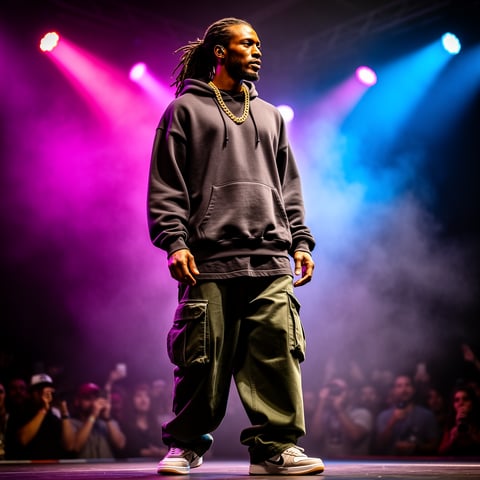
Dre, Music + dance

01

Step 1: Upload Your Image and Define the Outcome

Choose the photo, portrait, product-style visual, or character reference you want to improve. Tell socialAF what you need: sharper facial details, cleaner lighting, a more polished creator profile image, a higher-quality campaign visual, or a consistent character base. This helps you move beyond simple enhancement and toward an asset that supports your content goals.

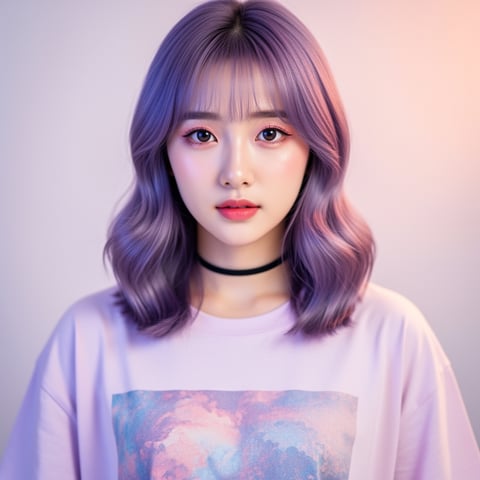
Yuna, Anime + Y2K aesthetic

02

Step 2: Enhance Quality and Build a Character System

Use the improved image as a high-quality reference inside socialAF’s reference-driven character builder. Create multi-angle reference packs so your character can appear from different perspectives without losing identity. Organize the results in a per-character gallery so every future image, video, avatar, and voice asset stays connected to the same persona.

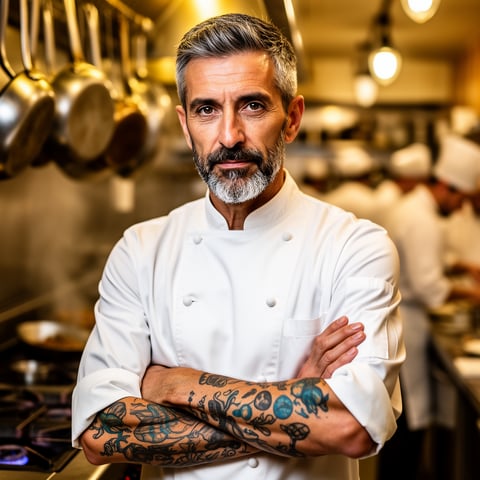
Marco, Chef + restaurant

03

Step 3: Generate Images, Videos, Avatars, and Voice Content

Turn the enhanced character into a complete content library. Generate new images with image-to-image and text-to-image tools, create videos with text-to-video, image-to-video, and reference-to-video workflows, make talking avatar clips, add text-to-speech, and use voice cloning for consistent character narration. Agencies can scale production with multi-org workspaces and bulk generation.

Enhance One Image. Build an Entire AI Character.

Build consistent AI characters across image, video, and voice. Cancel anytime.

Try it Today

The difference

Why it wins for image quality enhancer free.

Most free image quality enhancer tools stop after one cleaned-up download. socialAF helps you turn that improved image into a repeatable content system, so your best visuals become reusable characters, campaigns, and branded creative assets.

Without image quality enhancer free

Traditional approach

With socialAF

You do not need to hire separate editors, voice talent, video producers, and asset managers just to create a consistent persona. socialAF brings enhancement, character creation, image generation, video generation, talking avatars, text-to-speech, and voice cloning into one workflow.

Without image quality enhancer free

Generic tools

With socialAF

You avoid one-off outputs that look good once but fail across a campaign. socialAF’s reference-driven character builder, multi-angle reference packs, and per-character galleries help you maintain identity from image to video to voice.

Without image quality enhancer free

Manual methods

With socialAF

You spend less time renaming files, recreating prompts, and rebuilding style guides. Agency multi-org workspaces and bulk generation make it easier to scale consistent creative production for multiple brands, clients, or creator personas.

What creators say

Creators using socialAF for image quality enhancer free.

We started with a low-quality character reference and turned it into a full creator kit: profile images, short videos, talking avatar clips, and voice content. The biggest win was consistency.

Maya Collins

Creator Strategist

Our agency used to lose hours trying to make AI visuals match. socialAF gave each character a gallery, reference pack, and repeatable workflow so our campaign assets finally looked connected.

Jordan Lee

Agency Creative Lead

FAQ

Common questions about image quality enhancer free.

What is the best image quality enhancer free workflow for creators?

The best workflow is one that improves the image and also helps you reuse it. A simple enhancer may sharpen or upscale a file, but creators usually need more than one better-looking image. With socialAF, you can upload a reference, improve its quality, turn it into a consistent AI character, create multi-angle reference packs, and generate new assets for social posts, thumbnails, videos, avatars, and voice-led content. That means your enhanced image becomes the foundation for a repeatable creator system instead of a one-time download.

Can I use socialAF to enhance blurry AI character images?

Yes. socialAF is designed for creators who need to turn imperfect character references into usable production assets. If your image is blurry, low-resolution, noisy, or visually inconsistent, you can use it as a starting reference and guide the output toward a cleaner, sharper character identity. From there, socialAF’s reference-driven character builder and multi-angle reference packs help you generate consistent new visuals, rather than trying to repair the same weak file over and over.

How does an AI image quality enhancer help with social media content?

Sharper, cleaner visuals can make your posts feel more credible, polished, and clickable. For social media, image quality affects profile photos, thumbnails, ad creatives, carousel slides, creator portraits, and video cover frames. Google’s image best practices also note that sharp, high-quality images are more appealing than blurry images in visual search results. ([developers.google.com](https://developers.google.com/search/docs/appearance/google-images?utm_source=openai)) socialAF adds another layer: once your image is improved, you can turn it into a character that appears consistently across images, videos, talking avatars, and voice content.

Can I create videos after using the image quality enhancer free workflow?

Yes. That is one of the biggest advantages of using socialAF instead of a single-purpose enhancement tool. After you improve your image and build a character reference, you can create video content with text-to-video, image-to-video, and reference-to-video workflows. You can also create talking avatars, add text-to-speech narration, and use voice cloning so your character has a recognizable sound as well as a consistent look. This helps you turn one enhanced image into a full campaign asset.

Is socialAF useful for agencies managing multiple AI characters or clients?

Yes. socialAF includes agency multi-org workspaces, per-character galleries, and bulk generation so teams can manage multiple brands, clients, creators, or fictional personas without mixing assets together. Each character can have its own references, image outputs, videos, voice assets, and gallery. This makes it easier to maintain creative consistency, review work with teammates, and produce more variations without rebuilding the same setup for every campaign.

What techniques matter most when enhancing image quality with AI?

The most useful techniques depend on the image, but common modern enhancement goals include upscaling, super-resolution, denoising, deblurring, sharpening, color correction, artifact removal, and restoring missing or weak details. Industry research and image restoration workshops continue to focus on tasks such as image and video denoising, deblurring, upsampling, super-resolution, compression cleanup, glare removal, and enhancement. ([cvlai.net](https://cvlai.net/ntire/2025/?utm_source=openai)) socialAF applies this creator-first mindset by helping you move from quality improvement to consistent character generation, video creation, avatars, and voice.

Ready to turn better images into better content?

Start free →

Ready

Build your first character today.

Join creators using socialAF to bring their characters to life. One subscription, every model, no shoot required.

Start today