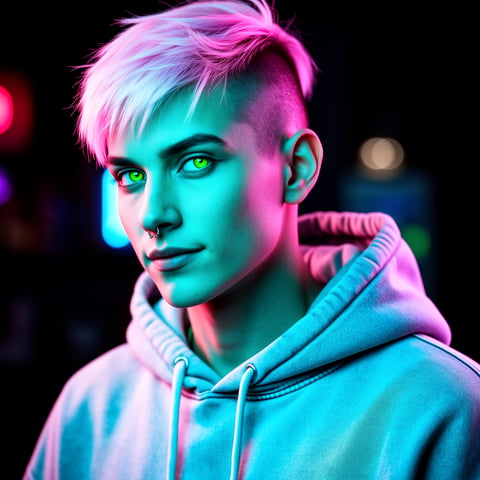
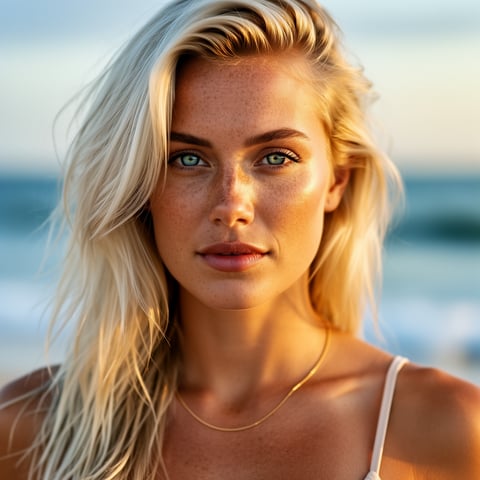
Use case · quality enhancer

quality enhancer with socialAF.

Your character content should look polished everywhere it appears: profile photos, short-form videos, talking avatar clips, campaign images, pitch decks, thumbnails, ad variations, and agency deliverables. socialAF’s quality enhancer workflow helps you turn promising AI outputs into sharper, more consistent, more usable creator assets without rebuilding your character from scratch. Instead of juggling separate tools for images, video, voice, organization, and batch production, you can create, refine, store, and scale your AI character content in one focused workspace. A strong quality enhancer process is no longer just about making a single image look cleaner. Modern enhancement workflows commonly combine resolution improvement, denoising, detail recovery, sharper motion, and better consistency across still and moving assets, while video research increasingly connects super-resolution, deblurring, and frame interpolation as related quality challenges. ([sciencedirect.com](https://www.sciencedirect.com/science/article/pii/S0141938226001368?utm_source=openai)) With socialAF, you can start from a reference-driven character builder, generate multi-angle reference packs, create images from text or existing images, produce videos from text, images, or references, add talking avatar clips, clone an approved voice, and keep every asset organized inside per-character galleries. The outcome is simple: your character looks recognizable, premium, and campaign-ready across every format your audience sees.

Get started today·Results in seconds·Loved by creators

Our library·13 characters·12 models

Mia, Beauty + soft glam
Nova, Fitness + wellness
Jordan, Strength coach
Aria, Style + fashion
Kai, Travel + adventure
Eli, Food + slow living
Sage, Yoga + breathwork
Reese, Gaming + tech

Proof·Built for creators and agencies that need repeatable quality, not one-off experiments. socialAF brings character creation, image generation, video generation, talking avatars, text-to-speech, voice cloning, per-character galleries, agency multi-org workspaces, and bulk generation into one streamlined system. That means fewer disconnected exports, fewer mismatched character versions, and a faster path from rough idea to publish-ready content. Use a 3-step workflow to build your character, enhance your visual and voice assets, and scale variations for every channel. Build consistent AI characters across image, video, and voice. Cancel anytime.

Why quality enhancer

Built for the way creators actually work.

01

Make Every Character Look Campaign-Ready

Transform rough drafts, low-detail generations, and inconsistent concepts into polished assets that feel ready for social posts, creator kits, ads, thumbnails, landing pages, and brand storytelling. socialAF helps you improve the perceived quality of your AI character while preserving the identity your audience recognizes.

02

Speed Up Production Without Losing Consistency

Create higher-quality character images, short videos, talking avatar clips, and voice content from one organized workflow. Instead of recreating the same persona repeatedly, you can work from reference-driven characters, multi-angle reference packs, and per-character galleries so every new asset starts from a stronger foundation.

03

Scale Professional Content for Every Channel

Use bulk generation to create multiple enhanced variations for different hooks, poses, scenes, aspect ratios, and campaigns. Agencies can manage clients through multi-org workspaces, while creators can keep each character’s best images, videos, and voice assets organized for fast reuse.

How it works

How quality enhancer works.

socialAF makes quality enhancement practical by giving you a repeatable workflow for character identity, content generation, and asset refinement. You do not need to start over every time an image needs more polish or a video needs a more consistent persona. You build once, improve strategically, and reuse your best assets across campaigns.

Sage, Yoga + breathwork

01

Step 1: Build a recognizable character foundation

Start with the reference-driven character builder to define your persona’s face, style, body language, wardrobe direction, and creative identity. Upload or create references, then generate multi-angle reference packs so your character has a consistent look from different perspectives. If voice is part of your content strategy, add voice cloning or text-to-speech so your persona sounds as intentional as it looks.

Reese, Gaming + tech

02

Step 2: Generate sharper image, video, and voice assets

Use socialAF’s image generation tools for text-to-image and image-to-image content, then create motion assets with text-to-video, image-to-video, and reference-to-video workflows. For explainers, promos, and social clips, turn the character into a talking avatar and pair it with text-to-speech or a cloned voice. This lets you enhance quality across the full content experience, not just a single static image.

Liv, Beach + lifestyle

03

Step 3: Organize, compare, and scale your best variations

Save outputs in per-character galleries so your best enhanced assets are easy to find and reuse. Compare variations, keep the strongest images and clips, and use bulk generation to produce campaign-ready batches. Agencies can separate clients, teams, or brands inside multi-org workspaces, making it easier to deliver consistent quality at scale.

Enhance Your Character Content Today

Build consistent AI characters across image, video, and voice. Cancel anytime.

Try it Today

The difference

Why it wins for quality enhancer.

A quality enhancer should help you publish better content, not create more scattered files and manual cleanup. socialAF outperforms disconnected workflows by tying enhancement to the character itself. Your images, videos, voices, and galleries all work together, so every new generation can reinforce the same identity.

Without quality enhancer

Traditional approach

With socialAF

Instead of coordinating separate designers, editors, voice tools, and asset folders for every small improvement, socialAF gives you a repeatable workflow for creating and enhancing character assets in one place.

Without quality enhancer

Generic tools

With socialAF

Instead of enhancing a one-off file with no memory of who the character is, socialAF keeps your persona connected to reference packs, galleries, image generation, video generation, talking avatars, and voice options.

Without quality enhancer

Manual methods

With socialAF

Instead of manually rebuilding variations one by one, you can use bulk generation and per-character organization to create more polished campaign assets faster while keeping the same recognizable persona.

What creators say

Creators using socialAF for quality enhancer.

socialAF helped us stop treating quality enhancement like cleanup. Now every character has a reusable identity, polished image set, short video options, and voice direction before we launch a campaign.

Maya Chen

Creative Director

The biggest win is consistency. We can generate new scenes, improve weak outputs, and keep client characters organized without losing the look that made the concept work in the first place.

Jordan Ellis

Agency Content Strategist

FAQ

Common questions about quality enhancer.

What is an AI quality enhancer for character content?

An AI quality enhancer for character content is a workflow that helps you improve the polish, consistency, and usability of AI-generated assets. For creators and agencies, quality is not only about sharper pixels. It is about whether your character looks like the same persona across images, videos, talking avatar clips, campaign variations, and voice-led content. socialAF supports that outcome by combining a reference-driven character builder, multi-angle reference packs, image generation, video generation, talking avatars, text-to-speech, voice cloning, per-character galleries, and bulk generation. You can turn early concepts into assets that feel more intentional, more recognizable, and easier to publish.

How does socialAF improve AI image quality while keeping the same character?

socialAF helps you improve AI image quality by anchoring new outputs to a character identity instead of treating each image as a disconnected prompt. You can start with references, build a stronger character foundation, generate multi-angle packs, and then use text-to-image or image-to-image creation to produce cleaner, more campaign-ready visuals. The key outcome is consistency: your character can appear in new poses, scenes, moods, and formats while still feeling like the same persona. Per-character galleries also help you save the strongest versions, compare outputs, and reuse approved assets instead of hunting through random downloads.

Can I use a quality enhancer workflow for AI videos and talking avatars?

Yes. A strong quality enhancer workflow should support motion, not just still images. socialAF includes video generation options for text-to-video, image-to-video, and reference-to-video, so you can create short-form clips that extend your character beyond static visuals. You can also create talking avatars and pair them with text-to-speech or voice cloning for promos, explainers, introductions, product messages, educational clips, and social storytelling. This matters because audiences often judge quality by the full experience: the face, movement, voice, pacing, and consistency across every touchpoint.

Why is character consistency important for an AI quality enhancer landing page strategy?

Character consistency builds recognition. If your persona looks different in every image, video, thumbnail, and avatar clip, your audience has to relearn the character each time. That weakens trust and makes your content feel less professional. socialAF is designed to help you preserve the character while improving the asset. The reference-driven builder, multi-angle packs, per-character galleries, and generation tools give you a repeatable system for producing content that feels connected. For landing pages, ads, and social campaigns, that consistency can make your creative feel more premium and more memorable.

Is socialAF’s quality enhancer workflow useful for agencies managing multiple clients?

Yes. Agencies often need more than a single enhanced image. They need repeatable production, client separation, version control, reusable character assets, and fast variation testing. socialAF includes agency multi-org workspaces so teams can organize work by client, brand, or campaign. Per-character galleries keep approved assets easy to access, while bulk generation helps produce multiple creative directions without manually starting from scratch. This makes it easier to deliver consistent character quality across retainers, launches, social calendars, ad tests, and content packages.

Do I need advanced editing skills to use socialAF as a quality enhancer?

No. socialAF is built to help you move from idea to polished character content without requiring a complex editing stack. You guide the outcome by defining the character, choosing references, generating images or videos, adding voice when needed, and saving the best outputs to organized galleries. You still control the creative direction, but the workflow reduces repetitive setup, file chaos, and manual recreation. If you are a solo creator, you can produce more polished content faster. If you are an agency, you can standardize quality across more deliverables and team members.

Ready to enhance your AI character content?

Start free →

Ready

Build your first character today.

Join creators using socialAF to bring their characters to life. One subscription, every model, no shoot required.

Start today