Use case · ai hairstyle changer

ai hairstyle changer with socialAF.

Turn one look into an entire hairstyle concept campaign with the socialAF AI hairstyle changer. Whether you are testing a bold pixie cut, polished bob, soft layers, textured curls, a fade, copper color, blonde highlights, brunette gloss, or fantasy hair for a digital persona, socialAF helps you preview the outcome before you commit time, money, or production budget. Instead of guessing how a hairstyle will look on a model, creator avatar, brand mascot, or AI influencer, you can build a consistent character and generate hairstyle variations across images, videos, talking avatars, and voice-led content. For creators, the outcome is speed: you can publish more visual concepts without reshooting. For agencies, the outcome is consistency: every campaign asset can use the same face, hairstyle direction, wardrobe mood, and character identity. For beauty brands, stylists, and content teams, the outcome is clarity: you can show clients, audiences, or stakeholders multiple hair transformations in a polished visual format. socialAF is more than a basic virtual hairstyle try on. You can start with a reference-driven character builder, create multi-angle reference packs, organize every hairstyle test in per-character galleries, and move from image generation to video generation when you are ready to promote the look. Use image-to-image to transform an existing portrait, text-to-image to invent a fresh hairstyle concept, text-to-video or image-to-video to bring the result to life, and talking avatars with text-to-speech or voice cloning to turn the hairstyle reveal into engaging content. Build consistent AI characters across image, video, and voice. Cancel anytime.

Get started today·Results in seconds·Loved by creators

Our library·13 characters·12 models

Mia, Beauty + soft glam
Nova, Fitness + wellness
Jordan, Strength coach
Aria, Style + fashion
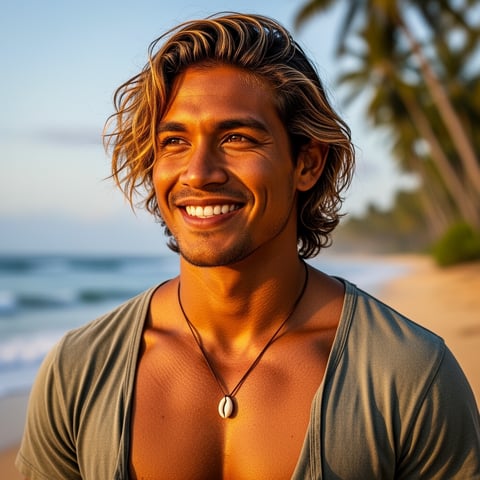
Kai, Travel + adventure
Eli, Food + slow living
Sage, Yoga + breathwork
Reese, Gaming + tech

Proof·Built for high-output creators, salons, beauty marketers, and agencies that need repeatable visual content: generate dozens of hairstyle directions from one character, organize every variation by persona, and scale production with bulk generation and agency multi-org workspaces. socialAF gives your team one place to create, compare, approve, and publish hairstyle concepts without rebuilding the character from scratch each time.

Why ai hairstyle changer

Built for the way creators actually work.

01

Preview Hair Transformations Before You Commit

See how short cuts, long layers, bangs, curls, fades, balayage, vivid color, or natural tones look on your character before booking a shoot, briefing a stylist, or launching a campaign. You can compare multiple directions side by side and choose the version that fits your audience, brand, face shape, and content style.

02

Create More Beauty Content in Less Time

Move from one approved character to a full library of hairstyle images, video clips, talking avatar posts, and voice-ready social content. With per-character galleries and bulk generation, you can test seasonal hair trends, create before-and-after concepts, and deliver client options faster than manual editing or repeated photoshoots.

03

Keep Every Hairstyle Look Consistent

Maintain the same character identity across front, side, and lifestyle angles while changing only the hairstyle, color, texture, or mood. socialAF’s reference-driven workflow helps creators and agencies avoid the common problem of faces drifting between generations, so your AI hairstyle changer outputs feel like one recognizable persona.

How it works

How ai hairstyle changer works.

Start with a reference, choose the hairstyle outcome you want, then expand the best look into polished content for social, ads, client previews, or brand storytelling.

Kai, Travel + adventure

01

Step 1: Build or Upload Your Character

Create a new persona with the reference-driven character builder or upload an existing portrait for image-to-image hairstyle changes. Add details like face shape, age range, aesthetic, natural hair texture, preferred color family, and content purpose. If you need consistency for a campaign, generate a multi-angle reference pack so your character can appear from the front, three-quarter view, profile, and lifestyle angles while staying recognizable.

Eli, Food + slow living

02

Step 2: Generate Haircuts, Colors, and Style Variations

Use text-to-image or image-to-image generation to test specific hairstyle ideas. Try prompts such as soft curtain bangs with warm brunette gloss, sharp jaw-length bob with sleek shine, textured crop with natural curls, long layered waves with caramel highlights, or platinum pixie with editorial styling. Generate several options at once, save favorites to the per-character gallery, and compare which cut or color best supports your brand, campaign, or personal style.

Sage, Yoga + breathwork

03

Step 3: Turn the Winning Hairstyle Into Content

Once you approve a look, expand it into shareable assets. Create image sets for carousels, text-to-video clips for reveals, image-to-video motion for before-and-after posts, reference-to-video content for consistent campaign scenes, talking avatars for style explanations, and text-to-speech or voice cloning for branded narration. Agencies can use multi-org workspaces to keep clients separated, while bulk generation helps produce multiple ad creatives, thumbnails, and social variations quickly.

Create Your Next Hairstyle Concept Today

Build consistent AI characters across image, video, and voice. Cancel anytime.

Try it Today

The difference

Why it wins for ai hairstyle changer.

Most hairstyle tools stop at a single edited selfie. socialAF helps you build a reusable character system, so every haircut, color, video, and avatar can become part of a larger content workflow.

Without ai hairstyle changer

Traditional approach

With socialAF

Avoid expensive trial shoots, last-minute salon changes, and unclear visual briefs. socialAF lets you preview hairstyle concepts first, then share polished references with your stylist, team, client, or audience.

Without ai hairstyle changer

Generic tools

With socialAF

Instead of creating one-off images that look different every time, socialAF keeps your character organized with reference packs, per-character galleries, and consistent generation across hair, face, style, and scene.

Without ai hairstyle changer

Manual methods

With socialAF

Skip slow cutouts, color masking, and frame-by-frame edits. Generate hairstyle variations, videos, talking avatars, and narrated content in one workflow built for creators and agencies.

What creators say

Creators using socialAF for ai hairstyle changer.

I used socialAF to test five hair directions for a beauty campaign before presenting to the client. The character stayed consistent, the hairstyle options looked polished, and the final video concepts were approved faster than our usual mood board process.

Maya Collins

Beauty Content Strategist

The biggest win is that we can keep one AI persona and change the hairstyle for different launches. We create stills, short videos, and talking avatar explainers without restarting the whole creative process.

Jordan Lee

Agency Creative Director

FAQ

Common questions about ai hairstyle changer.

What is an AI hairstyle changer and how does socialAF make it useful for creators?

An AI hairstyle changer lets you preview new haircuts, colors, lengths, textures, and styling ideas on a person or character using generative AI. socialAF makes it especially useful for creators because the result does not have to stay as a single image. You can build a consistent AI character, generate hairstyle variations, save them in a per-character gallery, and turn the winning look into image sets, short videos, talking avatars, and narrated posts. That means your hairstyle concept can become a complete content package for social media, ads, client approvals, or audience testing.

Can I use the socialAF AI hairstyle changer for virtual hairstyle try on before a real haircut?

Yes. You can upload a clear portrait and use image-to-image generation to test haircuts and colors before making a real change. For best results, start with a well-lit image where the face and current hairline are visible. Then describe the hairstyle you want, including length, shape, texture, color, finish, and mood. For example, you can test a shoulder-length layered cut with soft waves, a clean blunt bob, a modern fade, a curly shag, or warm copper gloss. The output can help you compare options and create a visual reference to discuss with a stylist.

How do I keep the same face while changing only the hairstyle?

Consistency is one of the biggest advantages of using socialAF for hairstyle content. Start by creating a dedicated character rather than generating unrelated one-off images. Use the reference-driven character builder and, when possible, create a multi-angle reference pack. This gives socialAF a stronger visual foundation for the character’s face, proportions, and identity. Then prompt hairstyle changes clearly while keeping other traits stable. Save your best outputs in the per-character gallery so you can reuse the strongest look across future image generation, video generation, talking avatars, and campaign assets.

Can agencies use an AI hairstyle changer for multiple clients or brands?

Yes. socialAF is designed for agency workflows as well as individual creators. Agency multi-org workspaces help separate clients, campaigns, and brand assets, so your team can manage different hairstyle projects without mixing references or approvals. You can create a unique AI character for each brand, stylist, model, or campaign, then generate hairstyle concepts in bulk. This is useful for beauty ads, salon promotions, influencer content, ecommerce visuals, seasonal trend campaigns, and client presentations where you need multiple polished options quickly.

Can I create AI hairstyle videos and talking avatars with the same look?

Yes. After you create a hairstyle you like, socialAF can help you expand it beyond still images. Use text-to-video for new motion scenes, image-to-video to animate an approved hairstyle image, or reference-to-video to keep the character aligned with your established look. You can also create talking avatars that explain the transformation, introduce a hair trend, promote a salon offer, or narrate a before-and-after reveal. Add text-to-speech for fast voiceover, or use voice cloning when you need a familiar branded voice for recurring content.

What hairstyle prompts work best for an AI haircut generator?

The best prompts describe the outcome in plain, visual language. Include the haircut type, length, hair texture, color, styling finish, and context. Instead of writing only 'new hairstyle,' try 'jaw-length sleek bob with a center part, glossy espresso brunette color, natural hairline, soft studio lighting' or 'long layered waves with curtain bangs, warm caramel highlights, realistic shine, beauty campaign portrait.' If you are creating content for a character, also mention what should stay the same, such as facial identity, pose, outfit, and background. socialAF’s per-character workflow helps preserve those details while you test hairstyle variations.

Ready to get started?

Start free →

Ready

Build your first character today.

Join creators using socialAF to bring their characters to life. One subscription, every model, no shoot required.

Start today