Use case · realistic ai photos

realistic ai photos with socialAF.

Create realistic AI photos that look intentional, on-brand, and ready to publish without booking a studio, hiring models, or rebuilding the same look from scratch every week. socialAF helps creators, agencies, and brand teams turn a single character concept into a repeatable visual identity across lifestyle shots, campaign images, product placements, short-form videos, talking avatars, and voice-led content. Instead of chasing one lucky image, you build a reusable AI persona. Start with references, define the character’s appearance, generate multi-angle reference packs, and keep every image organized in a per-character gallery. Then use text-to-image, image-to-image, video generation, talking avatars, text-to-speech, and voice cloning to produce a complete content system around the same face, style, and story. The best realistic AI photos today are not just sharp or detailed. They feel believable because they use natural lighting, real-world camera framing, consistent identity cues, subtle imperfections, and context that matches how people actually take photos. socialAF is built around that outcome: helping you create a character your audience recognizes across posts, ads, reels, landing pages, thumbnails, and branded campaigns. Current search guidance rewards helpful, people-first content, while current photorealistic workflows emphasize references, lighting, camera direction, and character consistency. ([developers.google.com](https://developers.google.com/search/docs/fundamentals/creating-helpful-content?utm_source=openai))

Get started today·Results in seconds·Loved by creators

Our library·13 characters·12 models

Mia, Beauty + soft glam
Nova, Fitness + wellness
Jordan, Strength coach
Aria, Style + fashion
Kai, Travel + adventure
Eli, Food + slow living
Sage, Yoga + breathwork
Reese, Gaming + tech

Proof·Built for modern creator teams that need more than one-off AI images. socialAF gives you a 3-step character-to-content workflow, per-character asset organization, multi-org agency workspaces, and bulk generation so you can move from concept to campaign faster. Create consistent AI characters across image, video, and voice. Cancel anytime.

Why realistic ai photos

Built for the way creators actually work.

01

Launch a Recognizable AI Persona Faster

Turn your character idea into a repeatable visual identity for profile photos, lifestyle content, campaign shots, and short-form creative. With a reference-driven character builder and multi-angle reference packs, you can keep the same face, style, and brand presence across every realistic AI photo you publish.

02

Create More Campaign Assets in Less Time

Generate image variations, video scenes, talking avatars, and voice-led clips without starting from zero each time. Use text-to-image for new concepts, image-to-image for controlled variations, text-to-video for campaign ideas, image-to-video for motion, and reference-to-video to keep your character recognizable.

03

Keep Every Character Organized and Client-Ready

Stop losing prompts, reference files, and final exports across folders. socialAF stores work in per-character galleries and supports agency multi-org workspaces, so every brand, client, or persona has a clean home for realistic AI photos, videos, voices, and bulk generations.

How it works

How realistic ai photos works.

socialAF turns realistic AI photo creation into a repeatable workflow. You define the character once, guide the look with references and prompts, then scale the content into images, video, and voice for every channel.

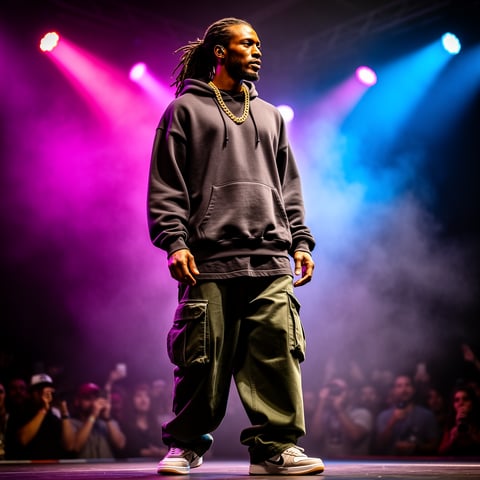
Dre, Music + dance

01

Step 1: Build Your Consistent AI Character

Start with a character brief and owned or licensed reference images. Use the reference-driven character builder to define identity details such as face shape, hair, styling, wardrobe direction, brand mood, and audience role. Generate a multi-angle reference pack so your character can appear in selfies, editorial portraits, lifestyle scenes, product shots, and campaign visuals while staying recognizable.

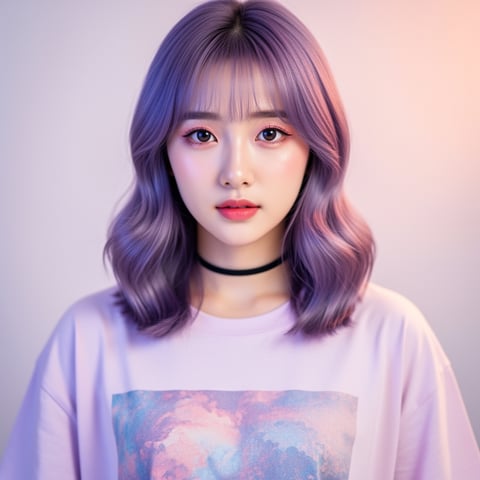
Yuna, Anime + Y2K aesthetic

02

Step 2: Generate Realistic AI Photos for Your Campaign

Choose text-to-image when you need a fresh concept, image-to-image when you want to preserve a pose or composition, or bulk generation when you need many variations for testing. Add simple photography direction such as location, time of day, camera framing, wardrobe, emotion, and content goal. socialAF helps you create believable lifestyle images, social posts, ad creatives, thumbnails, and product-integrated shots without rebuilding the character each time.

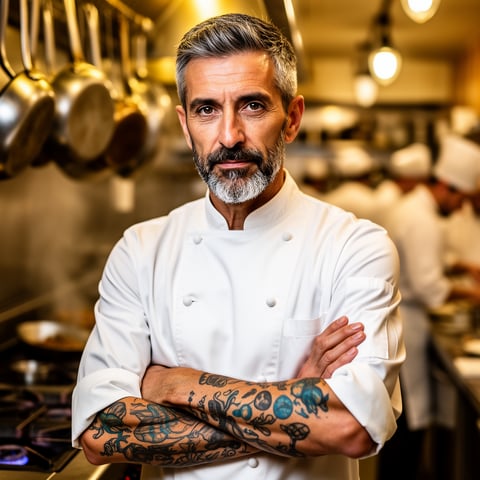
Marco, Chef + restaurant

03

Step 3: Expand Photos Into Video, Voice, and Avatars

Once your realistic AI photos are approved, turn them into more content. Use image-to-video to add motion, text-to-video to create new scenes, reference-to-video to preserve character identity, talking avatars for spokesperson content, text-to-speech for narrated clips, and voice cloning when you need a consistent approved voice. Save everything to the character gallery so your next campaign starts with proven assets.

Create Realistic AI Photos With a Character That Lasts

Build consistent AI characters across image, video, and voice. Cancel anytime.

Try it Today

The difference

Why it wins for realistic ai photos.

Most realistic AI photo workflows break down when you need consistency, scale, or client-ready organization. socialAF is built for creators and agencies that want reusable characters, not disconnected outputs.

Without realistic ai photos

Traditional approach

With socialAF

Avoid repeated studio costs, scheduling delays, reshoots, and location limits. You can create realistic lifestyle photos, seasonal campaigns, product integrations, and creator content whenever your content calendar needs them.

Without realistic ai photos

Generic tools

With socialAF

Move beyond one-off images. socialAF connects character creation, multi-angle references, image generation, video generation, talking avatars, text-to-speech, voice cloning, per-character galleries, and bulk generation in one workflow.

Without realistic ai photos

Manual methods

With socialAF

Stop rebuilding prompts, re-uploading references, and manually tracking assets. Your character library, gallery history, agency workspaces, and generation tools help you produce more consistent AI photos with less repetitive setup.

What creators say

Creators using socialAF for realistic ai photos.

socialAF changed how we pitch creator campaigns. We can show a client realistic AI photos, motion concepts, and avatar scripts before a shoot would even be scheduled.

Maya Collins

Creative Director

The biggest win is consistency. Our AI persona looks like the same person across product shots, casual posts, and talking avatar videos, which makes the brand feel real.

Jordan Lee

Creator Strategist

FAQ

Common questions about realistic ai photos.

How do I create realistic AI photos that look like the same person every time?

The key is building a reusable character instead of generating disconnected images. In socialAF, you start with a character profile, add owned or licensed reference images, and create a multi-angle reference pack. That gives the system a stronger identity foundation before you generate new images. From there, you can use text-to-image for fresh scenes or image-to-image for more controlled variations. Your per-character gallery keeps approved results together, so future prompts can stay aligned with the same face, style, wardrobe direction, and brand personality.

Can socialAF generate realistic AI photos for social media campaigns?

Yes. socialAF is designed for creators and agencies that need realistic AI photos for content calendars, ad tests, launch campaigns, thumbnails, profile visuals, and lifestyle storytelling. You can create a character once, then generate many campaign-ready variations in different locations, outfits, moods, and formats. Bulk generation helps you test hooks, poses, backgrounds, and creative angles faster, while agency multi-org workspaces keep separate clients and brands organized.

What makes a realistic AI photo look believable instead of artificial?

Believable realistic AI photos usually feel like real photography, not over-polished digital art. Use natural lighting, practical camera framing, realistic shadows, grounded environments, consistent styling, and small human details such as relaxed posture or imperfect hair placement. socialAF helps by letting you combine references with clear scene direction, image-to-image control, and character galleries. For best results, prompt for an actual content use case, such as a casual phone photo, outdoor product post, editorial portrait, or behind-the-scenes creator shot.

Can I turn realistic AI photos into videos or talking avatars?

Yes. socialAF lets you expand approved photos into motion and voice-based content. Use image-to-video to animate a generated photo, text-to-video to create a new scene from a written idea, or reference-to-video when character consistency matters. You can also create talking avatars for spokesperson clips, add text-to-speech narration, or use voice cloning for an approved brand or character voice. This helps you turn one photo concept into a full content package for short-form video, ads, landing pages, and social posts.

Is socialAF useful for agencies creating realistic AI photos for multiple clients?

Yes. socialAF includes agency multi-org workspaces so you can separate brands, clients, characters, references, and galleries. That means your team can manage multiple AI personas without mixing assets or losing approvals. Bulk generation helps with campaign volume, while per-character galleries make it easier to review, reuse, and scale the best outputs. Agencies can move from concept boards to production-ready visuals faster while maintaining a cleaner workflow for client feedback.

Do I need photography or prompt engineering experience to create realistic AI photos?

No. Photography knowledge can help, but socialAF is built to make the workflow approachable. Start by describing the outcome you want: who the character is, where they are, what they are doing, what the photo is for, and what mood it should create. Then add simple details like lighting, camera angle, outfit, background, and format. Because your character, reference pack, and gallery are saved, you do not need to recreate the same setup each time. You can improve results through quick iterations and reuse what already works.

Ready to create realistic AI photos at scale?

Start free →

Ready

Build your first character today.

Join creators using socialAF to bring their characters to life. One subscription, every model, no shoot required.

Start today